Home Blog Page 13

‘More Than A Mom’ Mother’s Day Gift Ideas 2021

Mother's Day Gift Ideas 2021
Photo by Suhyeon Choi

Mother’s Day is just around the corner, which means it’s time to start shopping for the perfect gift.  While chocolates and flowers are a nice gesture, they don’t take a lot of effort. You know that, and the moms in your life know it too. A gift that speaks to their unique interests would be much more appreciated. If you’re not exactly sure what that would be, we’ve put together a list of Mother’s Day gift ideas to inspire you.

Every mom, regardless of age, has a life beyond their children. And while most of us are guilty of forgetting that, Mother’s Day is one of the few days a year when it’s important to acknowledge the moms in your life for the multifaceted people they are.  

We’ve deliberately curated a list of gift ideas for moms that have a hobby or special interest, or may be interested in starting one. From photography to astronomy to making music, we’ve got a gift in mind for every type of mom. 

Without further ado, here are 13 ‘more than a mom’ Mother’s Day gift ideas. 

Sony WH-1000XM4 Wireless Noise-Canceling Headphones
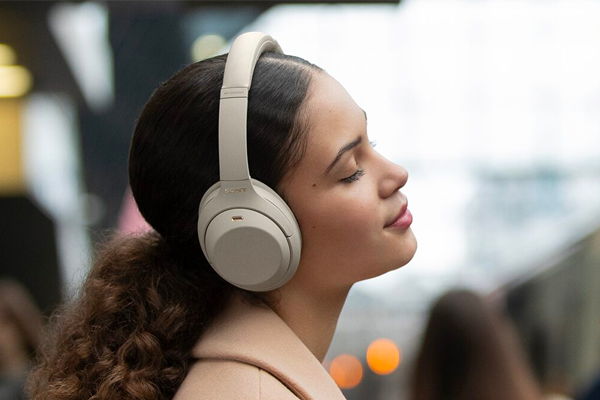
Sony WH-1000XM4 Wireless Noise-Canceling Headphones
Courtesy of Sony

If your mom enjoys listening to music, this Mother’s Day might be a good opportunity to get them some new headphones. Now that most cell phones also function as devices for listening to and storing music, a good set of headphones is all they need to listen to their favorite artists whenever they want.

Headphones have existed in some form since as early as the 19th century, but they’ve also changed a lot in recent years. Headphones like Sony’s WH-1000XM4s are a high-end, fashionable accessory. They’re intelligent, wireless, noise-canceling, and sound great. Read more about the headphones in our Sony WH-1000XM3 vs Sony WH-1000XM4 Comparison post.  

If you think the mom in your life would prefer something smaller, the Sony WF-XB700 wireless earbuds and Apple Airpods Pro are great alternatives.

Sonos Move Speaker
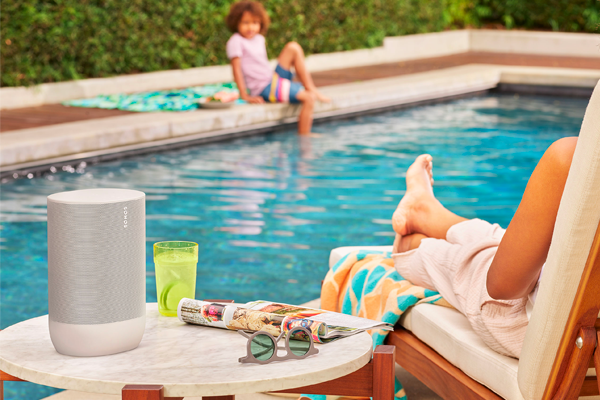
Sonos Move
Courtesy of Sonos

If your mom likes their music to play out loud, a new speaker might be preferred. Like headphones, modern speakers have come a long way. As a smart speaker, the Sonos Move is compatible with Amazon Alexa, Google Assistant, and Apple Airplay 2. It can answer your questions, make and receive phone calls, even turn off the lights at your request. A built-in array of powerful, far-field microphones means it can pick up your voice commands from afar, even in a noisy room.

If your mom is primarily interested in the voice assistant feature, you could save some money and purchase the Google Home Mini or Amazon Echo instead. However, they are no match for the superb sound quality offered by the Sonos Move. Additionally, the Sonos speaker offers 11 hours of battery life and has IP56 weather sealing.  It’s not the most portable speaker on the market, but it is small enough to move around your house easily. It even has a built-in handle.

If the mom in your life is the outdoors type, and would prefer a speaker they can comfortably take on a walk or to the beach, The JBL Charge 4 is a great option. It’s lightweight, IPX7 water resistant, offers 20 hours of battery life, and is currently just $139.95. Check out our post about The Best Outdoor Speakers 2021 for more recommendations.

Audio-Technica AT-LP60XBT Turntable
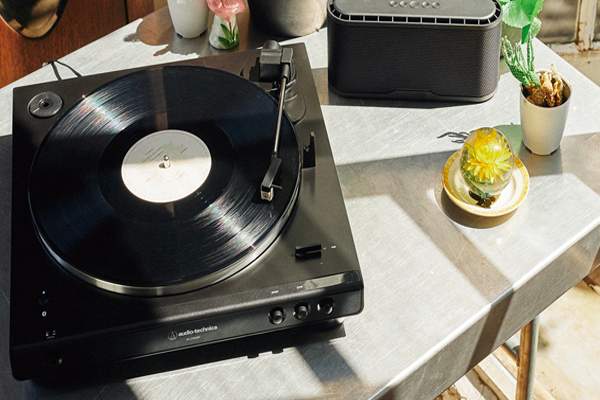
Audio-Technica LP60XBT Turntable
Courtesy of Audio-Technica

If the mom you’re celebrating is over 50, there’s a good chance they listened to music on vinyl when they were younger. Maybe they still have some old records sitting in storage and gathering dust.  If that’s the case, a brand new turntable might be just the thing to make their day.

Alternatively, if they are under 50 or don’t own any records, a turntable is still a great gift. Listening to records has become so popular, even modern artists have started releasing their new music on vinyl. As it turns out, there’s something comforting about the scratchy analog sounds of a record, regardless of your age.

The Audio-Technica AT-LP60XBT is a great entry-level turntable. It’s compact, affordable, and even Bluetooth compatible. Hook it up to your mom’s sound system, or if they don’t have one, you can bundle it with a pair of Microlab Bluetooth bookshelf speakers for just $249.99.

Instax Mini 11
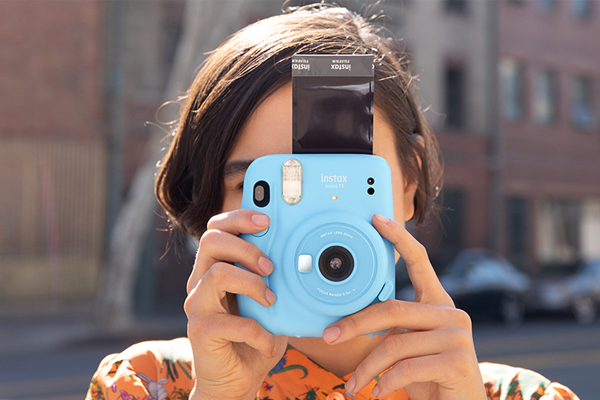
Instax Mini 11 Instant Camera
Courtesy of Fujifilm

Turntables aren’t the only analog technology that are once again in vogue. Unsurprisingly, instant cameras have returned to popularity in recent years. In a world where every person carries a digital camera in their pocket that can take unlimited photos, there’s something novel about using an instant camera. Perhaps it’s because they offer the best of both worlds; the romance and anticipation of a traditional film camera, and the immediate gratification of digital photography. There’s something so rewarding about snapping a photo and physically holding it in your hands as it comes to life.

Fujifilm’s Instax range of instant cameras deserve some credit for the renaissance. They’ve consistently churned out a range of stylish, easy-to-use instant cameras in recent years, including the Instax Mini 11. The little camera has a compact, ergonomic build and prints small photos that develop in just 90 seconds and easily fit in your wallet. The camera comes in a wide variety of bright pastel colors and currently costs just $69.95, or $89.95 with a pack of film and a photo clip stand.

If your mom prefers a retro look and feel, the Instax Mini 40 is effectively the same camera in a vintage build. Alternatively, the Instax SQ1 prints larger photos and has a bigger build and longer battery life. Polaroid has also released some new models in recent years. 

Panasonic LUMIX DMC-TS30 Active Lifestyle Tough Camera
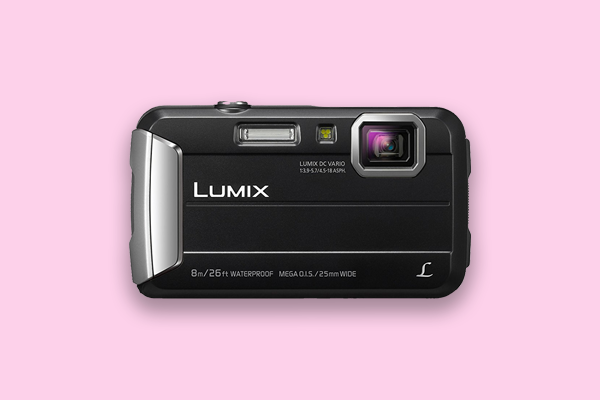
Panasonic LUMIX DMC-TS30 Active Lifestyle Tough Camera

Instant cameras are great for parties and taking selfies, but aren’t ideal for adventures outside. If you’re hiking up a mountain, you want a camera that won’t weigh you down or get damaged, but still has the specs to take a better photo of the view than your smartphone.

The Panasonic LUMIX DMC-TS30 camera was made for exploring the great outdoors. It’s dustproof, waterproof (to 23ft/8m), shockproof (up to 5ft/1.5m), and freezeproof (to 14F/-10C). With a 16.6MP sensor and 25-100mm F4.5 lens, the point & shoot camera takes decent pictures whether you’re underwater or on top of a snowy peak. The camera also weighs just 5.2 oz (144g) when loaded with a memory card and battery, and easily fits in one hand. Not bad for a camera under $200.

Sony ZV-1 Vlogging Camera
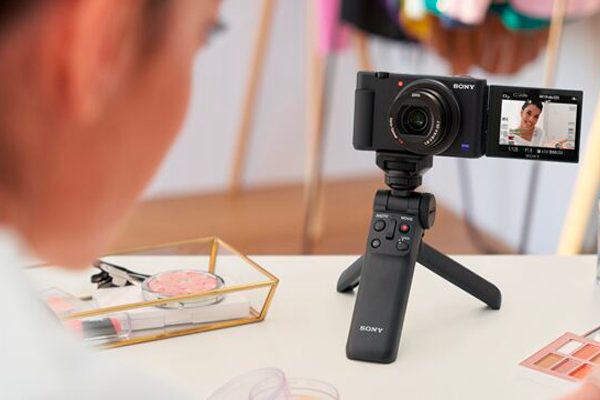
Sony ZV-1 Vlogging Camera
Courtesy of Sony

If the mom in your life loves YouTube, they might be interested in starting their own vlog. YouTube isn’t just for teenagers and young adults. There are countless popular YouTube channels run by moms, many of which are focused on motherhood and family life. However, one of the great things about YouTube is that you can upload content on almost any subject and there’s still a chance you’ll find an audience.

The Sony ZV-1 is a camera specifically designed for vloggers and content creators. It’s a remarkably small, easy to use point & shoot camera that captures high quality stills and video. Using the ZV-1, you can shoot 4K HDR video with full pixel readout. The camera also offers fantastic autofocus and image stabilization capabilities, and is an overall pleasure to use.

The Canon EOS M50 Mark II is another great vlogging camera. Unlike the ZV-1, the M50 Mark II doesn’t have a fixed lens, and can also be used as a high-grade webcam. If the mom in your life takes a lot of video calls, they might appreciate the upgrade. Check out our post on the Best Vlogging Cameras for Beginners 2020 for more recommendations.

Zoom PodTrak P4 Podcast Recorder
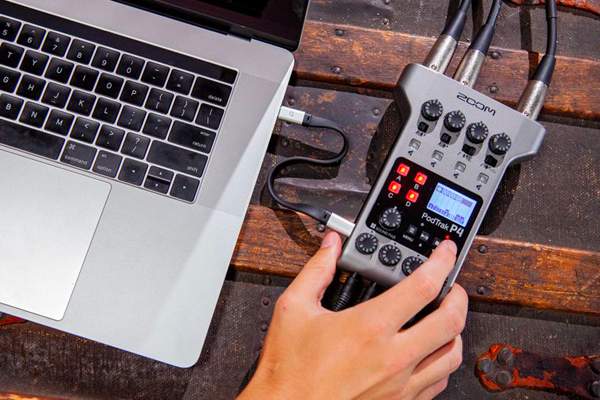
Zoom PodTrak P4 Audio Recorder
Courtesy of Zoom

If the mom in your life doesn’t currently listen to podcasts, it’s only a matter of time. Podcasts have surged in popularity over the past 5 years. Edison Research estimates that as of 2021, approximately 70% of Americans are familiar with podcasting, and about 35% listen to a podcast at least once per month.

If your mom is already hooked, the next step might be starting their own. Starting your own podcast has never been easier, especially with audio recorders like the Zoom PodTrak P4. It’s specifically designed for recording podcasts, and makes it very easy. Read our full review here. 

The P4 currently costs $199.99, but your mom will also require some additional gear before they start recording. This $449.99 bundle includes two podcast microphone packs with everything they’ll need to get started.

Alternatively, you could get your mom a high-quality USB microphone like the Blue Yeti X. It will allow them to record their podcast directly into a computer. They could also use it for other passions, such as singing or gaming, or to improve their audio for video conference calls.

Celestron StarSense Explorer LT 80 AZ Telescope
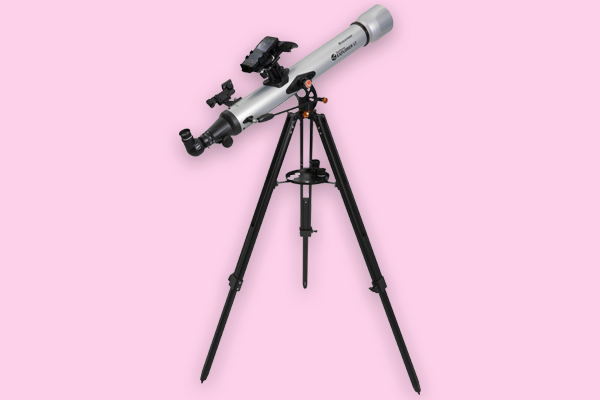
Celestron StarSense Explorer LT80 AZ Telescope

Have you ever caught your mom looking up at the night sky in admiration or wonder? Or maybe they love reading about the latest efforts by NASA to explore the final frontier? If so, they might be interested in taking up astronomy.

The Celestron StarSense Explorer LT 80 AZ smart telescope is great for beginners. The telescope works in conjunction with a mobile app to help you find objects in the sky. It’s a great way to start learning more about astronomy and how to find stars, constellations, and other celestial objects using a telescope.

The StarSense Explorer LT 80 AZ is also affordable, easy to assemble, and lightweight without feeling cheap or fragile. If your mom likes this gift, maybe they will even name a star after you.

Canon EOS Ra
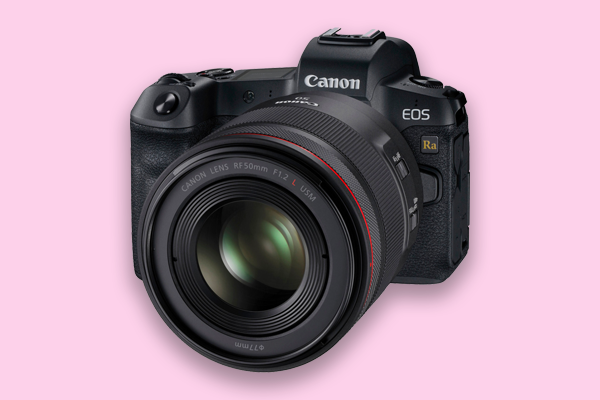
Canon EOS Ra Astrophotography Camera

If your mom already owns a telescope, maybe they would be interested in trying astrophotography instead.

Canon’s EOS Ra camera was specifically designed for astrophotography. The camera is equipped with a modified infrared filter that permits four times the amount of hydrogen alpha light into the sensor than a standard Canon EOS R camera. This allows the camera to capture more detailed photographs of celestial objects. The EOS Ra also features a 30x magnification feature that allows you to get a little closer to those deep-space objects that are literally lightyears away.

It’s worth noting that because of its modifications, the EOS Ra is not the ideal choice for other styles of photography. You’ll likely get some odd color reproduction in your photos when you try to capture something other than the night sky. You can read more about this unique camera in our full Canon EOS Ra Review.

Nikon 10×42 Prostaff 3S Binoculars
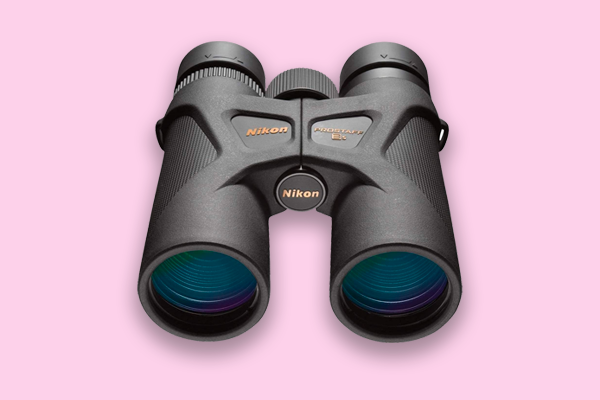
Nikon 10x42 Prostaff 3S Binoculars

Like astronomy and astrophotography, birdwatching (or birding) is a peaceful, relaxing pastime that can be enjoyed at any age. We recommended all three activities in our post about Outdoor & Indoor Hobbies You Should Try in 2021.

While you can go birding without binoculars, it certainly helps to have a pair with you. That way you can see birds (and other wildlife) up close, without physically getting close enough that you accidentally disrupt or scare them.  We recommend the Nikon 10×42 Prostaff 3S binoculars for beginners.

The 10×42 Prostaff 3S binoculars are lightweight, comfortable and easy to use, and feature high quality optics that ensure a pleasant experience. Featuring lead-and-arsenic-free eco-glass with multilayered coating for high light transmittance, these binoculars won’t let your mom down.  They’re also waterproof, fogproof, and encased in a non-slip rubber-armored coating.  Currently priced $136.95, these binoculars offer great value. 

Apple Watch Series 5
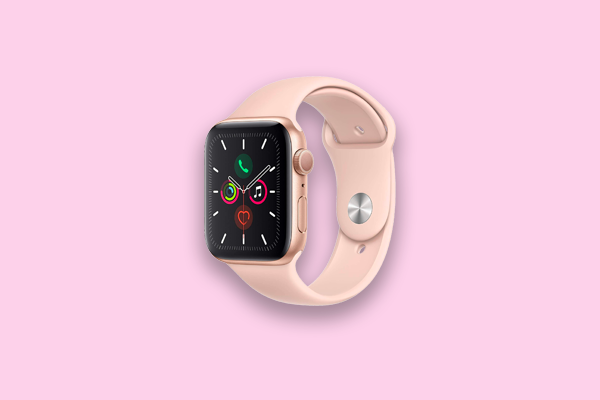
44mm Apple Watch Series 5 Gold Aluminum Case with Pink Sand Sport Band

Wearable technology has exploded in the last ten years, and the Apple Watch is one of the all-time great smart watches. We recommend the Series 5 – while the Series 6 is the more recent model, it only offers several updates. The Series 5 is almost as powerful with a considerably smaller price tag.

Other than telling time (with an optional, always-on display), the Series 5 Apple Watch features a built-in compass for more accurate navigation, and can be used for everything from texting and receiving calls (when synced with an iPhone) to health and fitness tracking. Not to mention the variety of stylish bands available.

If the mom in your life is primarily interested in fitness tracking, alternatives like the Fitbit Charge 4 or the Fitbit Versa 2 are more affordable and offer longer battery life. Although, for your own sake, please don’t give your mom (or anyone) a fitness-focused gift unless it was specifically requested.

Novation Launchkey Mini MK3
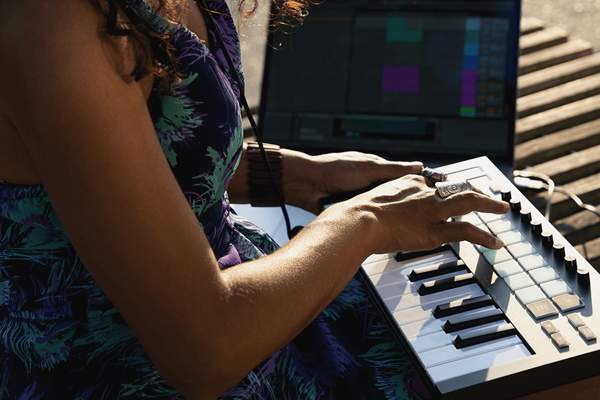
Novation Launchkey Mini MK3
Courtesy of Novation

If your mom really likes music, maybe they’d be interested in making their own. While it’s never too late to start learning an instrument, a MIDI keyboard controller like Novation’s Launchkey Mini MK3 is also an option.

MIDI keyboard controllers are primarily used to make electronic music. They’re designed for use with a DAW (digital audio workstation); a type of software that deals with recording and editing sound. The Launchkey Mini MK3 comes with the Ableton Live Lite software, and is incredibly easy to use. Your mom will be making music within moments of setting it up.

The Mini MK3 features 25 mini-keys, 16 touch sensitive drum pads, and touch strips for adjusting pitch and modulation. To learn more about the Mini MK3, check our Novation Launchkey Mini MK3 vs MK2 Comparison post.

If the mom in your life is already an experienced musician, maybe they just need access to a new instrument. For pianists and keyboard players, this Yamaha EZ220 keyboard bundle includes a bench, stand, learning materials and more, and costs just $299.99.

Microsoft Surface Pro 7

Microsoft Surface Pro 7
Courtesy of Microsoft

The tablet is very quickly becoming the new laptop. Offering almost all the same functionality in a more compact and versatile build, tablets are now the device of choice for artists, students, professionals, and others that require a portable yet powerful computer.

The Microsoft Surface Pro 7 is one of the most versatile tablets currently available.  Whether your mom likes making digital art, editing photos or videos, watching movies, or any of the hundreds of other things you can do on a tablet, they’ll get plenty of use out of a Surface Pro 7.

Alternatively, if your mom prefers a Macintosh operating system, the 8th Gen 10.2’’ Apple iPad is also more affordable. However, the Surface Pro 7 is still better priced than the latest iPad models. 

___

That concludes our 2021 list of Mother’s Day gift ideas. We hope our list has inspired you to consider the interests and passions of the moms in your life, other than their children.

The perfect gift doesn’t have to be expensive, or even related to a hobby. But it should show the mom you’re honoring that you love, listen, and respect who they are, outside of their role as a mother.


Sony Xperia 1 III & Xperia 5 III | Everything We Know So Far

Sony Xperia 1 III & Xperia 5 III

Today Sony announced the release of two new smartphones, the eagerly anticipated Xperia 1 III and Xperia 5 III. The previous iterations of both phones were released just last year, so we’re excited to see what changes Sony has implemented in such a short turnaround time. Here’s everything we know so far about the new Sony smartphones.

Sony Xperia 1 III

Sony Xperia 1 III
Sony Xperia 1 III | Courtesy of Sony

The Sony Xperia 1 II was a universally well-received smartphone when it launched in May last year. In our review, we called it the perfect smartphone for photographers, and identified several features that also made it an ideal choice for gamers, movie buffs, and audiophiles.

From what we know so far about the Xperia 1 III, it seems Sony has implemented several key updates that make it an even more powerful phone.  Some of the features that haven’t changed include the:

In addition to the features listed above, the Xperia 1 III offers the following upgrades:

Qualcomm Snapdragon 888 5G Mobile Platform

The Xperia 1 III is equipped with a Qualcomm Snapdragon 888 5G processing engine. Qualcomm announced the powerful microchip at the end of last year as their flagship 5G smartphone processor, and it’s also used by competing 2021 models including the Samsung Galaxy S21 Plus, S21 Ultra, and the Xiaomi 11.

One of the biggest disadvantages of the Xperia 1 II is that it isn’t able to use 5G within the US. The new processor means the Xperia 1 III won’t have this problem. Additionally, it ensures the phone has the brains to power its new photo and video capabilities.

Triple-Lens Array with Four Focal Lengths

Sony Xperia 1 III Triple-Camera System
The triple-camera system on the Sony Xperia 1 III | Courtesy of Sony

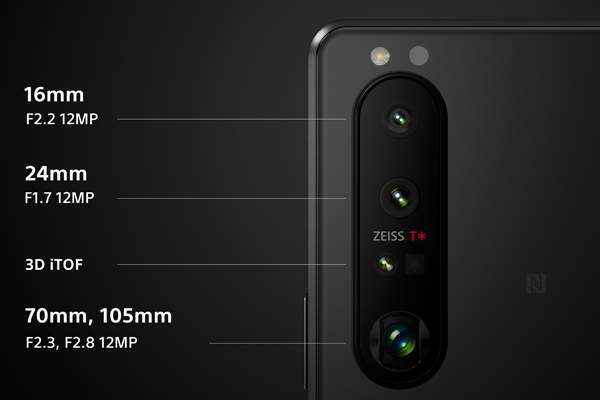
Like the Xperia 1 II, the 1 III features a triple-camera system that uses Zeiss optics and Zeiss T* coating. However, Sony has implemented several key upgrades.

Firstly, each camera now uses a 12MP Dual Photodiode Autofocus (PDAF) sensor, increasing the speed and accuracy of the phone’s autofocus abilities. This will be particularly helpful when photographing moving subjects. Like on the 1 II, you’ll be able to shoot continuously at up to 20fps, with AF/AE tracking occurring up to 60 times per second.

Secondly, there are now four focal length options. The lenses on the Xperia 1 III are a 16mm F2.2, a 24mm F1.7, and a variable telephoto 70mm F2.3, which can also reach 105mm F2.8. While these are the definitive focal length options, users will also have the option to digitally zoom between 70-105mm.

Like the previous model, the 1 III also still utilizes a 3D iToF sensor for faster, more accurate autofocus in low-light settings, and Optical SteadyShot™ for video stabilization.

4K HDR Video Recording up to 120fps

In addition to an improved autofocus and more focal length options, the Xperia 1 III now supports 4K HDR video recording at up to 120fps (slow-motion).  For comparison, the 1 II can only record in 4K up to 60fps, although 120fps recording is available at 1080p.

Dedicated Shutter Button

The shutter button on the Sony Xperia 1 III
The embossed shutter button on the Sony Xperia 1 III | Courtesy of Sony

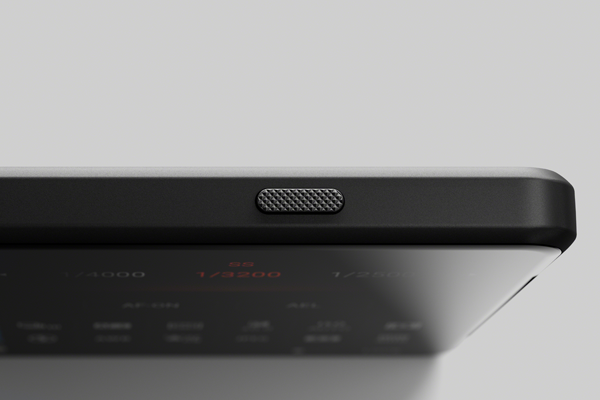
The Xperia 1 III has a dedicated shutter button with an embossed finish on its side. In case you couldn’t tell already, the 1 III is nearly more camera than phone. 

120Hz Refresh Rate & up to 240Hz Motion Blur Reduction

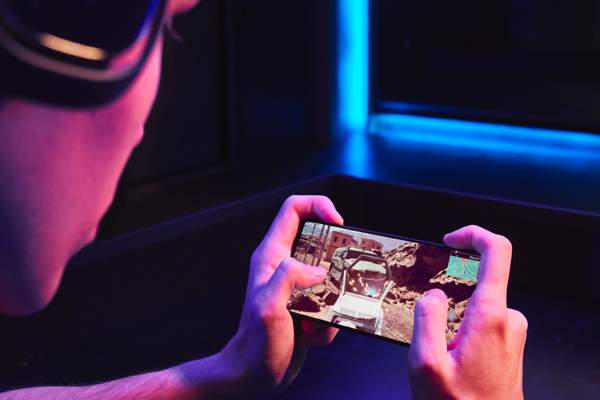
Despite it’s advanced photo and video abilities, the 1 III isn’t just for photographers. The new model inherited several features from the Xperia 5 II that help make it the superior gaming smartphone. Namely, the 120Hz refresh rate and 240Hz motion blur reduction. These features provide smoother scrolling and image transitions, resulting in an optimized, blur-free gaming experience.

240Hz Touch Scanning Rate

Gaming on the Sony Xperia 1 III
The Sony Xperia 1 III is a superior gaming smartphone | Courtesy of Sony

A 240Hz touch scanning rate is another feature the Xperia 1 III shares with the 5 II. A fast touch response is crucial for gamers, and this feature provides that edge.  

New 4,500 mAh Battery 

Up from the 4,000 mAh battery on the Xperia 1 II, the 1 III should still offer decent battery life despite its powerful new features. Wireless charging is still supported, and using the included charger, you’ll also be able to fast charge the battery up to 50% in just 30 minutes. 

Full-Stage Stereo Speakers 

The stereo speakers on the 1 III have been improved, and are 40% louder than on the 1 II. Additionally, you can now use the 360 Reality Audio feature through the speakers (it previously required headphones) for a more immersive listening experience. 

Check out the product launch video below for additional information about the new Xperia 1 III:

Sony Xperia 5 III

Sony Xperia 5 III
Sony Xperia 5 III | Courtesy of Sony

The Xperia 5 III also shares many features with its predecessor, the Xperia 5 II. These include:

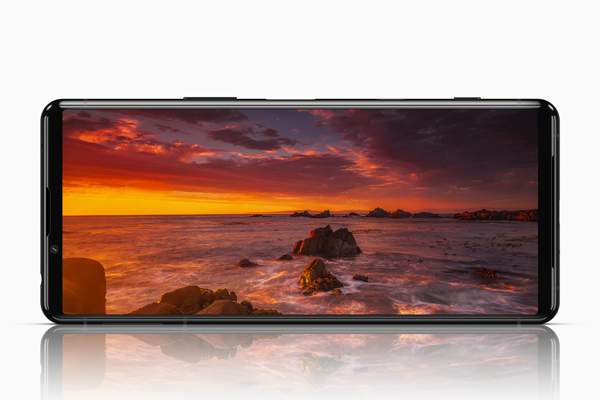
  • 21:9 CinemaWideTM 6.1’’ 4K HDR OLED Display
  • 120Hz refresh rate & up to 240Hz motion blur reduction
  • 240Hz touch scanning rate
  • Continuous shooting up to 20fps AF/AE
  • 4K HDR video recording up to 120fps
  • RAW support
  • Real-time Eye AF for humans and animals 
  • Optical SteadyShot™ (hybrid OIS / EIS video stabilization)
  • Built-in stereo speakers
  • 360 Reality Audio & DSEE Ultimate audio enhancement
  • 3.5mm headphone jack
  • Corning Gorilla Glass 6
  • IP65/68 weather sealing

New Features 

The Xperia 5 III features many of the same upgrades as the Xperia 1 III in a slightly smaller build. This includes the Snapdragon 888 5G processor, improved triple camera system, dedicated shutter button, stronger battery, and improved full-stage stereo speakers. Like the 1 III, it also inherited several features from the 5 II that make it a great phone for gamers. These include the 120Hz refresh rate, 240Hz motion blur reduction, and 240Hz touch scanning rate.

Check out the product launch video below: 

Which Model Is Right For Me?

The previous, second generation of the Xperia 1 and 5 smartphones appeared to appeal to photographers and gamers respectively. The new, third generation models are a little different.

The Xperia 1 III is the ultimate smartphone for photographers, gamers, and movie buffs – or just about anyone interested in an all-powerful smartphone. Meanwhile, the Xperia 5 III offers many of the same features in a smaller build, and will likely have a smaller price tag. While pricing for either model has not yet been released, everything we know so far about the new models indicates they will be a powerful entry into the smartphone market in 2021.

Instax Mini 40 vs Mini 11 | Full Comparison

Instax Mini 40 vs Mini 11

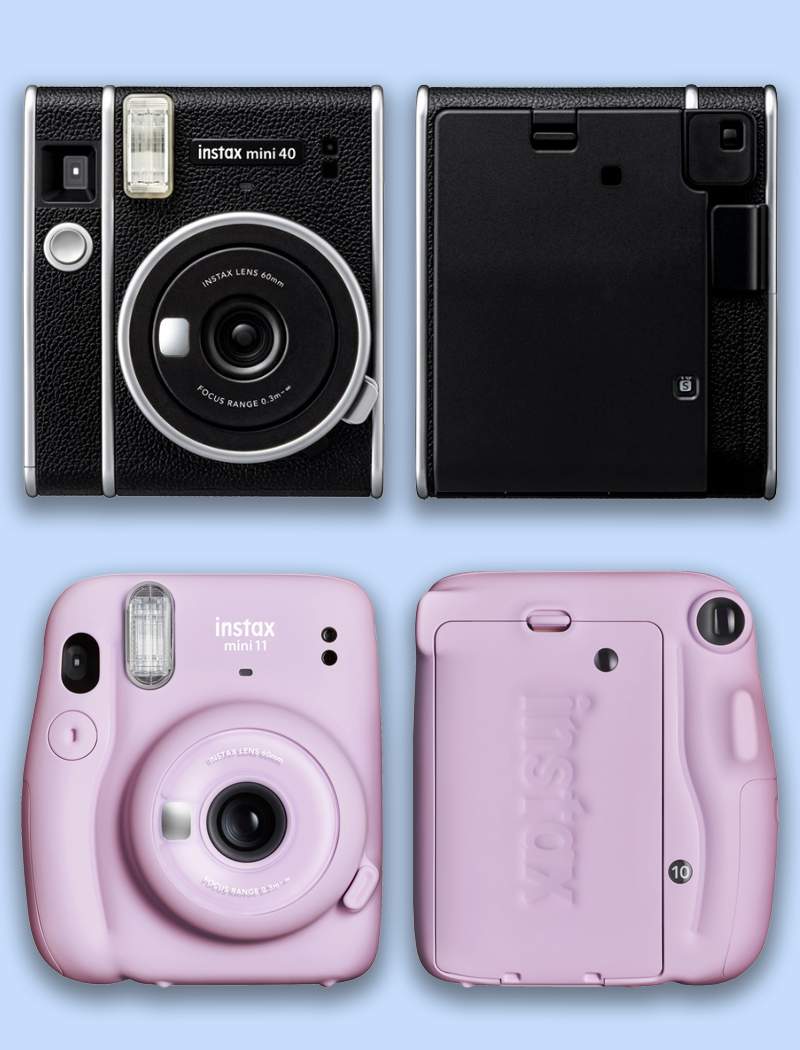
This week Fujifilm announced a new instant camera, the Instax Mini 40, along with a new contact sheet film for all Mini cameras. It’s the third instant camera Fujifilm has released in just over a year. The Instax Mini 11 was released in March 2020, followed by the Instax SQ1 in November. While the SQ1 offers a larger print size (among other differences), comparing the Instax Mini 40 vs Mini 11 reveals the two models are closely related.

When the Instax Mini 11 was first released, we also compared it to the previous Mini model, the Instax Mini 9. We identified several updates that Fujifilm had made, making the Mini 11 the better camera of the two.

Conversely, the Mini 40 is not a true upgrade from the Mini 11. Comparing the technical specifications of each camera (see below) indicates the cameras have the same internal mechanics. However, the Mini 40 is encased in a new build that is sure to excite fans of Fujifilm’s vintage instant cameras. 

Build

Instax Mini 40 vs Mini 11The Mini 11 has a lightweight, plastic build that comes in a variety of bright, pastel colors. The camera has a ridged, ergonomic design that makes it easy to hold, and the Instax logo is debossed into the film door. It comes with a colorful hand strap and jewel-like covers for the shutter button.

The Mini 40, on the other hand, looks and feels like a retro Fujifilm camera. The new release has harder edges, is only available in black, and features a faux-leather casing inspired by Fujifilm’s classic models. The camera has silver accents along the sides and front, and an embossed logo plate above the lens. A black hand strap is included, but no shutter button covers. The Mini 40 is also a little smaller and heavier than the Mini 11.

Both cameras are incredibly easy to operate, with film cartridges inserted via the back. On both models, the camera is turned on by pressing the button next to the lens and off by pushing the lens back into the camera.

Both models also offer Selfie Mode, which should be used if you’re photographing a subject that’s 1-1.6ft away (30 – 50cm). To activate Selfie Mode, simply pull the front of the lens until you see the Selfie On label. There’s a small mirror on the front of both cameras that can help you frame your shot.  

Spec Comparison

Comparing the specs of the Instax Mini 40 vs Mini 11 shows they are, technically speaking, more or less the same. The cameras share the same lens, viewfinder, shutter, and flash. They both use the same film, and develop photos in approximately 90 seconds. They use the same batteries, and have the same battery life.

This means you can expect a comparable performance output from the Mini 40. This isn’t bad news – the Mini 11 is a great instant camera. It’s easy to use, and captures visually pleasing prints that fit in your wallet.  The automatically adjusting flash is a particularly cool feature; it makes it easier to take photos in settings with differing lighting/brightness.

The Mini 40 offers the same capabilities in an alternative, vintage build. If you’re deciding between the two cameras, you should base your decision on the look and feel of each model, as it is the primary differentiator.  If you already own a Mini 11 and you’re looking for something new, consider the Instax SQ1.

Instax Mini 11Instax Mini 40
Price$69.95$99.95
FilmFujifilm Instax Mini Instant FilmFujifilm Instax Mini Instant Film
Photo Size62mm x 46mm62mm x 46mm
Lens2 components, 2 elements f = 60mm, 1:12.72 components, 2 elements f = 60mm, 1:12.7
ViewfinderReal image finder, 0.37x, with target spotReal image finder, 0.37x, with target spot
Shooting Range0.3m and beyond 0.3m and beyond
Selfie Mode + MirrorYes (Use for 0.3 to 0.5m range)Yes (Use for 0.3 to 0.5m range)
ShutterProgrammed Electronic Shutter 1/2 to 1/250 sec. Slow synchro for low lightProgrammed Electronic Shutter 1/2 to 1/250 sec. Slow synchro for low light
Exposure ControlAutomatic, Lv 5.0 to 14.5 (ISO 800)Automatic, Lv 5.0 to 14.5 (ISO 800)
Film EjectionAutomaticAutomatic
Film Developing timeApprox. 90 SecondsApprox. 90 Seconds
Flash TypeConstant Firing Flash (automatic light adjustment)Constant Firing Flash (automatic light adjustment)
Flash Recycle Time6.5 seconds or less6.5 seconds or less
Flash Range0.3 to 2.7m0.3 to 2.7m
Power SupplyTwo AA-Sized Alkaline BatteriesTwo AA-Sized Alkaline Batteries
Battery Life10 Packs of 10 Exposures10 Packs of 10 Exposures
Auto Power Off TimeAfter 5 MinutesAfter 5 Minutes
Dimensions (mm)107.5 x 121.2 x 67.3104 x 121 x 65
Weight (without batteries, strap, or film)10.34 oz (293g)11.64 oz (330g)

Should I Buy the Instax Mini 40?

Like the Mini 11, the Instax Mini 40 is an easy to use instant camera, capable of delivering fantastic miniature prints that develop in just 90 seconds. Unlike the Mini 11, the new camera has a textured vintage build reminiscent of classic Fujifilm instant cameras. 

The retro look and feel of the Mini 11 means it is imbued with a warming touch of nostalgia. The fact it also matches the performance capabilities of a modern instant camera makes it an exciting new release. You can pre-order the camera now for $99.95.

Sony 24mm F2.8, 40mm F2.5, and 50mm F2.5 G Lenses | Hands-On Review

Sony recently announced the addition of three new prime lenses to their G series of lenses: the 24mm F2.8, the 40mm F2.5, and the 50mm F2.5. The E-mount lenses all share a remarkably small build and a price tag of $598. It’s another exciting release by Sony, following the announcement of the Sony 50mm F1.2 GM lens just a few weeks prior. Here’s our hands-on review of the Sony 24mm F2.8, 40mm F2.5, and 50mm F2.5 G lenses.

Table of Contents

Build

Each of the three new prime lenses has an ultra-compact build. The 24mm lens weighs 5.8 oz (162g), while the 40mm and 50mm weigh 6.2 oz each (173g and 174g respectively). The lenses also all share a 49mm filter diameter. 

The small, lightweight bodies mean the lenses are incredibly portable. They paired perfectly with Sony’s compact, full-frame camera, the a7C. We carried the camera and lenses around outside for several hours and they were never a burden. Along with their complementary focal lengths, the lenses have clearly been designed for use together. 

Each lens has a high quality look and feel. The aluminum bodies feature both a focus and aperture ring with engraved markings. There’s also a focus switch, aperture ring click switch, and customizable focus hold button

It’s hard to find fault with such well designed lenses. Often, the trade-off for an ultra-compact build is a cheap look and feel, or diminished performance. Demonstrably, these lenses have neither. On the contrary, the lenses delivered a stellar performance out in the field.

Performance

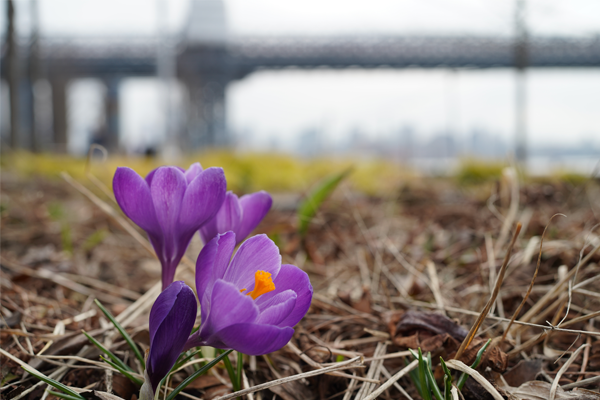
Flowers photographed using the Sony 40mm F2.5 on a Sony a7C
Photo by Jonny Carrillo using the Sony 40mm F2.5 on a Sony a7C

On an overcast spring day, we took the lenses to Domino Park in Brooklyn, New York. Despite the bright yet cloudy setting, the lenses did not disappoint.

We were particularly impressed at how versatile each of the new lenses were. This is, in part, thanks to the minimum focusing distance of each lens. The 24mm F2.8 is a great wide angle lens, perfect for capturing landscapes. However, it also has a minimum focusing distance of just 0.79 ft (24cm) using autofocus, or 0.59 ft (18cm) focusing manually. This allowed us to use it just as effectively to capture close-up shots of our subject with a wide, bokeh-filled background. We also tried this with the 40mm F2.5.

Meanwhile, the 50mm F2.5 is a great lens for portraiture. Shooting on the a7C, we assigned the focus hold button on the side of the lens to activate APS-C mode. This allowed us to jump-in to a tighter frame without having to move closer to the model or crop the images later in post. It was helpful that each lens also has an aperture ring, with the click switch on the side for toggling between smooth and staggered ring movement.

The autofocus on all three lenses was quiet, fast, and reliable. Shooting with them on a Sony a7c and a7S III, we captured some really nice, detailed photos, with vivid coloring and creamy bokeh. All three lenses are also designed to perform just as well on APS-C bodies, such as the Sony a6600 or a6000.

Price

At $598 each, these aren’t quite budget lenses. However, they are more affordable than Sony’s G Master lenses and Sigma’s Art lenses, for a relatively minor difference in overall performance. You could purchase all three lenses for less than the price of the Sony 24-70mm F2.8 GM. The overall weight would also be considerably less (the 24-70mm weighs 31.25 oz).

Of course, there is something to be said for only having to carry around one lens versus three, even if it is heavier. Additionally, the G Master offers a wider focal range. However, if you’re specifically interested in expanding your prime lens inventory, these models are a great option. Considering their fantastic blend of portability and versatility, a price tag under $1000 is great value. 

___

Overall, the Sony 24mm F2.8, 40mm F2.5, and 50mm F2.5 G lenses are a fantastic new release. Offering versatile performance capabilities in an ultra-compact build, you’ll be very pleased with your purchase whether you buy one or all three.

How to Shoot Smoke Bomb Photography

Smoke Bomb Photography
Photo by Kamil Feczko

If you’ve recently noticed an increase in photos featuring colored smoke, you’re not the only one. The style, known as smoke bomb photography, has been slowly gaining popularity over the last few years. It’s even become a common wedding photography request.

While pyrotechnics have a long history with the photography and film world, it’s typically been reserved for professional, high-scale productions. Smoke bomb photography has become popular on smaller shoots as safe-to-use pyrotechnics have become more accessible.

 If you’re an amateur or professional photographer interested in trying smoke bomb photography, we’ve broken down everything you need to know before you pull the pin on your first grenade.

What is a Smoke Bomb & Where Do I Get One?

A smoke bomb photograph captured in a field in Denmark
Photo by Mads Schmidt Rasmussen

In the context of photography and film production, a smoke bomb is a type of pyrotechnic that typically resembles a flare or grenade. They are designed to gradually release non-toxic, colored smoke for a short period of time, usually ranging from 10 to 180 seconds. 

The leading manufacturer of colored smoke bombs for commercial and professional use is Enola Gaye.  They offer a range of grenades that produce varying amounts of smoke depending on what you require. They also offer other products that simulate the effects of frag and flash bang grenades. Their products have been used in the production of films including The Fast and the Furious series and television shows such as Breaking Bad and The Walking Dead

For beginners, we recommend the EG25 Wire Pull smoke grenade. It’s small, easy to use, and produces a decent amount of smoke. It comes in a range of colors and is also relatively affordable, just $60 for a box of 10 grenades.  So you might like to practice setting one or two off before using them for a shoot. Watch the video from Enola Gaye below on how to use the EG25 safely. 

Before purchasing a smoke bomb grenade online, it’s a good idea to confirm you can legally use it in your location. For example, smoke bombs are not legally allowed to be used within New York City, as per article 270 of New York State’s Penal Laws. New York classifies smoke bombs as a type of “sparkling device”, which are legal to use in most parts of the state “except in cities with a population of one million or more.”

Location, Location, Location!

In fact, it’s probably a good idea to scout the location of your smoke bomb photography shoot before you invest in any new equipment. As we mentioned, the rules and regulations surrounding the use of pyrotechnics can vary greatly, even within a state. You may require a permit, or the use of all pyrotechnics may be strictly prohibited. There are also several other factors to consider.

Firstly, you’ll need a well ventilated, outdoor area. While the smoke you’ll be using is non-toxic, that doesn’t mean you should be ingesting it. Inhaling too much smoke could have negative repercussions on your and your crew’s health, and that’s likely to happen if you ignite the grenade inside. Not to mention how it could stain the walls and ceiling.

The grenades can also get quite hot, and emit sparks and ash, making them a significant fire hazard. For that same reason, you also need to be careful where you use them outside. Igniting a smoke grenade in an area with lots of dry grass or tinder could accidentally start a fire. A  firefighter died last year while fighting a fire that was initially started by a smoke bomb used during a gender reveal party in El Dorado, California.

You also shouldn’t use a smoke grenade in a densely populated public place. Plumes of smoke are rightfully perceived as signs of danger or a hazard, and you may unintentionally alarm passersby. If you are permitted to use a smoke grenade in a public place, installing signage and doing your best to alert everyone nearby about what’s happening is the best way to ensure a safe and stress-free shoot.

Other Gear You’ll Need

A smoke bomb photograph captured in Norway
Photo by Erik Odiin

We recommend investing in safety goggles and gloves for anyone who will be handling the smoke grenade during or after use. If you’d like your model to hold the grenade, it is possible for them to do so bare-handed. However, it’s important to show them how to hold the grenade safely and make sure they feel comfortable.

If the person holding the grenade won’t be in frame, they should be wearing protective gear. As we mentioned, the grenade expels sparks and ashes while smoking, and it can get quite hot in the minutes after it stops smoking.

We recommend using a camera that has a high burst rate speed, so you can capture multiple shots per second. You’ll only have a short period of time to photograph while the grenade is smoking, so a high-speed camera will help you make the most of it.  Sony’s flagship camera, the Sony a1, is a great option. The camera offers a speedy 30fps burst rate and a powerful 50MP full-frame sensor.

Taking the Shot

You’ll likely want to place the grenade behind or in-line with your subjects, but out of frame. Placing the grenade between you and your subjects means the smoke may hide them from view, and it could be uncomfortable for them if the smoke gets in their face.  The smoke can also stain clothes, which is especially important to consider if you’re using the smoke bomb for a wedding shoot.

You can use a fast or slow shutter speed to capture the smoke for differing effects. A fast shutter speed will help you capture the smoke more sharply, as if frozen in motion. A slow shutter speed means you’ll capture more of the smoke’s movement in a single exposure, resulting in a motion blur effect (read more about long exposure photography here).

The shutter speed you use determines what your aperture and ISO should be. A fast shutter speed means less light is entering the lens, so you’ll need a wider aperture and higher ISO to compensate. Conversely, a slow shutter speed will let in more light, so you’ll need a smaller aperture and low ISO to avoid an overexposed image.

You’ll only have a small window to photograph once the grenade starts smoking, so it’s important to make sure everything is ready to go before you pull the pin. Take a few test shots without the smoke to make sure everything else looks right. Once you’re satisfied with your test shots, and everything else is ready to go, pull the pin and start shooting.

___

We hope we’ve given you a helpful insight into how to get started with smoke bomb photography. Please don’t forget to look up the rules and regulations in your area before purchasing or using pyrotechnics on set. Have fun and stay safe.

Going Freelance with Food Photographer Chelsea Kyle

Grey Goose photographed by Food Photographer Chelsea Kyle

“I’ve lost so many friends,” laments professional food photographer Chelsea Kyle, when I ask her how she budgets her time. “You can’t put anything on your schedule, unless you’re willing to say no to clients.”

Such is one of the downsides of being a highly sought freelance photographer and video director in New York City. However, Kyle has no regrets since leaving her full-time position at Condé Nast two years ago.

“Freelance is way better.” 

Specializing in food and product photography, Kyle has worked with brands including Apple, Kraft, Kroger, and La Croix. More recently, she’s been working for major beer and spirits brands such as Budweiser and Grey Goose. Last month, she shot Johnnie Walker’s latest product, Jane Walker, a limited edition whisky released for Women’s History Month.

I spoke with Kyle last week about her career and the challenges she’s faced as a freelance artist.

Budweiser photographed by Chelsea Kyle
Photo by Chelsea Kyle

Getting Started

Kyle grew up in Connecticut, raised by her grandmother. While she has loved photography since a young age, Kyle was initially dissuaded by her family from pursuing a career in the arts. After high school, she reluctantly commenced a Bachelor of Nutrition at the University of New Hampshire.

“I barely made it through the first semester,” Kyle laughs.

She eventually left UNH while trying to convince her family she should be studying photography. At the time, Kyle was also working at a wedding dress shop, and started handing out her information to customers in the hopes of finding photography work. One customer hired her, then another, and suddenly Kyle was a working wedding photographer.

Kyle was still interested in pursuing an Arts degree, although the prerequisite requirements she would have to meet before specializing in photography were discouraging. A friend encouraged her to look into trade schools, and she enrolled in the New England School of Photography.

Unlike a traditional Arts degree, the two-year program she chose had a strong focus on developing technical skills. Looking back, Kyle is grateful she didn’t have to spend much time in a classroom.

“The hands-on part of it for me was so important,” Kyle says. “We didn’t have textbooks. You showed up with your equipment and your camera manual, that was your textbook.” 

While her friends completing Arts degrees engaged in subjective discussions about the nature of art, Kyle was out in the field, learning how to light, frame, and capture visually pleasing compositions.

“The first year we weren’t even talking about concept. Either it was appropriately done through technical reasoning, or it was a fail.”

In the program’s second year, Kyle landed an internship at Boston Magazine, and when she graduated, they offered her a full-time position as the photo editor’s assistant.

Going Freelance

While working at Boston Magazine, Kyle “found a niche” with the magazine’s online food section. It proved to be a strong foundation for her to start applying her new technical skills creatively and commercially. In 2015, four years after graduating, she was hired by Condé Nast after someone she’d worked with recommended her for a staff position.

The last few years have been a tumultuous time for print media, particularly Condé Nast. Kyle was grateful to be working, but budget cuts and staff redundancies meant that she was spending more time doing admin work than shooting.

“At one point I was the only person running the photo department for Epicurious,” Kyle says. “I was juggling so much that it really just made it harder to be creative.”

Despite her hectic schedule, Kyle also made time to moonlight on weekends. Through her tenure at Boston Magazine and Condé Nast, she’d built a strong network of contacts in the industry that regularly asked her to work with them. Eventually she decided to leave her job and become a full-time freelance photographer.

A cocktail photographed by Chelsea Kyle
Photo by Chelsea Kyle

Finding Representation

During her transition to freelance food photographer, Kyle started searching for talent representation. Her portfolio quickly garnered the attention of multiple agencies, however, it was important to Kyle to find an agency that she could trust to represent her accurately in private correspondence with her clients.

“By the time you get to a meeting with reps in person, it’s really about how you vibe with that person, because they’re taking over a huge part of your income and your life,” Kyle says. “It was less about getting an agent, and convincing them to rep me, as it was finding the right person.”

Kyle eventually signed with Hello Artists, and she can’t overstate how helpful she’s found it having an agency on her side.

“People have a very distorted view of what is right to ask for because of social media and digital. I have been given contracts that you don’t even know how to break it down or read it, and they’re designed to trick you.”

Kyle’s agency handles all contract negotiations, advocating for her financially so she can focus on the work. She loves not having to “be the one talking to the client about money”.

“It’s so worth the cost to have someone on your side.” 

Her advice to photographers seeking representation is to ensure “your portfolio is strong and speaks to you and what you want to be doing.”

Finding Work

Kyle says approximately half her work comes through her agency, and the rest comes through referrals and recommendations from her network. However, she makes it clear that freelancing is not about waiting for the work to come to you.

“If there’s a really cool project that you really want to do, that could fit for a magazine or a company, you don’t have to wait for someone to come to you,” Kyle says. She recommends reaching out with a pitch on what you can offer them, rather than asking the client how they can help you.

Additionally, Kyle says it’s important to be constantly building your portfolio, and doing test shoots that show off the type of work you want to be doing.

“I think people underestimate how much you can manifest the clients you want by showing the work that you want to do,” Kyle says. “I talk to a lot of people who feel like they get pigeonholed into specific styles or genres of work that they’re not really stoked about.”

Kyle says the trap these photographers fall into is including work in their portfolio that they were paid to do, but that doesn’t adequately represent their artistry. Kyle deliberately shares only specific projects on her website and Instagram.

“Showing work I’m excited about helps me get more jobs closer to my personal style and interests.” 

Creative Process

A glance at Kyle’s Instagram reveals she has a unique visual style. The work she shares on the platform is so enchanting, we included her in our recent post about 10 women photographers on Instagram you should be following.

While it’s clear a lot of work goes into crafting every image, maintaining a consistent look is not something Kyle worries about on set.

“I don’t ever go into a shoot and say, ‘here’s what I’m going to do to make sure it looks like me,’” Kyle says, although she admits it’s the “biggest compliment” when someone recognizes her work before they see who’s credited.

“The hard part isn’t in maintaining your own style, it’s more adapting to what someone wants from you, and being able to do that while still being excited about it.”

Kyle explains that most brands have an established style, and aren’t looking to completely reinvent how it looks and feels. When being considered by a new client, she often has to prepare a treatment that explains how she’ll create something that feels new while still honoring the brand legacy.

“You have to figure out a way to achieve the look that they need and also make it unique enough that you’re making it exciting for them and it does feel fresh and new.”

Kyle admires photographers like Stephen Shore and Gregory Crewdson who “break the norm” in their work. Trying to do things differently is a challenge she’s embraced as a commercial photographer.

“Every client on set is saying to you, ‘does it make sense? Would we put a fork here? Would a person be eating from that direction?’” Kyle says. “I’m constantly pushing myself to be like, ‘it doesn’t have to make sense.’”

Jello photographed by Chelsea Kyle
Photo by Chelsea Kyle

Production

For most commercial stills work, Kyle uses a medium format Phase One Digital Backy camera. Medium format cameras offer a high megapixel count, which is critical for large applications such as billboard and print work. A high resolution means Kyle can also crop-in her photos without losing too much detail.

Kyle has been creating a lot of stop motion animation work recently, which requires a different type of camera. Medium format cameras capture ultra high resolution images, but the file size of every photo is massive. This means they aren’t an ideal choice for stop motion, which requires a camera that can capture multiple frames per second.

“For stop motion animation, I’m using Canon cameras, whether it’s the 5Ds or the 1DX Mark II,” Kyle says. “They can just process files faster.”

Kyle attributes the growing interest in stop motion animation to the meteoric rise of Instagram as a marketing platform.

“Instagram has really replaced a lot of where marketing happens,” Kyle says. “I know there are brands that spend 100% of their marketing on Instagram.”

While brands can advertise on Instagram using stills or video, Kyle thinks stop motion animation offers the best of both worlds. They’re more intriguing and dynamic than a still image, yet less complicated to produce than a full video. Of course, that’s not to say they’re easy to make.

“It’s a lot harder than doing stills because you have to be prepared to do a lot of takes,” Kyle says. But it “is different than video in the sense that it’s more jumpy.”

“You have to really find the balance of a human interaction in stop-motion.” Kyle recommends focusing on simple action, such as a hand entering the frame, to avoid a complicated production. 

Moving Forward

While “everything I do is adjacent to food at the moment,” Kyle is always looking for ways to grow as an artist. She’s recently started taking on more video and directing work, and unlike most professional photographers of her calibre, does her own retouching.

Kyle is unopposed to taking on other styles, such as fashion photography, but she really enjoys the creative potential offered by food and product photography.

“Going somewhere and shooting someone is different than building a scene and a world and lighting it to look the way you want it to,” Kyle says. “I like to be able to build things from scratch on set and really bring a vision to life.”

____

We hope you enjoyed our interview with professional food photographer Chelsea Kyle. Chelsea is represented by Hello Artists and her Instagram handle is @chelsealouisekyle. Her website is chelseakyle.com.

Sigma fp L Review

Sigma has just announced their new camera, the Sigma fp L, an incredibly compact 61MP full-frame mirrorless camera. The new camera is closely related to the 2019-released Sigma fp, although there are some notable updates. We break down everything you need to know in our Sigma fp L review. Watch the video above or read on to learn more about the exciting new camera.

Table of Contents

Build

The Sigma fp L
The Sigma fp L

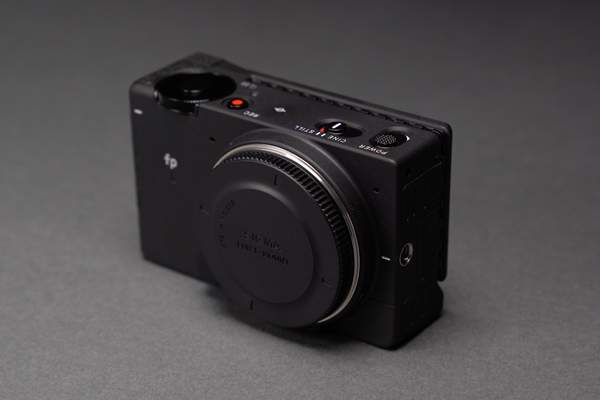
If you’re a fan of the Sigma fp build, you’ll also love this camera. Both models are housed in the same dust and splash-proof aluminum die-cast casing, and have an identical body design.  The dimensions, port placement, and button layout are exactly the same.

Weighing just 15.1 oz (427g) when loaded with a battery and memory card, it’s the smallest and lightest 61MP full-frame, mirrorless camera currently available. For comparison, the Sony a7R IV weighs 23.5 oz (665g) with a battery and memory card. However, like the Sigma fp, the fp L doesn’t come with a built-in viewfinder or hot-shoe. It’s designed for use in conjunction with a rig or cage and multiple accessories.

A hot-shoe accessory is included with the camera, but there’s an additional cost if you want to purchase the camera with Sigma’s new EVF-11 electronic viewfinder.

The viewfinder attaches to the left side of the camera. We found it a little uncomfortable to take on and off, although Sigma plans to improve this before the camera is released. We were also disappointed that you are unable to use the hot-shoe attachment and the EVF-11 simultaneously. Overall though, the lightweight compact build makes it the perfect base for a high-powered camera setup. 

Performance

Coney Island Boardwalk
Coney Island Boardwalk | shot on the Sigma fp L by Jonny Carrillo

The camera we used was a pre-production model, however we were still able to capture some great stills and video. We took the camera to Coney Island for the day and had a blast shooting the eclectic scenery. Sigma’s color modes were particularly fun to play with, especially the new Powder Blue and Duotone options.

The Sigma fp is known for its stellar video performance, and the fp L maintains these capabilities. The camera supports 8-bit CinemaDNG format up to 4K UHD/29.97fps internally and 12-bit CinemaDNG format at 4K UHD/29.97fps externally. There’s also support for Blackmagic RAW and ProRes Raw externally. One upgrade is that the fp L can now record in true 24p externally, versus 23.98p on the fp.

The biggest changes that have been made for the fp L are the new 61 megapixel sensor and an improved, hybrid autofocus system. The high resolution, back-illuminated bayer sensor means the fp L can deliver incredibly stunning visuals. While the camera is likely to primarily appeal to video shooters, the crisp resolution means you can capture some great stills on the camera as well.

Another new feature on the Sigma fp L is the crop zoom function. It allows you to crop your frame in-camera and capture photos without losing too much detail. The camera offers crop factors of 1, 1.53, 2, 2.5, and 5 for stills, and up to 2.5 for video. 

The fp L uses the same battery as the fp, so it doesn’t have the longest charge life. However, another new feature enables you to continuously power the camera via USB-C.

Price

The Sigma fp L is available for pre-order now for $2,499, or $2,999 with the EVF-11 viewfinder. You can also pre-order the EVF-11 separately for $699

___

That concludes our Sigma fp L review. Let us know in the comments below what you think of the exciting new camera.

Sony Announces Wireless Microphone For Vloggers

This week Sony announced two new microphone products, the ECM-W2BT and the ECM-LV1. The ECM-W2BT is a small, wireless microphone system similar to the Rode Wireless Go and new Wireless Go II. The ECM-LV1 is a stereo lavalier microphone that can be used with the ECM-W2BT.  Like the Rode microphones, Sony’s new mics are ideal for vloggers and content creators that need a portable, easy to use, and effective audio recording solution.

Sony has been devoting a lot of attention to the vlogger market recently. Recent camera releases like the a7C and the ZV-1 are specifically catered towards vloggers and content creators. The compact, user-friendly cameras both feature in our list of the best vlogging cameras of 2020.

Sony’s new wireless microphone promises to be another exciting release for vloggers and content creators. Let’s take a look at everything we know so far about the Sony ECM-W2BT.

Table of Contents

Build

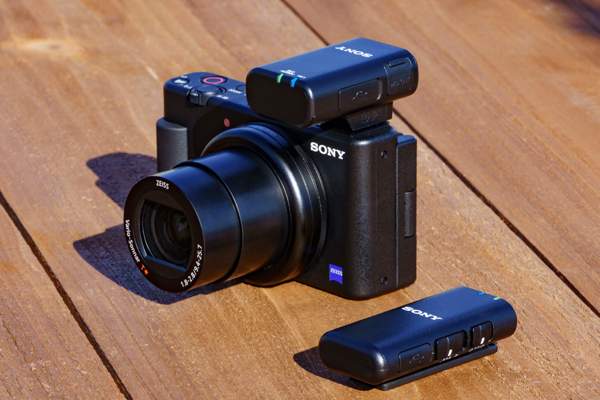
The Sony ECM-W2BT and the Sony ZV-1 camera
The Sony ECM-W2BT and the Sony ZV-1 camera | Courtesy of Sony

The Sony ECM-W2BT is small and light. Consisting of a transmitter and a receiver, each part weighs just 0.95 oz (27g) and 0.98 oz (28g) respectively. It comes with a windscreen, carry pouch, and a connector piece that holds the receiver and transmitter together. Both parts are also dust and moisture resistant.

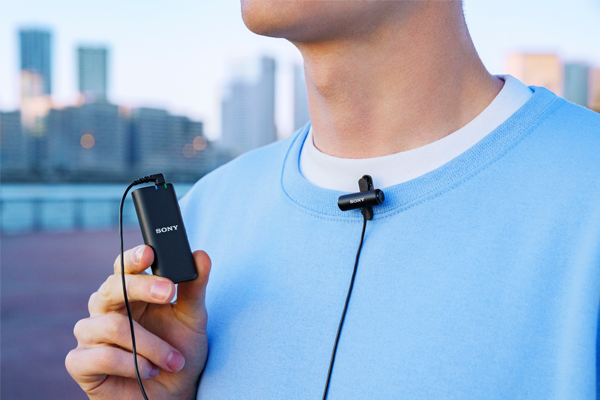
The long, narrow transmitter has a built-in omnidirectional condenser microphone and easily clips on to clothing. It also features a 3.5mm input port so it can be used with a separate lavalier microphone like the ECM-LV1. The transmitter uses Bluetooth 5.0 with the Qualcomm aptx Low Latency codec to transmit audio wirelessly to the receiver.

In addition to a power button and the 3.5mm port, the transmitter has a USB-C port for charging and an attenuator switch for easy audio level adjustment. The switch offers three options, 0dB, 10 dB, and 20dB, for recording sources of varying volume. Two display lights indicate the transmitter’s connection status and battery charge.

The receiver is shorter and wider, and easily attaches to any camera with a hot shoe mount. If you’re using a Sony camera with their proprietary Multi Interface Shoe, the receiver can use it to transmit sound to the camera wirelessly. The MI Shoe also extends battery life from 3 hours to 9 hours. For cameras without the MI shoe, the receiver has a 3.5mm port for a wired connection (cable is supplied). Most recent Sony cameras have the MI Shoe, including the a7C and ZV-1.

The receiver also has its own built-in microphone, allowing you to easily record a two-person conversation between your subject and camera operator.  A switch on the side lets you select whether you’re recording from the transmitter, receiver, or both.

Functionality

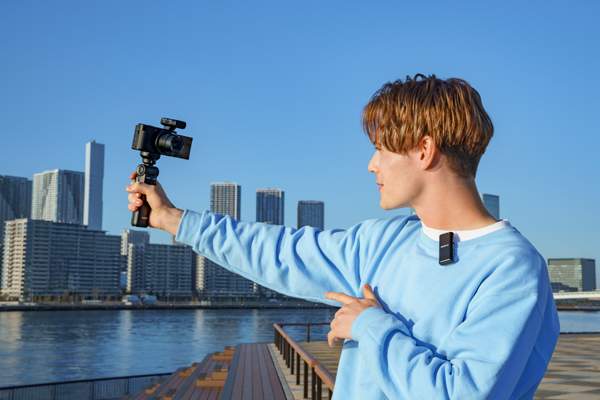
The Sony ECM-W2BT in use with the Sony ZV-1 camera
The Sony ECM-W2BT in use with the Sony ZV-1 camera | Courtesy of Sony

The simple, wireless design of the ECM-W2BT makes it incredibly easy to use. The transmitter connects quickly and can maintain the connection from up to 600 feet (200m) away, provided there’s a clear line of sight. The Bluetooth 5.0 connection and low latency codec will ensure reliable sound quality during transmission, even in locations with lots of wireless activity.

As mentioned, the receiver can also connect to the camera cable-free via the Sony MI Shoe. Four of Sony’s cameras also feature digital audio interface technology via their MI Shoe. This enables the receiver to transmit sound to the camera as a digital signal, which reportedly reduces noise and interference. The cameras that support this are the a9 II, a7C, a7S III, and the a7R IV.

Given the advantages of using the ECM-W2BT with the MI Shoe, it’s clear this microphone is specifically designed for use with Sony cameras. While you can use the system with a non-Sony camera, the receiver only has a 3 hour battery life without the MI shoe. That may deter some non-Sony shooters.

The microphone in the receiver is a nice touch. If you like recording voiceover while you’re behind the camera, you’ll appreciate only having to use the receiver to record and transmit sound. Otherwise, it’s not quite as versatile as the Rode Wireless Go II, which includes two separate transmitters.

Sony is known for not compromising on quality, so you can expect decent quality recording through the transmitter microphone. You can also enhance the quality by pairing it with a lavalier microphone like the new ECM-LV1. The small, stereo microphone comes with its own wind screen and was literally designed for pairing with the ECM-W2BT.

Price

The ECM-W2BT in use with the ECM-LV1
The ECM-W2BT in use with the ECM-LV1 | Courtesy of Sony

The ECM-W2BT wireless microphone system is available for pre-order now for $228. That’s slightly more expensive than the Rode Wireless Go, which was recently reduced to $199.99. The new mic is more affordable than the Wireless Go II, though, which is still on pre-order for $299.

The ECM-LV1 is sold separately, and can also be pre-ordered now for just $28. That compares favorably to the Rode Lavalier Go, currently available for $79. Both of Sony’s new microphones will start shipping at the end of April.

____

The Sony ECM-W2BT is a great new option for vloggers and content creators, especially those already using a Sony camera with the MI shoe. The wireless microphone promises to be a fierce rival to the Rode Wireless Go II. 

Why You Should Use an External Computer Microphone

It’s never been easier to communicate online. Advanced computer processors and high speed internet have made video communication commonplace, at home and in the workplace. However, while most PC and Mac computers come with powerful built-in cameras, the onboard microphones usually leave a lot to be desired. We highly recommend investing in an external computer microphone. More specifically, a USB microphone

It’s particularly important to invest in an external microphone if you plan to record sound into your computer for reasons other than a video conference call. For example, if you plan to start your own podcast, record yourself singing or making music, or start your own YouTube channel. These mediums demand high quality audio, and you won’t be able to record that using an internal computer microphone.

Below we’ve broken down everything you need to know about enhancing the sound recording capabilities of your computer or laptop by using an external computer microphone.

Why Shouldn’t I Use The Internal Microphone?

Conference room meeting photo by Headway

The built-in microphone is not the highest quality component inside your computer. In fact, there’s a good chance you’ve already had a frustrating experience with it. Maybe you’ve had to speak louder than comfortable on a video call so that the other participants could hear you. Or perhaps you’ve had to mute your microphone when not speaking because it was transmitting white noise or background sounds.

Some built-in microphones are omnidirectional, so they pick up background noise in addition to your voice. Other computers use a directional microphone. However, because the microphone is fixed inside your computer, you can’t adjust the direction it’s recording in.  If you’re not speaking in the specific zone where the microphone records sounds from, it won’t pick up your voice. That makes it especially difficult for more than one person to use the same computer during a conference call.

However, even if your microphone does manage to correctly isolate and record your voice, the quality of the sound will still be poor. Internal microphones are designed to be as small and unobtrusive as possible while still being practical. They don’t have the mechanics to record high quality audio.

What’s a USB Microphone?

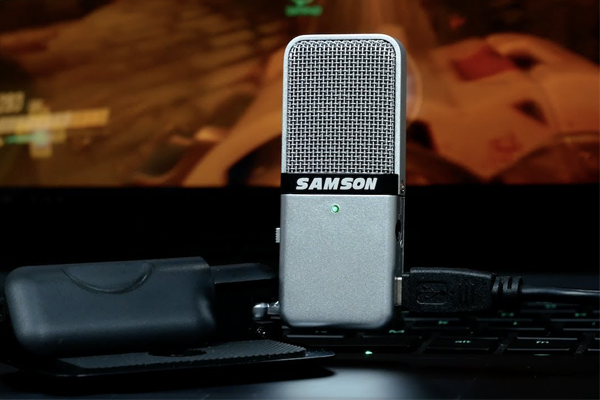
Samson Go USB Microphone
The Samson Go USB Microphone

A USB microphone is simply an external sound recording device that connects to your computer via a USB cable. While there are a wide range of models available, it’s safe to say every USB microphone has a more sophisticated construction than your internal computer microphone. Some of them are even capable of professional-grade recording. 

Most microphones are either dynamic or condenser microphones. Dynamic microphones record sound using electromagnetic induction. When sound enters the microphone, it moves the diaphragm, which is connected to a coil of wire suspended in a magnetic field. This creates an electric audio signal. They’re generally more affordable, durable, and versatile, and are ideal for recording louder sound sources.

Condenser microphones use a capacitor to convert sound into an electric signal. This means they require a constant and higher source of power to operate. However, it also allows them to record sound at a higher quality. Condenser microphones are more sensitive, and ideal for recording in quieter soundscapes, such as inside a studio.

Most USB microphones are condenser microphones, as they are generally used to record voices, a soft sound source. Although even a dynamic USB microphone would be an effective upgrade from your onboard computer microphone.

Which Microphone Should I Buy?

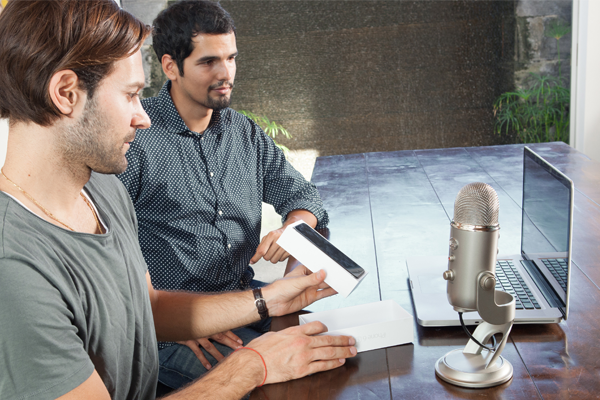
The Blue Yeti USB microphone in use
The Blue Yeti USB microphone in use | Courtesy of Blue

The Blue Yeti ($139) is an incredibly popular USB microphone. The versatile, tri-capsule condenser microphone is capable of recording 16-bit/48khz broadcast-quality sound. While it was originally released in 2009, an upgraded version, the Blue Yeti X ($189.99), was released in 2019. It uses four capsules and can record up to 24-bit/48khz. Both models offer 4 pattern modes for recording: cardioid, stereo, omnidirectional, and bidirectional.

Cardioid recording is best suited for recording a single voice speaking directly into the microphone. It’s ideal for recording a podcast, vlog, or vocals. Stereo is better suited for recording a slightly wider soundscape, for example if you wanted to record yourself playing an acoustic guitar. Omnidirectional is ideal for recording atmospheric sound, such as multiple voices for a conference call. Bidirectional records in a figure-eight pattern, and is best for a two-person interview.

Other condenser models we recommend include the AKG Lyra ($186.25), the Audio-Technica AT2020+ ($149), the Rode-NT-USB-Mini ($99), and the Samson Meteor ($69.99). The AKG Lyra is also a 24-bit/48khz four-capsule microphone that offers similar pattern recording options. The Audio-Technica, Rode, and Samson microphones only offer cardioid recording, yet are smaller, lighter, and more affordable. All four come with a stand or tripod, as do the Yeti microphones.

If you’re specifically looking for an omnidirectional microphone that’s ideal for use in a conference room, we recommend the MXL AC-404 ($74.95). If you just want an inexpensive alternative to your built-in mic that doesn’t take up a lot of space, check out the Samson Go ($49.99).

Summary

Hopefully we’ve convinced you not to rely on your built-in computer microphone. While family, friends, and colleagues may forgive bad sound on a video call, the potential fan base of your podcast, music, or YouTube channel are less likely to be magnanimous. Don’t let a bad microphone hinder your potential.

10 Women Photographers on Instagram You Should Be Following

Isa by Tyra Mitchell
Isa (2021) by Tyra Mitchell (@tyrathezombie)

March is Women’s History Month, and this Monday, March 8, is International Women’s Day. So we thought now would be a great time to profile some of our favorite women photographers on Instagram. 

There are millions of women photographers on social media worth celebrating. In fact, many of Instagram’s top accounts are women photographers who have garnered millions of followers and received the coveted blue verification check next to their name.

For this post, we’d like to highlight photographers who haven’t yet received widespread attention. The accounts listed below aren’t verified and have less than 50K followers. However, their work speaks for itself. The women we’ve featured are extremely talented artists, each with an incredible body of work that’s freely accessible. They’re also spread across the world, from Hong Kong to New Zealand.

Here are 10 women photographers on Instagram you should be following.

Alejandra Hauser


View this post on Instagram


A post shared by Alejandra Hauser (@lahauser)

Alejandra Hauser (@lahauser) is a Mexican photographer currently based in Paris. Hauser primarily specializes in fashion photography. However, some of the best photos in her grid are stunning landscapes she’s captured while travelling, from the Italian countryside to the streets of Japan.

Hauser first became interested in photography at age twelve when she attended an exhibition showcasing photographers including Manuel Álvarez Bravo and Walker Evans. Their influence can be seen in her work today. Like Bravo and Evans, Hauser’s photographs are wonderfully cinematic. She has that rare ability to create utterly captivating visuals of otherwise ordinary subjects or sights. Every photo she posts tells a story.

Hauser likes to shoot digitally and on film, using a Canon 5D Mark IV and a Canon EOS Rebel G. She’s worked with clients including Levi’s, Lacoste, and Nars, and publications such as Vogue and Elle Mexico. Follow her on Instagram for mesmerizing snapshots into everyday life around the world.

Chelsea Kyle


View this post on Instagram


A post shared by Chelsea Kyle (@chelsealouisekyle)

New York City based photographer and director Chelsea Kyle (@chelsealouisekyle) has redefined the thirst trap. Specializing in food and still life photography, she has developed an engrossing visual style that will make you salivate. Her stylish photographs of cocktails, cake, mac and cheese, and other treats are a feast for the eyes.

Kyle got started while interning for Boston Magazine, where she was charged with snapping photos to go with restaurant reviews. Given her first taste of food photography, Kyle’s career progressed quickly from there. Today her clients include Grey Goose, Johnnie Walker, and Kraft, and her work’s been featured in publications including Bon Appetit, Vanity Fair, and Women’s Health.

Kyle’s attention to detail is remarkable. Her sparkling, flawlessly lit compositions are comforting scenes of retro grandeur. Every photograph looks as if it were shot on the set of Mad Men.  They instantly transport you to a time of wicker chairs, bar carts, and elegant glassware, and you’re very happy to be there. To quote Don Draper, “nostalgia – it’s delicate, but potent.”

We recently interviewed Kyle about the challenges of working as a freelance photographer, check it out to learn more about this talented artist.

Tyra Mitchell


View this post on Instagram


A post shared by @tyrathezombie

Tyra Mitchell (@tyrathezombie) is a Washington D.C. photographer and visual artist. Mitchell shoots on a Mamiya RB67 and her grid is filled with intimate film portraits that define her style. A natural fit for fashion photography, she’s worked with brands including Opening Ceremony, Warby Parker, OXOSI, and Urban Outfitters.

Mitchell is also the founder of the Art Mom Project, an online community and platform for creative mothers. The project seeks to provide a safe space for mothers to share their artwork and personal stories related to motherhood. As the mother of twin toddlers, Mitchell knows the challenges firsthand of pursuing a creative career while being a mother. 

“As I have grown to learn, being a mom is not easy. Not to mention being a mother who also has creative pursuits,” Mitchell told Forbes in an interview about the Art Mom Project. “I had many unanswered questions that sparked my yearning for needing an outlet, platform, and community for other women like me.”

While Mitchell has dedicated herself to growing the Art Mom Project, she still makes time for photography projects, both professional and personal. Follow her on Instagram, because Mitchell is a photographer you’ll want to keep your eye on.

Iris To


View this post on Instagram


A post shared by Weirdo with a camera (@iristography)

Iris To (@iristography) is a Hong Kong architecture and street photographer. Her vibrant snapshots of urban life are captivating, showcasing Hong Kong (and other cities she travels to) as you’ve never seen them before.

To’s vivid, cinematic photos look like they were captured on film. However, she actually uses a Fujifilm X100V – a mirrorless camera. Fujifilm pride themselves on the film simulation capabilities of their cameras, so it’s thrilling to see what’s possible when the camera is in the capable hands of a photographer like To.

To’s Instagram bio reads, “capture moments that cannot be recreated”, and you could consider that her artist statement. Every one of her photos feels authentic and spontaneous. Her subjects – street vendors, tourists, passersby – aren’t posing, they’re just living their lives. And through To, we’re given a raw glimpse into them.  The result is images that are intriguing, touching, funny, heartbreaking, and incredibly beautiful.

Ash Adams


View this post on Instagram


A post shared by ASH ADAMS (@ashadamsphoto)

Ash Adams (@ashadamsphoto) is a photojournalist and documentary photographer based in Anchorage, Alaska. She is a National Geographic Society grantee and has had her work featured in The New York Times, The Guardian, The Wall Street Journal, and The Washington Post.

The photos Adams shares on Instagram range from breathtaking Alaskan landscapes to compelling portraits of politicians and fishermen. She likes to shoot on medium format film, using a Hasselblad 500CM and a Mamiya RZ67. However, she also keeps a Sony a7R IV handy for digital work.

A good photojournalist captures pictures that are worth more than a thousand words. Adams’ work is a great example. Her images provide an incredible, honest insight into Alaska; its politics, its residents, its natural scenery. Her Instagram is a window into the nuances of everyday life in America’s largest and most sparsely populated state.

Kristin-Lee Moolman

The work of South African photographer Kristin-Lee Moolman (@kristinleemoolman) immediately catches your eye. Her enchanting portraits are characterized by vibrantly dressed subjects contrast against a cool, washed out landscape. Her unique visual language has been wholly embraced by the fashion world. Moolman has worked with brands including Burberry and Nike and publications such as British Vogue, Dior, and Dazed.

Moolman grew up in South Africa towards the end of Apartheid, and she acknowledges it had an influence on her work. While Moolman doesn’t intend to be political, South Africa’s shifting political landscape continues to be reflected in her work. In 2016, she collaborated with London-based stylist Ib Kamara on a project that challenged traditional stereotypes of masculinity, gender, race, and sexuality. Entitled 2026, the project envisioned what men’s fashion would look like in 10 years time. 

Through her work, Moolman continues to imagine what the future of Africa will look like. Her vision is utopian, colorful, inclusive, and enthralling. Follow her on Instagram to see it for yourself.

Petra Leary


View this post on Instagram


A post shared by Petra Leary (@petraleary)

If you’re looking for someone who will elevate your Instagram feed, look no further than New Zealander Petra Leary (@petraleary). The award-winning photographer’s aerial shots of coastlines, basketball courts, and other landscapes are truly breathtaking.

Leary has a background in graphic design and it reflects in her work.  Every photo feels carefully composed, accentuating the symmetry in both natural and manmade landscapes. She’s particularly fond of photographing sport courts. Photographing them from a birds-eye angle, Leary highlights each court’s bright colors and geometric design. The result is vivid, arresting, and aesthetically pleasing imagery.

Leary shoots with the DJI Mavic 2 Pro and DJI Phantom 4 Pro drones. She also uses a DJI Smart Controller. In an interview with Women Who Drone, Leary mentions tripod mode and burst mode as her favorite DJI features. Tripod mode enables more precise control over the drone’s movement, a feature Leary appreciates when she’s trying to get her shot “perfectly straight and aligned.” Meanwhile the 14fps burst mode on the Phantom 4 Pro (5fps on the Mavic 2 Pro) is ideal for when she’s photographing sports.

Read our interview with Leary in which she provides some fantastic drone photography tips, and follow her on Instagram for a new, refreshing, and visually stunning view of the world. 

Chloe Horseman


View this post on Instagram


A post shared by Chloé Horseman (@chloehorseman)

At just 23 years old, Chloe Horseman (@chloehorseman) has already made a name for herself as a renowned NYC fashion photographer. She’s worked with brands including Simon Miller, The Real Real, and Abercrombie, and publications such as Teen Vogue, Allure, and Refinery29.

Horseman’s visual language feels very intimate. Her warm photos, mostly portraits, look and feel very natural, like a tender moment caught on film. Horseman’s playful use of focus contributes authenticity. Speaking to I-D, Horseman says the tenderness that defines her work is accidental.

“I think it’s the way I interact with models that makes my images gentle,” Horseman explains. “Photography is a very intimate form of art. Being behind the camera is just as hard as being in front of it.”

Noura Al Neyadi


View this post on Instagram


A post shared by Noora Al Neyadi (@nooora91)

Emirati photographer Noura Al Neyadi (@nooora91) creates masterfully composed images of the  sweeping landscapes and unique architecture of the UAE. She often places a solitary subject in frame to highlight the vastness of the scene she’s capturing. The vibrant colors and epic proportions of each photo ensures she’ll grab your attention with every post.

Noura is also skilled at portraiture and street photography. In 2020, she photographed doctors, nurses, cleaners, and other workers on the frontline of the COVID-19 pandemic using her iPhone 11 Pro. While conceiving the project, Noura noticed that frontline workers had learned to express emotion using only their eyes, as they were all wearing face masks. This inspired her to capture close-up portraits of her subjects, focused on their eyes. She then shared each photo on Instagram, with a one-sentence quote from the subject. The project was called Eye Stories.

“I wanted to celebrate them through my photography,” Noura explained to Sekka Magazine. “Their beautiful, determined eyes and their stories are what fueled my energy and gave me the courage to create this project.”

Following Noura on Instagram provides a riveting insight into the people, places, and culture of the UAE. 

Louise Whitehouse


View this post on Instagram


A post shared by Louise Whitehouse (@louisewths)

Louise Whitehouse (@louisewths) is a Swedish-British photographer based in Stockholm. Whether she’s capturing a scenic vista or candid outdoor portraits, nature plays an important role in Whitehouse’s work. 

Her gorgeous photography has been embraced by outdoor fashion brands like Fjällräven. In an interview on their website, Whitehouse discusses how living in Sweden has influenced her style. “Growing up in a generally pretty dark and cold country, I’ve learned to find beauty in raw, moody and sometimes very melancholic environments.” 

In the interview, she mentions her favorite camera is currently the Sony a7R III. However, her style is remarkably consistent regardless of what she’s shooting on. Her Instagram grid features images captured on a Nikon Z7t, Olympus mju-II film camera, and even her smartphone.

Whitehouse’s ethereal imagery feels both familiar and otherworldly. Comforting yet exotic. Following her on Instagram is escapism at its finest. 

____

That concludes our list of 10 women photographers on Instagram you should be following. Let us know in the comments below which other women photographers we should be following on social media.