
In this Video, we speak with Brandon Chin, a product specialist at Canon about 3 exciting new Concept cameras Canon has been working on and what this could mean for the future of Canon.
Lunar Eclipse Photography In 3 Steps

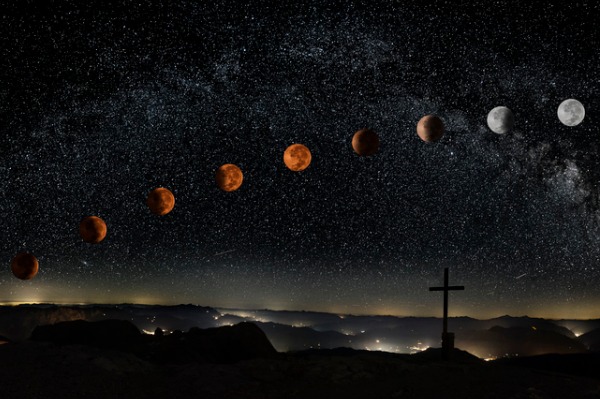
Hello, stargazers. In a few short days, we will experience an incredibly rare and beautiful lunar event. As photographers, that means most of us will be up on a roof somewhere—in the middle of the night—trying to take a perfect photo before it disappears. Below is a list of the three things you need to plan before lunar eclipse photography.
Before we get started, it’s important to talk about why this event is such a big deal.
What is the Super Blood Wolf Moon Eclipse?
Without any context, we’d guess that “Super Blood Wolf Moon Eclipse” is the name of a bad rock band from the early 2000s or a Buffy The Vampire Slayer episode title. In reality, it’s neither of those things so let’s take a moment to unpack the name.
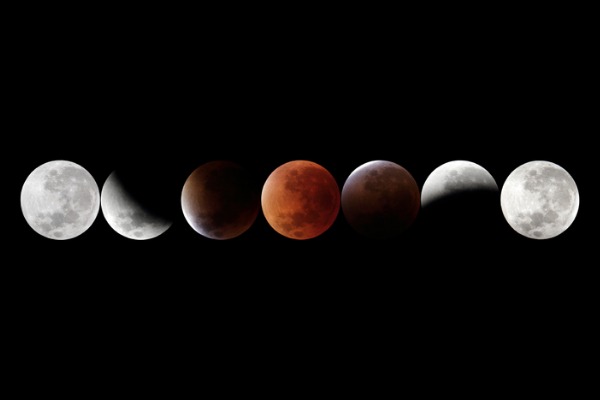
First, this is a “super moon” because it’s full and slightly closer to the earth than a normal full moon. Second, it’s a “blood” moon due to the impending eclipse; when the moon passes into the earth’s shadow, it takes on a copper color. Calling it blood red is a bit of an exaggeration, but there are certain factors that can enhance its vibrancy (for example, the presence of volcanic ash). On a related note, astronomy is the coolest. Finally, the word wolf is included because of the Native American tradition of calling January’s full moon a “wolf moon.” The name originates from the pack animals’ alarming habit of howling hungrily outside Native American settlements during the throes of winter.
Step 1: Figure Out Where & When To Shoot
This magnificent celestial event takes place this coming Sunday, January 20th into Monday, January 21st. At that time, the super moon and lunar eclipse will be fully visible in North and South America, Europe and Western Africa. If you don’t live in any of those
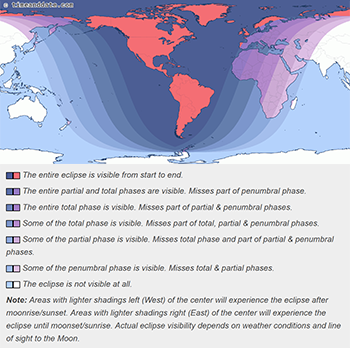
places, don’t despair; Central Africa and Eastern Asia will be able to see the partial eclipse.
The entire event takes 1 hour and 2 minutes but the “maximum eclipse” happens on January 21st at 12:12 am EST (Jan 21, 05:12 UTC). If you live in a major city, your best bet is to get as far away from its glowing lights as possible. In order to get a clear shot of the moon, you must eliminate the risk of light pollution. Borrow a friend’s car, hop on a train, or start walking. Whatever you do, remember that you have a very small window of time. Plan accordingly.
Step 2: Pick Your Telescope
Basic, Affordable, & Reliable
The Celestron National Park Foundation PowerSeeker 114AZ Telescope is a bare-bones, minimal telescope that’s reliable and gets the job done. It has a focal length of 900mm (f/8), standard finderscope, collapsible alt-azimuth mount, and SiO2 reflective optical coatings. It also has an adjustable aluminum tripod and no-tool setup; you can assemble this in the woods without lugging around hand tools. We recommend it for newcomers to lunar photography.
For Newly Serious Stargazers
The Celestron Nexstar 6SE SCT GoTo Telescope is definitely a step up from the PowerSeeker; it has a 6″ Schmidt-Cassegrain optical tube display (OTA), 25 mm 1.25″ eyepiece, 1.25″ star diagonal, and a StarPoint finderscope. It’s also easy to collapse and carry if you need to use it on-the-go.In addition to paying for higher quality gazing, you also get a few key value-added features. Arguably the most notable item on that list is NexStar+ which allows users to automatically align to over 40,000 celestial objects. This model will serve you well long after the Super Moon Lunar Eclipse.
Professional Views
We love the Celestron telescopes detailed above. However, if you’re a professional photographer interested in getting serious about interstellar photography, we recommend the Celestron Nexstar Evolution 8″ EdgeHD SCT GoTo Telescope. Whether you’re photographing a solar or lunar eclipse, meteor shower, or just want to peer into space, this model boasts superior pointing accuracy from horizon to horizon. Like the GoTo, the Nexstar Evolution has a built-in StarPointer Pro Finderscope and a 1.25” star diagonal. It also has Starsense AutoAlign, 2 x 1.25” Plossl Eyepieces, and remarkable EdgeHD 8” optics.
Step 3: Add A Camera And/Or Camera Adapter
Alter Your Smartphone For The Stars
As always, it’s important to take advantage of the assets you have. The Celestron NeXYZ Universal 3-Axis Smartphone Adapter fits any eyepiece from 30mm to 60mm in diameter; that includes the Celestron National Park PowerSeeker and Celestron Nexstar 6SE SCT GoTo Telescope listed above. Just attach it to the eyepiece of your telescope, tilt to adjust, and take photos of the vast expanse of the cosmos like you’d take pictures of your cat. From the great beyond to Instagram in 2 minutes flat; what a time to be alive.
Canon & Nikon Cameras For The Cosmos
We have good news if you’re part of the Nikon or Canon family. Both companies sell t-rings that affix your camera to the main focus of a Celestron telescope (important note: the Canon ring is only for 35 mm Canon EOS Cameras). One of these rings combined with a Celestron T-adapter turns your telescope into a huge, very effective telephoto lens. This combination works with SLR and DSLR cameras for terrestrial, lunar, and planetary photography.
Again, and we can not stress this enough, for this to work you need to get both the ring and the T-adapter.

Upgrade Your Eyepiece
An alternative option is the Celestron NexImage Solar System Imager. This little attachment replaces the eyepiece on your telescope. When installed, it uses iCap and RegiStax software to connect your computer with the NextImage via USB 2.0. When you begin shooting, the software will automatically analyze each frame, remove the individual blurry frames and create a beautiful, clear, colorful image. The NextImage has a maximum resolution of 1280 x 720 and a frame rate of up to 30 fps. The best part about this device is how easy it is to use; the software is an incredibly intuitive and easy way to capture high-quality lunar images.
That concludes our list of the three things to keep in mind before doing lunar eclipse photography! Please let us know if you have any additional products you’d recommend in the comments below.
Novation: Making Original Music For Your Videos With Launchkey

You’ve heard Novation MIDI keyboards are a great way to make music for your videos. You’ve probably also seen some very impressive performances from people using a MIDI keyboard controller. However, you’re still not entirely sure how it works and why you need one. Well, I have some great news. In this post, we break down the basics of why we love Launchkey MIDI keyboard controllers, how the interface works, and our recommended models and software.
What are the benefits of making original music for your videos?
There are two key benefits. First, dealing with music rights is a huge pain that requires two different licenses. This brings us to reason number two: licensing fees. Buying and licensing music is expensive and music copyright laws are strictly enforced. Making your own music means avoiding those fees so you can spend your budget on other important things like lighting.
Novation also does a good job bundling expensive add-ons with Launchkey devices. Most notably (in our humble opinion) are free keyboard lessons from Melodics.com. They also include 4GB of royalty-free sounds, samples, and access to Sound Collective and XLN Audio Addictive Keys.
What is a MIDI keyboard controller?
A MIDI controller is a standard piece of hardware often found in the electronic music scene. When “played” it triggers sounds assigned to the device’s individual touchpads by the user. A MIDI keyboard controller allows you to create melodies or beats and assign them to a touchpad in real time or prior to recording.
Think of a MIDI as a large remote control; it is useless without the device it interacts with. It’s akin to having a TV remote and no television. To make music, a MIDI controller must be connected to your computer and synced with your choice of music editing software.
Which MIDI keyboard software should I use for Novation Launchkey?
We recommend Ableton Live. While there are other options out there, this software is designed to seamlessly integrate with Launchkey MIDIs. There’s also a ton of existing content about how to connect Ableton Live with your Launchkey if you’re new and unsure where to start.
Ableton Live is a music sequencer that works for both macOS and Windows. However, unlike most other “audio workstations,” Ableton Live is designed to facilitate live shows and looping music in real time. This is not to say that you have to have Tiësto-like ambitions to use Ableton Live with your Novation Launchkey; it’s also made for composing, recording, arranging, and mixing music for your videos in the privacy of your home or studio.
What size MIDI keyboard should I get?
This heavily depends on your individual needs and comfort level. However, we put a few example use cases below.
Launchkey 61 & Launchkey 49
If you regularly play a full-sized keyboard you’ll probably be more comfortable composing music for your videos with the Launchkey 61 or Launchkey 49. It’s challenging (but not impossible) to switch from a full-sized keyboard to a smaller one. Muscle memory is a tough thing to overcome.
Larger models also benefit those who prefer manipulating music on a MIDI rather than a computer keyboard. While all four of the Launchkey products have an array of buttons and knobs for hands-on edits, only the 61, 49 and 25 have faders. This level of accessibility makes new users a little less intimidated to try their hand at creating music with a MIDI keyboard controller.
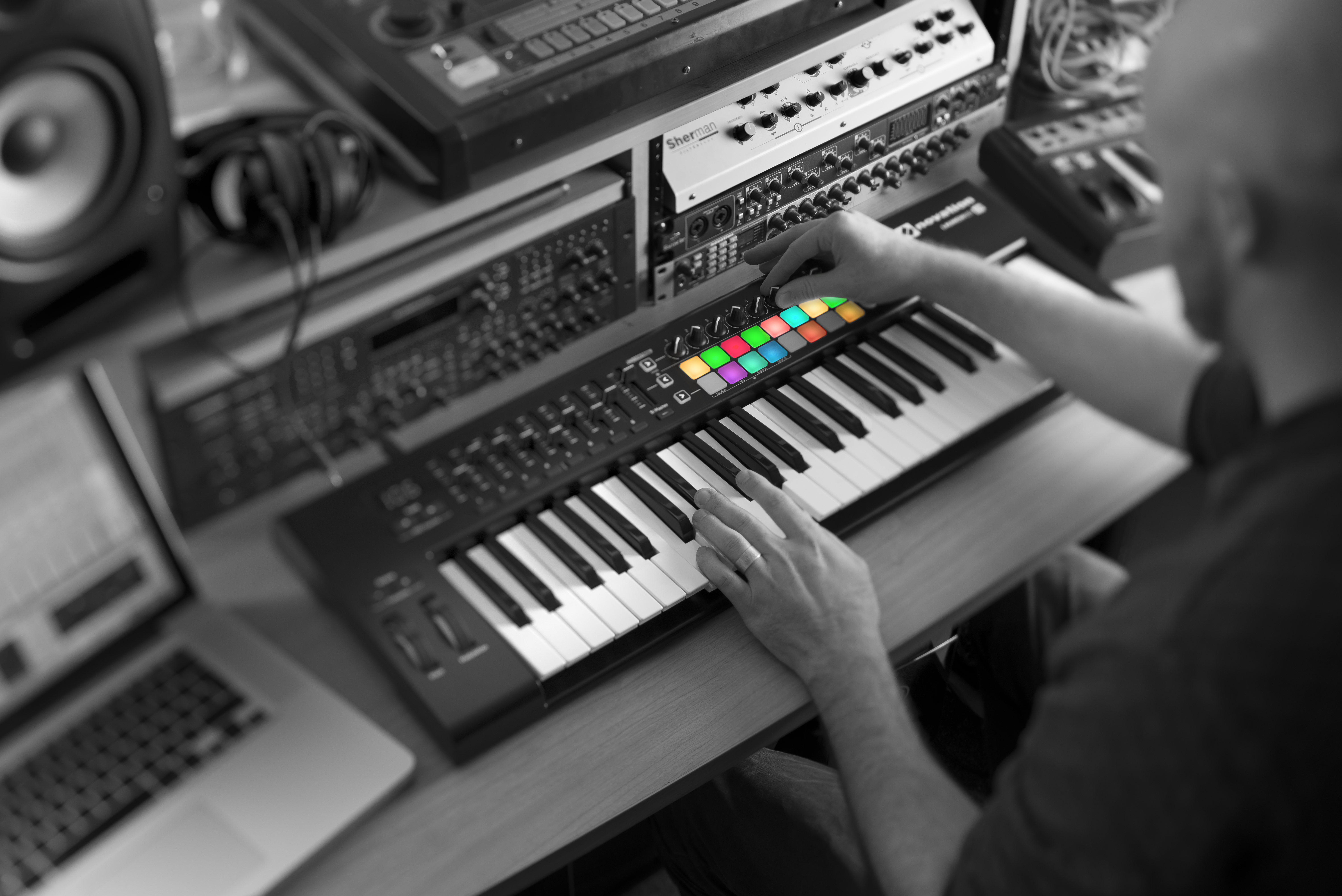
Finally, there’s the size factor. Because the Launchkey 61 and Launchkey 49 have more keys, they are longer and more cumbersome. As a result, they’re better for those who have a setup that facilitates the use of a larger MIDI keyboard. Similarly, they are not the most efficient option if you’re planning on carrying this hardware around with you on a regular basis. Which leads us to…
Launchkey 25
The Launchkey 25 isn’t quite a full-sized MIDI keyboard and it’s definitely not in the same category as the Launchkey Mini. It’s a good middle ground that includes the best of both ends of the spectrum. It’s mobile but not ultra-small; it also has on-device adjustment knobs and faders. If you’re unsure about how much traveling you’ll be doing with your MIDI and want the option of portability and convenience, this model is for you.
Launchkey Mini
The Launchkey Mini is for anyone who wants to create beats and music on the go. It’s also great for those of us with limited desk space, studio space, and budgets.
As the name implies, this model is smaller in every way than the other three devices in the line; it’s lighter, compact enough to fit in a backpack, and has narrower keys. However, it still boasts the same range of capabilities as its larger counterparts—it has a 25-note mini synth-style keyboard, sixteen RGB pads, and integrates immediately with Ableton Live.
If you have no experience keyboarding or using a MIDI keyboard controller, this device is a solid introduction. Once you get familiar with the setup, it becomes a lot easier to graduate up to larger versions of the controller. On the other hand, experienced practitioners will appreciate all of the features and functionality distilled into such a small device.


We would love to know your thoughts on the Novation Launchkey line, Ableton Live, and any other device you use to make music for your videos. Leave comments and questions in the section below!
CES 2019 Updates (Live)

Canon
Canon saw considerable success from its concept cameras during CES 2018. They were a notable departure from the camcorders that Canon usually releases during this time of year and the press took notice. It appears that the “more fun please?” message stuck; Canon brought three very playful concept cameras to CES 2019.
The Frame Outdoor Activity Camera
This is a conceptual outdoor adventure camera. At its core, this is a carabiner camera made for moments when having a strap around your neck is impractical or impossible (think rock climbing, kayaking, hiking). The carabiner clips onto your belt loop or a backpack so you can take it anywhere and use it hands-free. It’s waterproof, shockproof, and made to take a beating.
This is a simple, streamlined version of an adventure camera; it has a shutter button, a lens, and a mode dial on the back. That’s it. There is no screen. Instead, Canon is giving the device WiFi connectivity so you can edit and view footage from your phone.
For additional connectivity, the bottom of this model currently has a micro USB port. However, because this is still a concept, Canon is floating around additional options including an SD card slot or a tripod mount. Speaking of physical features, this camera also includes an option for a “magnetic face jacket” which is exactly what it sounds like: an interchangeable magnet that sticks to the front of the device so you can give it some personality.
Canon is aiming to keep the price low at around $100. The goal is to keep it affordable without losing important features (the eternal struggle).


The Intelligent Concept Camera
The Canon Intelligent Concept Camera is a device with many names. First, it was “PT” for Pan-Tilt Camera. Then, it was the “AI Camera.” Now it’s simply “Intelligent”
There is no shortage of small, compact video cameras out there. However, Canon is trying to outsmart them all. This camera can rotate around 360° (left and right) and tilt 110° (up and down). It’s smart enough to recognize faces, pans to keep its subject in the frame, and has a built-in zoom lens. As if that wasn’t enough, you can pair multiple Intelligent cameras, place them around the room, and they will automatically film using the camera that has a face pointing in its direction.
From the description, this sounds like a camera that would be good in static situations like desktop blogging, and it is. You can mount it to the top of your computer and it tracks your face and provides accurate autofocus. However, it’s made for travel and mobile vlogging.
The camera connects to a tripod with a shutter release and a start/stop button. It also has a “lanyard mount” that you can use to strap the camera to your body. Because of its advanced image stabilization, you can run, jump, fall or sprint and still get clear footage.
Much like its would-be competitor, GoPro, this device has voice recognition. It is also constantly learning which situations are best to take pictures and automatically go into record mode.


The Kids Mission Camera
The Kids Mission Camera will introduce children to photograpaphy while they’re young; the current target is ages six and up. It has an intuitive design, is lightweight, and has a large screen and buttons perfect for little ones who are still working on their motor skills. While it may look cartoonish, this camera isn’t really a toy; it’s a learning tool that will teach kids how to execute simple tasks in photography, in addition to identifying colors, emotions, and animals.
The camera is WiFi and Bluetooth enabled. As a result, it can transfer photos to a printer or the Canon Kids App on an adult’s phone. This not only helps parents and guardians keep a closer eye on their kids, but also lets them easily share the child’s creations on social media.


Wacom
Design nerds, rejoice. Waycom—a major player in the creative tablet space—released a new, affordable alternative to their legacy Cintiq Pro line. The new Wacom Cintiq 16 Creative Pen and Touch Display are almost $900 less than the original Cintiq Pro 16. The new tablet does a great job bridging the gap between hobbyists and professional designers. It’s geared toward people who are beginning to make the transition from screenless, pen-based tablets to drawing on the screen itself. Plus, the price also makes it a great fit for students who aren’t quite financially prepared to drop almost $1,500 on a tablet.
So what are you losing by investing in the Cintiq 16? Color precision and screen resolution. The new model has a 2K display while all of the other models in the Pro Line (Pro 16, 24, and 32) are 4K. However, unless you’re working on big-screen animation, these downgrades aren’t extreme enough to deter potential buyers from investing in the new model. Click here to pre-order yours now.
Audio-Technica
True Wireless Buds
Audio-Technica is trying their hand at true wireless with two new products: Wireless In-Ear Headphones (ATH-CKR7TW) and SonicSport® Wireless In-Ear Headphones (ATH-SPORT7TW). Both have built-in controls so you can adjust your music or field calls. They also come with a portable charging case that re-charges your buds on-the-go.
Like all Audio-Technica gear, the daily-use Wireless In-Ear Headphones (ATH-CKR7TW) provide accurate, high-fidelity audio. The company packs dual-layer isolation structures, brass stabilizers, and stainless steel acoustic mesh resistors into an absurdly small footprint. These buds provide 6 hours of continuous use on a full charge and the charging case supplies an additional 9.
The SonicSport buds sacrifice some sound quality for IPX5 sweat-resistance and an ergonomic non-slip fit. However, our favorite feature is the switchable hear-through function that lets the wearer hear the ambient noise around them. This is especially helpful for runners and bikers who need to be mindful of traffic. The SonicSport Wireless In-Ear Headphones only offer 3.5 hours of continuous use on a full charge. That said, the case also offers a quick charge function that gives users an extra 45 mins of playback from only 10 minutes of charging.


Professional Monitor Headphones
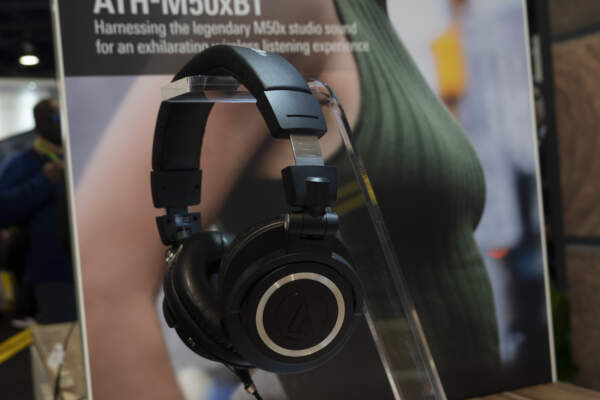
The Audio-Technica M Series is internationally lauded in the pro-audio world, and the M50x is heralded as the best of the bunch. This year at CES, the company announced a new wireless addition to the M Series: the ATH-M50x professional monitor headphones. These headphones are exactly the same as the wired M50x without the hindrance of cords (unless you want that—there is an option for detachable cables).
Turntables
How many turntables is too many? This year Audio-Technica released seven new turntables during CES 2019. The ones getting the most attention are two wood-based, belt-drive models (AT-LPW40TN, and AT-LPW30TK). It’s not that they’re more powerful—all seven boast over-the-top Audio-Technica quality. The wooden ones are just…very pretty.
You can find the full list with links to their site here. Be advised, these are so new that even Audio-Technica isn’t taking preorders yet:
- AT-LPW40WN – a manual belt-drive turntable with wood base
- AT-LPW30TK – a manual belt-drive turntable with wood base
- AT-LP140XP – a direct-drive turntable for professional DJ/home use
- AT-LP120XUSB – a direct-drive turntable with USB
- AT-LP60XHP – a fully automatic turntable/headphones bundle
- AT-LP60XBT – a fully automatic wireless belt-drive turntable with Bluetooth technology
- AT-LP60XUSB – a fully automatic belt-drive turntable with USB
- AT-LP60X – a fully automatic belt-drive turntable
If you’re not intrigued by any of the new models (or don’t want to wait for their release), we suggest you check out the AT-LP60 Wireless Turntable. If you want something more heavy duty, we’d recommend the Direct-Drive Professional Turntable.


Sony
The Master Series
A lot of 8K rumors were flying about Sony prior to CES. Photographers were hoping for the launch of a new camera and instead got… a TV. Sony’s Master Series is a range of televisions that includes a (freaking huge) 85-inch 8K LED TV. This isn’t exactly what we were hoping for, but it’s still pretty cool. The screen is slated for release in the second half of 2019 and boasts virtually no pixel differentiation.
So, where is the new 8K camera? Sony made it clear during their 2019 CES event that they want (and have) a hand in every step of the content lifecycle from ideation and filming, to the in-home viewing experience. Our hope is that an 8K TV will naturally lead to a new 8K camera sometime in 2019. Our bet based on the emphasis Sony puts on the “Be Alpha” campaign is that we’ll get our wish in the form of the a7S III.
Nikon
Nikon Nikkor Z 14-30mm f/4 S
The competition to create the ultimate full-frame mirrorless camera is heating up, and it’s resulting in some truly excellent new Nikon camera gear. Today, Nikon announced the latest addition to its Z-series lens lineup: the Nikkor Z 14-30mm f/4 S. This is the first ultra-wide zoom for the Z series. It’s also the world’s first filter-attachable, ultra-wide-angle zoom lens.
Nikon is touting the Nikkor Z as having an ideal focal length for landscape, travel, event and architecture photographers. The sample photos we’ve seen are pretty impressive, but we can’t wait to test this one out in Brooklyn. The Nikkor Z 14-30mm f/4 S boasts 4ED glass elements to correct chromatic aberrations; according to Nikon, the elements nearly eliminate flare and ghosting as well as spherical and axial aberration.
This lens is decidedly honed for both stills and video; it’s a great pairing for the Nikon Z7 and Z6’s already impressive 4K ultra HD video resolution.
Nikon Z6 Filmmaker’s Kit
Between the newly announced Nikon Z6 Filmmakers Kit and Sony’s not-so-subtle advancements in filmmaking, the turf war is on for who will own mirrorless in Hollywood. The new Nikon Z6 Filmmaker’s Kit (priced at $3,996.95) includes:
- Z6 24-70mm Lens
- Mount Adapter FTZ
- Atomos Ninja V 4K Recording Monitor (coiled HDMI cable included)
- Vimeo PRO Plan (1-year free subscription)
- Moza Air 2 3-Axis
- Handheld Gimbal Stabilizer
- RøDE VideoMic Pro+
Nikon did a great job putting together a bundle of high-quality essentials that any new or experienced filmmaker or vlogger would find useful. The Vimeo PRO plan is also a great touch; the unmistakable message here is “get out there, shoot some 4K UHD productions, and start showing off how capable the Z series truly is.”


Updated Firmware: CFexpress support, Eye AF, and ProRes RAW
ProRes RAW
This is arguably the most important firmware update; it adds the ability to output ‘ProRes RAW’ video to an Atomos Ninja V. This update makes the Z6 and Z7 the first stills and video hybrid cameras to support Raw video output. If there was any doubt that Nikon is making big moves into video before, there definitely aren’t now
CFexpress Support
Nikon is expanding the capabilities of the Z6 and Z7’s memory card slots to include CFexpress. Prior to the firmware update, the Z series only supported XQD cards. Yes, XQD is widely acknowledged as the faster card. However, CFexpress is still favored by a large enough segment of the Nikon community that its absence in the Z series was met with frustration and woe. This is a very welcome update.
Eye AF
Yay eye autofocus! This was already a feature included in the Sony a7R III and we’re glad to see it added to the Z series. As the name indicates, this feature makes focusing on eyes easier when photographing portraits, street and event photography.
Blue
Blue established itself as an industry standard with its Yeti microphones. Yesterday the company announced its newest product, Ember. Ember is a condenser microphone designed for YouTubers, podcasters, musicians, and audio professionals looking to upgrade their home studios.
The new microphone has a few key differences from its predecessor. First, Ember uses an XLR connection instead of USB. While this gives you a bit less flexibility on what you can connect with to record, XLR boosts your recording quality. Ember is also more compact and features a side-address design that looks great on camera and feels good in your hand. It’s a versatile new addition to the Blue line; you can plug this little guy into a Zoom and do on-the-go interviews or use it for stationary podcasting. Either way, we’re excited to give it a try.


Panasonic
The Lumix S1 and S1R—Panasonic’s first full frame mirrorless cameras—were announced with much fanfare during CES 2018. We waited (almost) patiently for the release date. We stared at our phones and refreshed TechCrunch hoping for news. But no news came. That is, until yesterday. Panasonic finally set a tentative release date for March 2019 and announced the addition of two new features: High-Resolution Mode and High Dynamic Range (HLG Photo). If we’re going to wait we might as well get some new tech out of it, right?
According to a statement released by the company, High-Resolution mode enables the camera to take eight consecutive images that automatically synthesize into a single, hyper-realistic, detailed image. This feature is ideal for shooting anything with fine characteristics like the great outdoors or artwork.
The second addition, HLG Photo, also helps the S1 and S1R produce stunning, realistic images. This feature allows photos to be shot with a wider dynamic range. It also reproduces and corrects glaring lights and dark shadows, and allows for precise color expression. The result is images that are as close as you can get to what we experience with the naked eye.
Panasonic also made waves this year talking about their newest advancements in autonomous vehicles.


DJI
It’s no secret that at Focus Camera we are a little bit obsessed with the DJI Mavic 2. Naturally, when we found out it was getting a fancy new remote control we were very excited.
The DJI Smart Controller is a 5.5-inch 1080p screen with an incredibly bright display that works in any condition even in direct, bright sunlight. In terms of specs, it’s equipped with OcuSync 2.0 Full-HD video transmission technology and switches between 2.4 GHz and 5.8 GHz. For those of you who aren’t as overly-invested in drones as we are, that will reduce the influence of environmental experience on drone operation and footage quality.
The controller works in conjunction with SkyTalk and the DJI GO 4 app so you can take to the skies faster and more confidently than ever. It also automatically connects with your DJI Mavic 2 when both are on and in range so there’s no setup required.
In addition to the Smart Controller, DJI also released a Mavic Remote Controller Cable to connect the remote to a mobile device via USB Type-C port.
Canon Camcorders & Mini Projector Announced (VIDEO)

CES 2019: Canon announces three new camcorders & mini projector
Canon recently announced the release of three new camcorders: the VIXIA HF W10, VIXIA HF W11, and VIXIA HF G50. These are the latest installments to Canon’s growing VIXIA camcorder line. All three are ideal for both casual users and professionals interested in exploring additional shooting options. Additionally, Canon announced a new, portable projector: the Rayo S1. Learn more and compare specs for all three Canon camcorders and the projector below.
Canon Rayo S1 Mini Projector
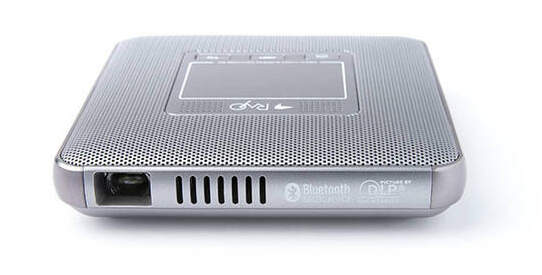
This projector is small. It weighs about .5 pounds and is roughly the size of a postcard (4.13 x 4.13 x 0.79 inches), easily fitting in a purse, backpack or pocket. The Rayo S1 is equipped with Bluetooth, WiFi connectivity, 4GB internal memory, built-in speakers, and Android KitKat OS version 7.1.2. It even has a handy touch interface on the top so you can navigate settings without a remote control.
Our only reservation is the limited battery life; it only lasts up to about two hours of continuous use. However, it can easily be powered on the go via its USB charging port. The projected release timeline is May 2019. According to Canon, it will be priced at around $259.99.
Canon VIXIA HF W10 & VIXIA HF W11
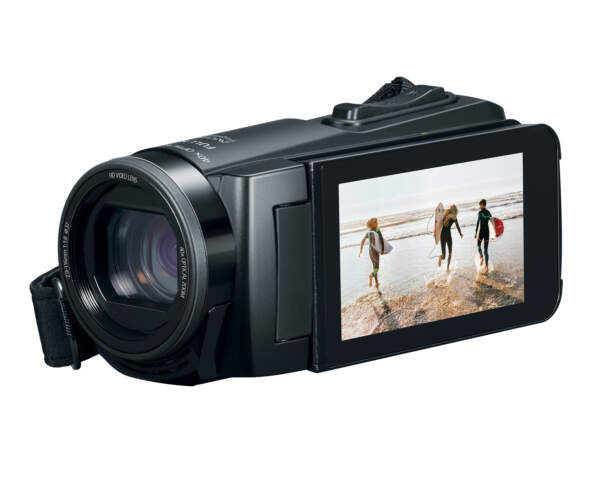
Like their predecessor, the VIXIA HF R800, these camcorders are perfect for recording high-quality video during vacations, sports, and family events. However, unlike their previous counterpart, these two camcorders are both waterproof and shockproof.
The Canon VIXIA W10 and W11 camcorders are almost exactly the same with a couple of key differences. In terms of recording power, both utilize full HD 1920×1080 recording, 40x optical and 60x dynamic zoom, face tracking, and time-lapse recording. They do all of this with a 1/5.8-inch 2.5 Megapixel back-illuminated CMOS sensor. Both are also capable of simultaneous full HD video and 2 megapixel still shooting.
The similarities continue with W10 and W11’s more tangible features. As mentioned above, both are waterproof up to 16.4 feet, shockproof up to 4.9 feet, freezeproof down to 14 degrees Fahrenheit and dustproof. They also have 8GBs of built-in flash memory, an SD memory card slot, and a versatile 3.0-inch capacitive touch panel LCD screen.
There are two main differences between these digital Canon camcorders. First, the Canon VIXIA HF W11 has a built-in auto LED light while it’s counterpart does not. Second, the W10’s battery life is slightly better; the Canon W11 offers 4 hours and 50 minutes of continuous recording while the W10 has 5 hours and 10 minutes. All things considered, this is a negligible difference and we recommend that you base your choice on whether or not you need an auto LED light.


Canon VIXIA HF G50
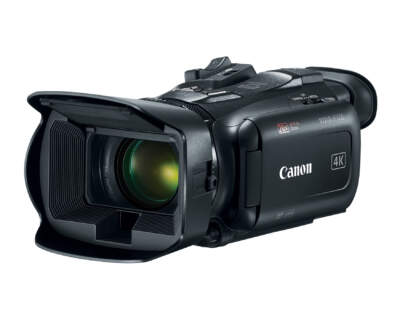
The VIXIA G50 is an ideal tool for advanced amateur filmmakers, event videographers and students. The VIXIA G50 features crystal clear 4K UHD 30p recording. That quality is combined with both a genuine Canon 4K-compatible 20x optical zoom lens and a wide 29.3mm angle of view. In addition to advanced full HD, the Canon VIXIA G50 also has a DIGIC DV 6 image processor and 8-blade circular aperture.
Like the G10 and G11, the G50 has a 3.0-inch LCD capacitive touchscreen that can be twisted to accommodate any shooting angle. However, it has far more control options. The body of the G50 has five assignable buttons, a control joystick, lens ring, and custom dial for full creative control. This camcorder also has dual SD card slots to facilitate uninterrupted shooting.
All three of the new Canon camcorders are available for pre-order starting today with an availability date of April 2019. If you have any additional questions about the W10, W11, or G50 please leave them in the comments below.


Sigma 70-200mm f/2.8 Sport Review (Video)

Sigma released quite a few lenses in 2018. However, one of the most highly anticipated announcements was that of a new, professional sport lens. This Sigma 70-200mm f/2.8 Sport Lens review takes a closer look at the device’s capabilities, specs, and features.
Sigma 70-200mm f/2.8The Basics
This is the third and final addition to what Sigma refers to as “The Big Three F2.8 Zoom” lenses. The Big Three is a trio of F2.8 large-aperture zoom lenses that can cover focal lengths from 12mm to 200mm. The other two are the Sigma 24-70mm f2.8 DG OS HSM ART Lens and Sigma 12-24mm f/4 DG HSM Art Lens.
As mentioned above, this Sigma 70-200mm sport lens was arguably the most anticipated lens released by the company in 2018. It’s a large-aperture telephoto zoom lens with high optical quality and a durable design. It has a sturdy body crafted from magnesium alloy. In addition, it’s is dustproof, splashproof, and has an oil-repellent coating throughout the lens and front elements. It also uses 9 FLD and 1 SLD glass elements that are designed to Minimize Flare and Ghosting.

Features
The Sigma 70-200mm is a sizeable lens, weighing in at 63.7oz (1,805g). Supporting that weight for hours at an event might be challenging. That’s why this device is compatible with Arca Swiss type clamps; the device quickly slides on and off a tripod without mounting to a metal plate. It also has a rotating barrel with 90-degree click and 3 programmable buttons on the side of the barrel.
You toggle between two OS modes using a switch on the side of the barrel. Mode 1 is good for general photography. Mode 2 enhances panning. This lens has a built-in image stabilization function. Consequently, this preset ensures your subject’s movements are captured without losing panning effects. It works well regardless of the lens’s position or the direction in which you’re moving.
The Sigma 70-200mm also has a Hyper Sonic Motor with an improved algorithm and MO switch. This feature is one of the things that makes this a great sports lens; it allows for a high-speed, precision autofocus so you can capture quick movements without any blurring or loss of crispness.

Compatibility
Right now the Sigma 70-200mm f/2.8 Sport Lens is available for Nikon, Sony and Sigma mounts. While it can be adapted to the MC-11 for Sony, we had a hard time getting it to focus continuously while recording video. If you’re in the same position, keep in mind that this issue will probably be resolved relatively soon with the release of an E-mount version or firmware update is released.
That concludes our Sigma 70-200mm f/2.8 Sport Lens review. As always, leave any additional thoughts you have about the lens in the comments below.


5 Best Practices For Building A Sound Library

Sound designers are unsung heroes in the entertainment industry. Its practitioners create soundscapes for every medium you can think of including movies, TV, theatre, radio, and video games. Your favorite monster movie sounds epic because a team of sound designers invented those creature noises. They spent months in an editing bay adding and adjusting boring audio so you can have your pants scared off by a demogorgon.
But before that magic happens, the individual audio elements need to be recorded. We can’t all have bottomless, Netflix-esk budgets to invest in creating the perfect atmosphere for our work. So, we create our own sound libraries.
We talked to sound designer Chris Battaglia to hear his overarching tips on how to record a versatile sound library. Chris was the sound editor for internationally recognized films including Hell or High Water, 20th Century Women, and Captain Fantastic. He’s also a self-professed sound nerd who has been working on his personal sound library for over a decade.
Once you have a safe place to store your work, it’s time to jump in and start recording.
When In Doubt, Record
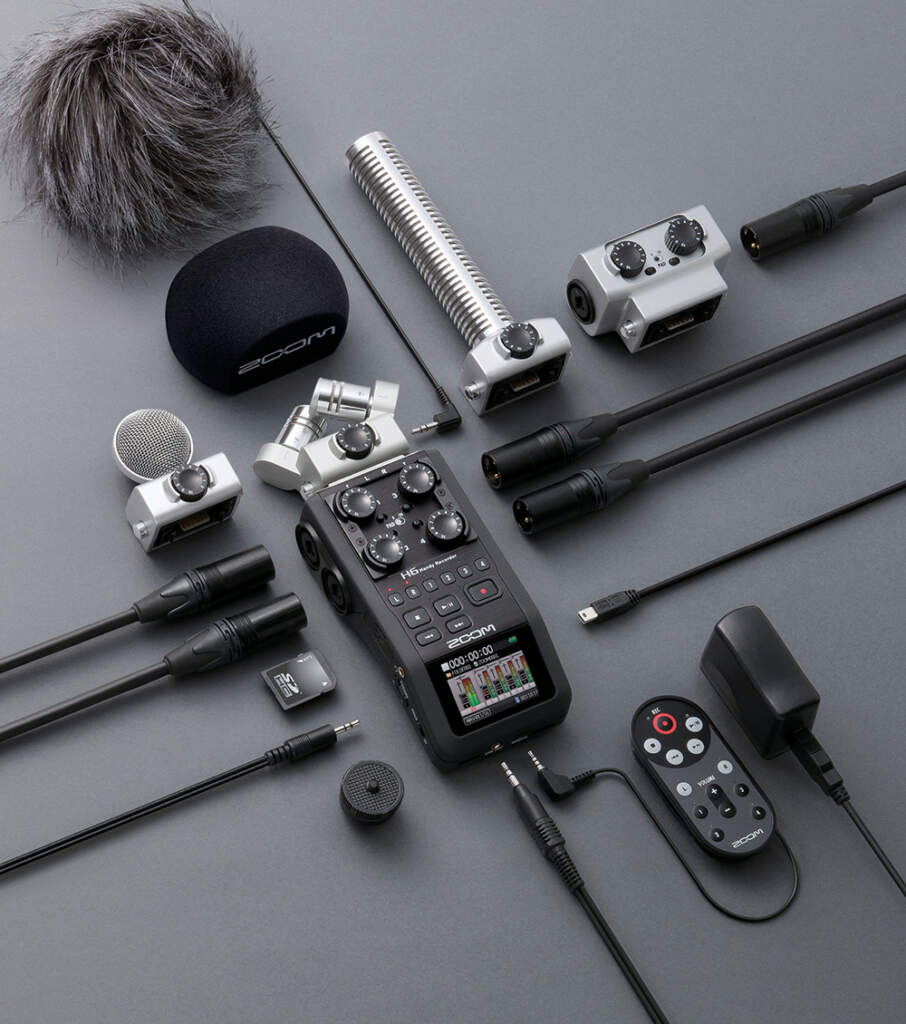
Ideally, you’ll always have a shotgun mic with you when you find a unique sound you want to record. In practice, it rarely works out that well. This is often the point when sound designers throw up their hands and ask the recording equipment gods how they can be so cruel. Instead, you should repress your sound snobbery and record with whatever you have on hand.
“If you record something and it sounds bad, you have a bad recording,” Chris intoned. “If you don’t try and record at all, you have nothing.”
Even if you don’t have professional gear with you (or haven’t invested in any yet), you should still make a point of capturing interesting recordings. Ideally, you’d use a little Scarlett Solo. In a pinch, you can use your smartphone. Is it ideal? Of course not. But it’s better than nothing.
Everything Is In Your Wheelhouse
Once upon a time, sound designer Gary Rydstrom was at Marine World recording sounds for a project. As he was leaving, a Marine World staff member approached him and asked if he would be interested in recording the sound of two tortoises mating (stick with me here). This noise had nothing to do with what he was working on or any of his upcoming projects. Honestly, it would be strange if it did. Nevertheless, he said yes and recorded that joyous union.
Years later, he used that audio to create the velociraptor sounds for the original Jurassic Park. Did Mr. Rydstrom know he would eventually use tortoise noises to mimic raptors in a Steven Spielberg film? No. But he took time to capture it anyway. Similarly, if you’re building your sound library, you should pay attention to—and record—interesting sounds you aren’t searching for. Avoid tunnel vision when recording for a specific project. In Chris’s words, even if that sound isn’t relevant today, eventually, you’ll find a home for it.
Bonus fun fact: the same tortoise mating noises are used to make dragon sounds in Game of Thrones. You’ll never look at Drogon the same way again.
Perspective Is Everything
Do your future self a favor and record from multiple perspectives. If you’re recording ocean sounds, don’t take one recording standing in the surf and call it a day. Instead, record one in the surf, another a few feet away on the beach, and a third 20 feet away from the ocean. This process provides more choices in the editing bay for where you want to place a scene’s auditory focus.
Edit Your Recordings, You Lazy Bum
To paraphrase Jay Jennings—sound designer and editor for dozens of movies including Tangled, Captain America: The First Avenger, and Godzilla: King of the Monsters—if you record but never edit, you’re wasting your time.
You can capture hundreds of sounds, but if you don’t take time to polish, sort, and tag them, what’s the point? This falls under the category of obvious tips that are easy to ignore. You owe it to yourself (and your work) to do the required due diligence. Close Instagram and go edit.
Dirty vs. Clean Recordings
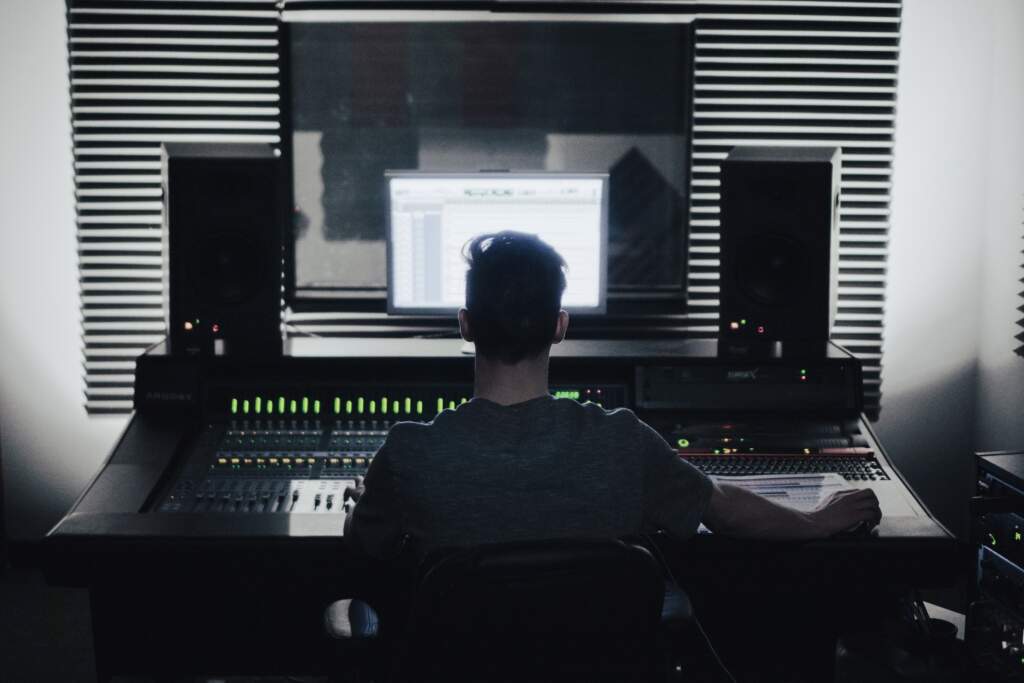
Sound gurus have strong preferences when it comes to using dirty or clean recordings. The difference between the two is comparable to candid and portrait photography. A dirty recording is akin to a candid; they are atypical and have character. Clean recordings are more contrived.
For an extreme example, let’s say you need to record the sound of a closing door. A dirty recording would be the sound of a 400-pound door in an echoey Spanish mansion closing from five feet away. A clean recording would be a typical modern house or apartment door closing from five inches away. One is very distinct, the other is not.
Many pro sound designers favor dirty recordings because they want their audio to be utterly unique. Proponents of clean recordings love them because they’re more versatile and can be reused without issue. Chris’s recommendation? You want both.
Both types of recordings are useful and choosing to favor one over the other is, for lack of a better word, silly. The goal is to make sure you’re never limiting yourself or the potential of your work. The more options the better.
That concludes our list of the 5 best practices for building a sound library. Again, sound design is a multifaceted beast. We tried to make our tips applicable to as many aspiring practitioners as possible. If you have any additions, feel free to leave them in the comments.
The Best New Cameras Released In 2018

This year has given us dozens of incredible new advances in photography, from major drone upgrades to a long list of new and improved mirrorless cameras. To celebrate the new year, our team reviewed the archives, made multiple lists, and had a few “spirited” debates to put together our list of the best new cameras released in 2018.
Specialty Cameras
Drone: DJI Mavic 2 Pro Drone
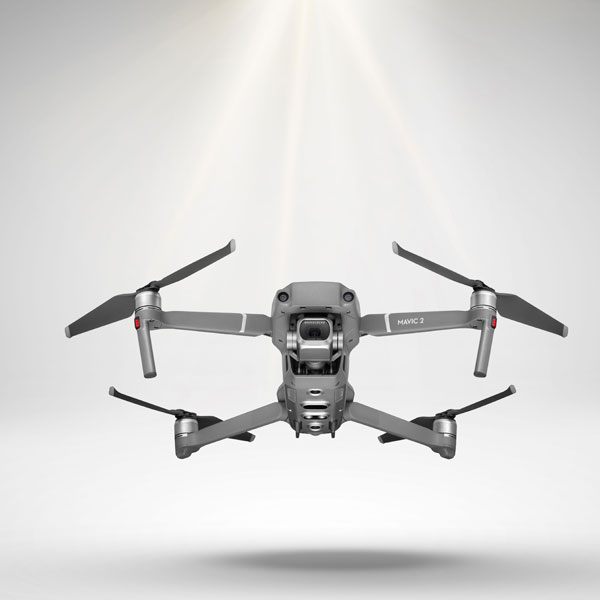
The DJI Mavic 2 does a great job and is incredibly fun to shoot with. It has a built-in Hasselblad camera, shoots 10-bit HDR video, has an adjustable aperture, and a 1” CMOS sensor (a step up from the original Mavic Pro). It’s also loaded with cool features like omnidirectional sensing and trajectory prediction; this drone can track fast-moving objects at speeds up to 72 kph (about 44 mph).
Action: GoPro HERO7
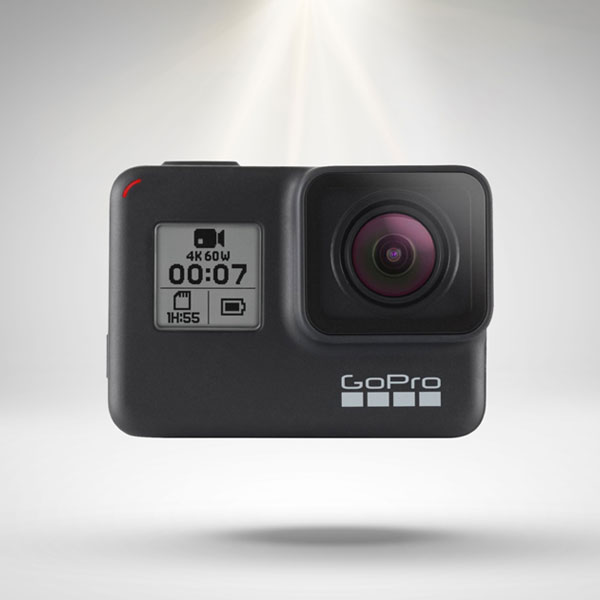
The GoPro HERO7 was released in July 2018. Arguably the most important addition to this model is its “HyperSmooth Video” technology. The HERO7 is notably better than the HERO6 at shooting steady, clear footage even in extreme conditions (rafting, biking, running, etc.).
That said, GoPro kept the features that make the HERO6 a great action camera; the HERO7 records in ultra HD 4K video at up to 60fps, it’s waterproof up to 33 ft, and automatically captures stills in breathtaking HDR. It also features 16 voice control commands for hands-free recording.
Blogging: DJI OSMO Pocket
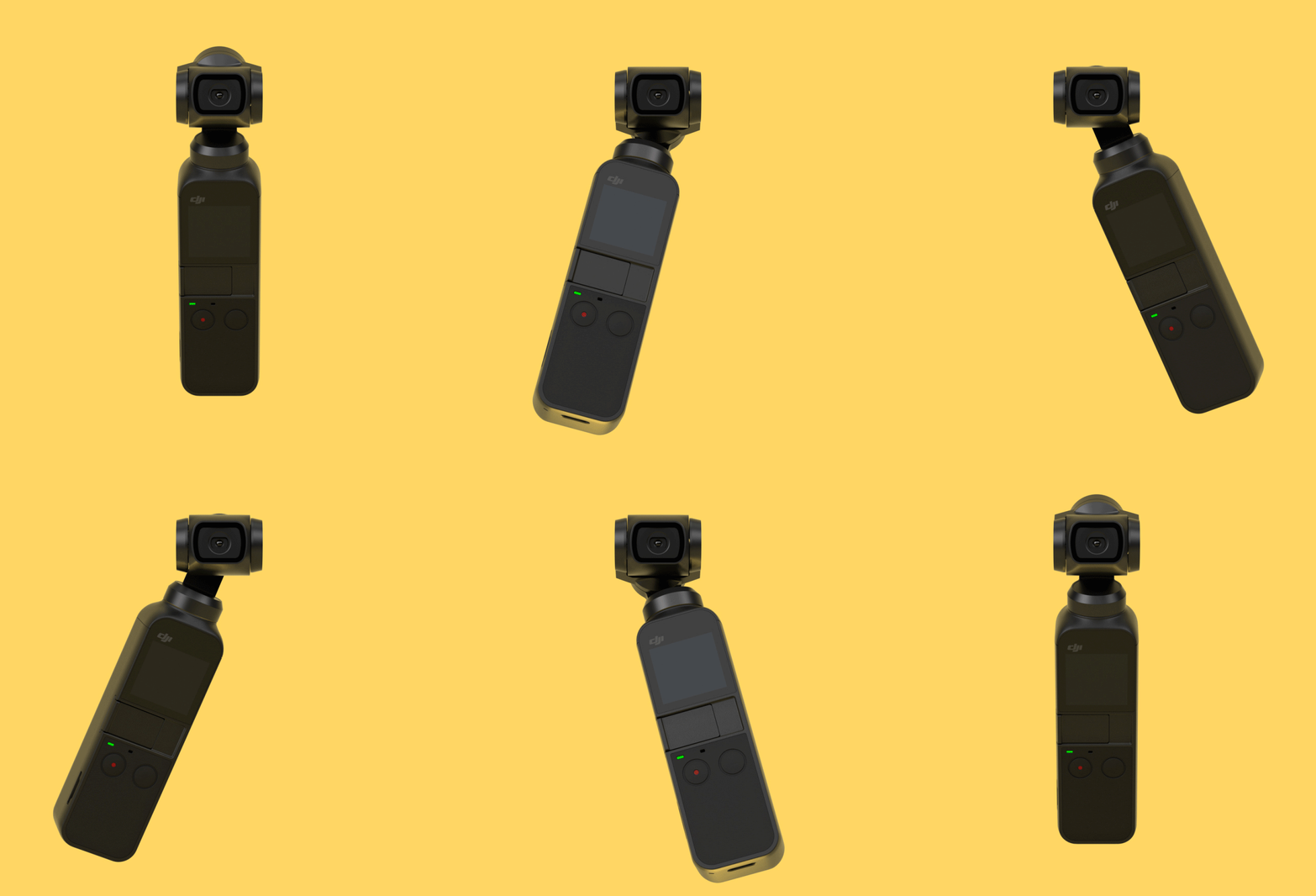
The DJI OSMO Pocket is every blogger’s new best friend. It’s a mini 3-axis stabilized camera that features a 1/2.3-inch sensor, 80° FOV, and f/2.0 aperture. It can shoot 4K/60fps video at 100 Mbps and photos at 12 MP with a pixel size of 1.55 μm. For such a tiny camera, it does a great job packing in features. Value adds include FPV (first-person view), Active Track, Panorama, Motion Lapse and Night Shot which allows users to take clear, tripod-free photos with an extended 2-3 second exposure.
Instant Cameras
Fujifilm Instax SQ20 Instant Camera
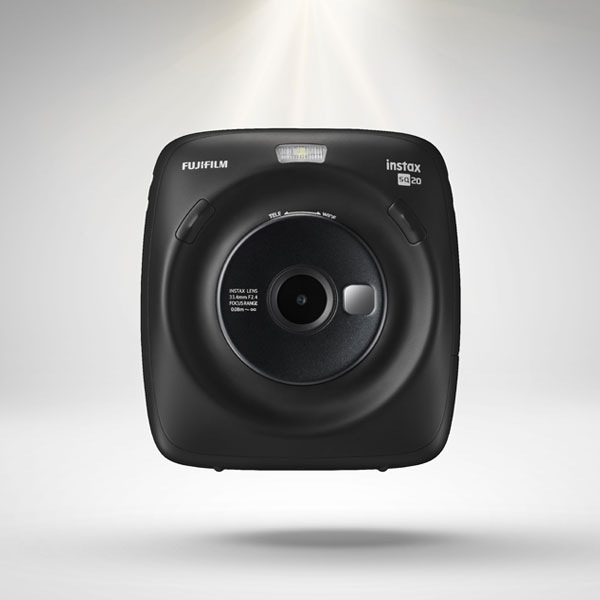
The Instax SQ20 is Fujifilm’s second hybrid digital and instant film camera. Both the SQ20 and its predecessor, the SQ10, are equipped with a digital image sensor, digital image processing technology, and a color LCD monitor to review content before printing a hard copy. However, the SQ20 offers remarkably better shooting settings to help take your content to the next level. That list includes collage mode, frame grab, and time shift. Click here to see a full list of the differences between the Fujifilm Instax SQ20 and SQ10.
Polaroid Originals 9010 OneStep+ Instant Bluetooth Camera
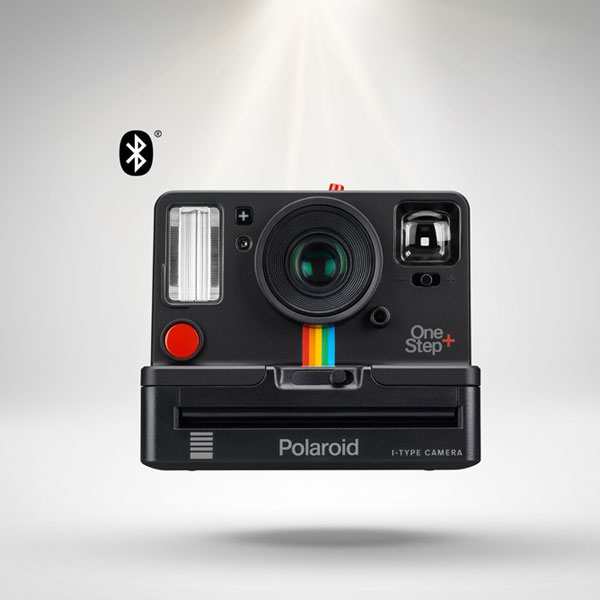
The Polaroid Originals 9010 OneStep+ is based on the company’s signature instant cameras of the 1970s and 80s with a few important upgrades. The biggest jump is connectivity; the 9010 OneStep+ connects with Apple and Android phones via Bluetooth, allowing you to remotely control your camera and share images in real-time. It also has 6 new creative tools including double exposure, light painting, and noise-triggered photographs. This model also boasts a long-lasting battery and all the charm of the 1977 original with sharper images.
Fujifilm Instax SQ6 Instant Camera
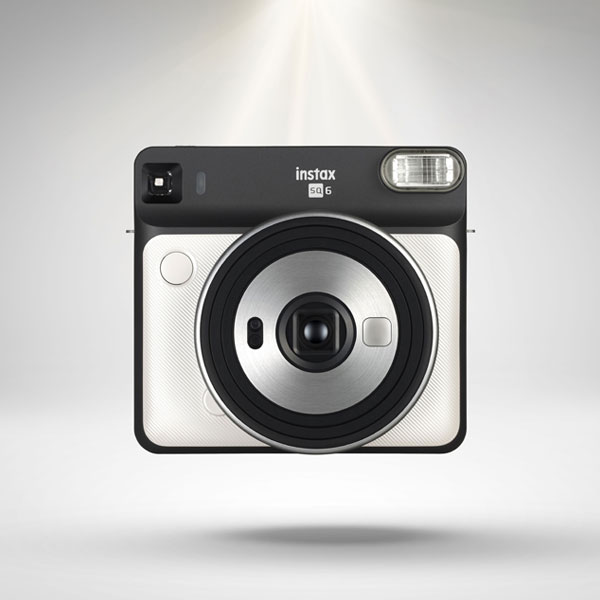
The Fujifilm Instax SQ6y is the company’s first square format analog camera that (you guessed it) uses square instant film with a 1:1 aspect ratio. It’s a classic instant camera with more room to capture the whole scene. Notable features include automatic exposure control, macro and landscape modes, and programmed electronic shutter release. It also has selfie mode—accompanied by a selfie mirror—so you don’t waste film accidentally taking pictures of the wall behind you. The SQ6 comes in a wide array of colors including Blush Gold, Graphite Gray, and Pear White and two new colors: Aqua Blue and Ruby Red.
APS-C Cameras
Fujifilm X-T3 Mirrorless Digital Camera
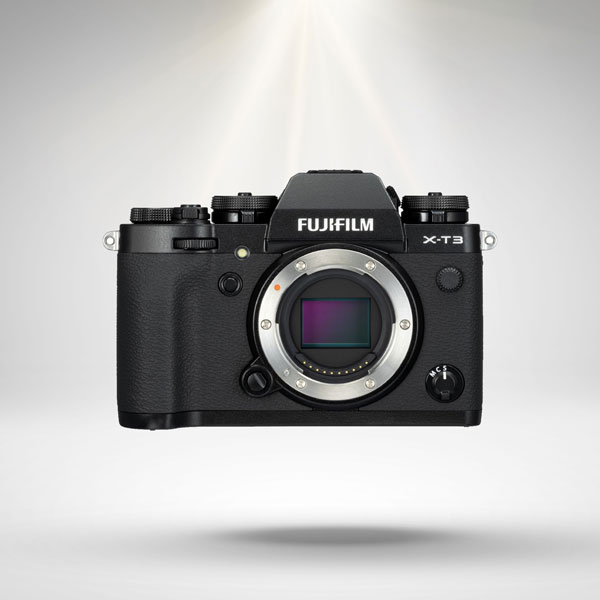
We love the look and feel of the Fujifilm X-T3; it has a sleek, classic look that makes you want to pick it up and use it. The form factor combined with this camera’s fourth-generation X-Trans CMOS 4 sensor and X-Processor 4 processor make it one of the best new cameras released in 2018. We also highly recommend it for street photography or videography; the X-T3 mirrorless shoots ultra HD 4K video and features a 3” tilting LCD touchscreen.
Nikon D3500 DSLR Camera
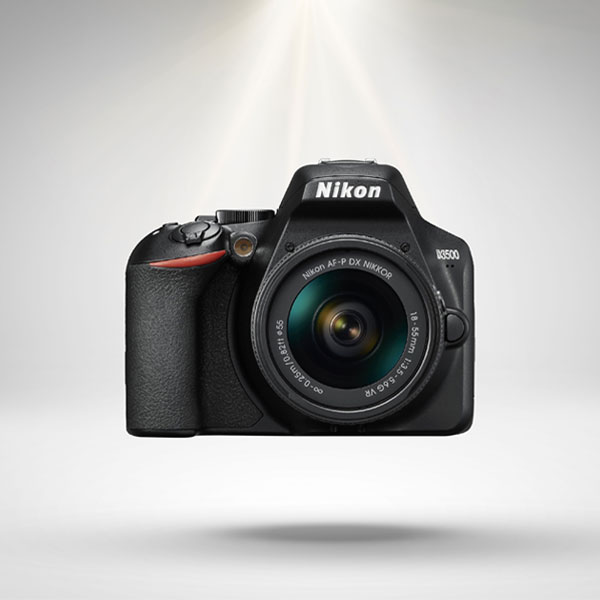
The Nikon D3500 is the company’s latest entry-level DSLR, made with beginners and family use in mind. It’s portable, cost-effective and gives you better specs for your money than the previous model (the Nikon D3400). The D3500 has a quick, 11-point autofocus that—combined with the camera’s 24.4MP sensor—picks up an incredible amount of detail. If the moment calls for video, this model can also shoot up to 20 minutes of high-quality footage in 1080p. Still not sold? Find a full breakdown on why we love it here.
Canon EOS M50 Mirrorless Digital Camera
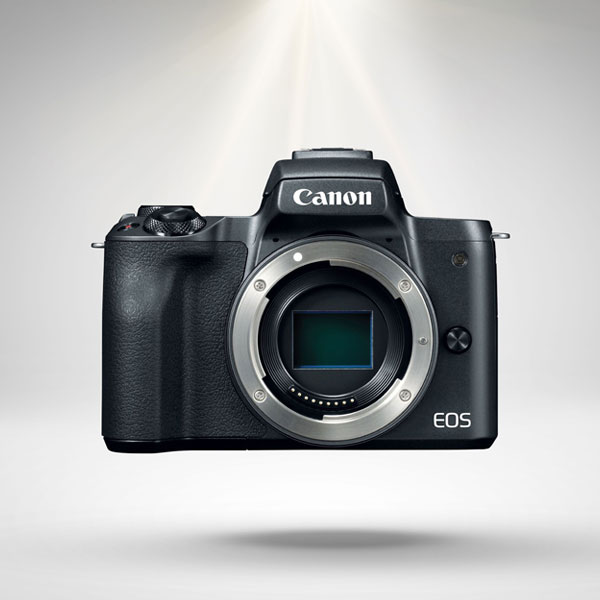
At its core, the Canon EOS M50 has a 24.1 megapixel (APS-C) CMOS sensor that achieves an ISO range of 100-25600. It also provides a few key upgrades to the EOS M series we’ve been missing. First, this is the only M Series device to have UHD 4K capability. It also features a fully articulating vari-angle touchscreen LCD screen which is a major step up for usability.
Additional new features include a silent-shooting mode which is ideal for nature and event photography. Additionally, the M50 includes Eye Detection autofocus mode and a gyro sensor; these elements work in conjunction with the lens-based image stabilization system to minimize unwanted shaking while you shoot.
Full Frame Cameras
Sony Alpha a7III Full Frame Mirrorless Digital Camera
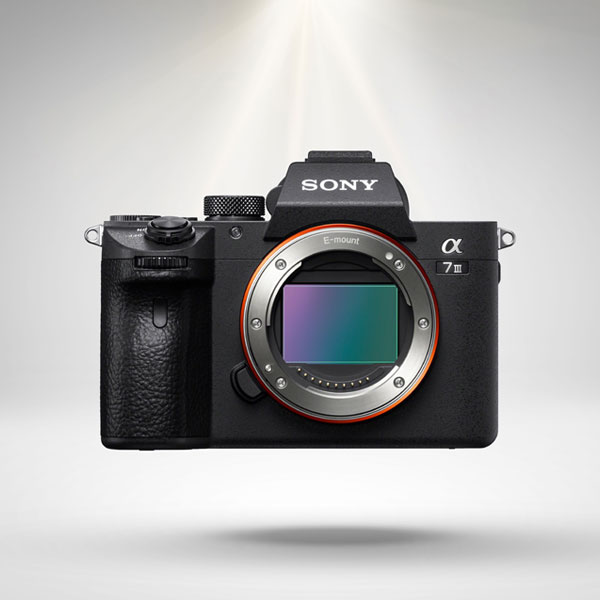
The Sony Alpha a7III is an incredibly dynamic camera for a device of its size and weight. It features a 24.2MP BSI Full-frame image sensor, high-speed BIONZ X™ processing, and records up to 10fps with AF/AE tracking. It also features a new back-illuminated 24.2MP sensor with 5-axis image stabilization, 4K video, and a world-class autofocus system. Read more of our thoughts on this beauty here.
Nikon Z6 Mirrorless Digital Camera
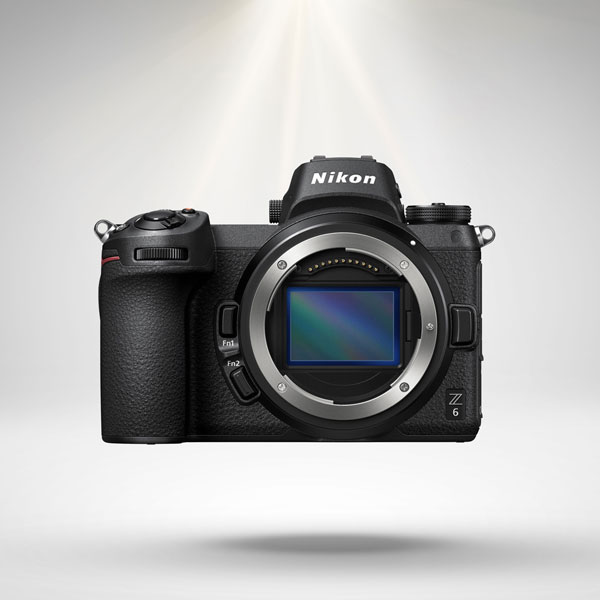
The Nikon Z6’s impressive 24.5MP BSI FX-Format CMOS sensor combined with Nikon’s signature EXPEED 6 processor makes the Z6 a contender for one of the best new cameras released in 2018. We’re also huge fans of the Z6’s filming capabilities; this camera can capture Ultra HD 4K video in a 16:9 aspect ratio at 30p. By taking advantage of the width and resolution of its backside-illuminated image sensor, you can even achieve the equivalent of 5K video using DX Mode.
Canon EOS R Mirrorless Digital Camera
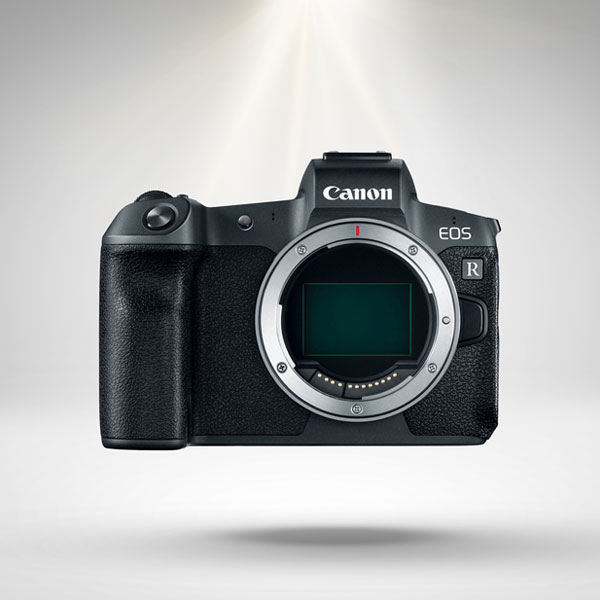
Last but not least is the Canon EOS R. This model boasts a 35mm full-frame CMOS sensor, a DIGIC 8 image processor and 5,655 manually selectable autofocus points. Like the models above, the EOS R also shoots ultra-high-definition 4K at 30fps, along with Full HD 1080p at 60fps. Its integrated Canon Log also makes it easier to match cameras and color-grading in post-production, allowing you to capture flat images with an improved 12 stop dynamic range. You can learn more about its features and specs here.
That concludes our list of the best new cameras released in 2018. If you have any additions, let us know in the comments!
Top 10 Best Winter Photography Locations Around The World

The World’s Best Winter Photography Locations
There are three main ways to survive winter with your sanity intact. First, you can uproot your life and move somewhere warm (not always a practical option). Second, throw yourself into a passion project. And third, learn to love the arctic chill. Our recommendation is to combine the latter two: grab your favorite camera(s), book a trip, and up your winter photography game. In no particular order, here are the top 10 best winter photography locations around the world.
1. Bruges, Belgium
Going to Bruges is as close as we’ll ever get to living in a fairytale. Bruges is a small, canal-based city near the coast of Belgium. Its quaint storefronts, short buildings, and water features make it perfect fodder for photographers. While you’re there, don’t forget to stop and eat some chocolate.


2. Harbin City, China
Harbin City has a reputation for being one of the coldest cities in China. In a brilliant act of public relations (and perhaps desperation) Harbin City used this title to rebrand themselves as the Ice City. Its residents and visiting artists dedicate themselves to creating larger than life ice sculptures annually from December to March. The official start date of the Harbin International Ice and Snow Sculpture Festival is January 5th. However, the sculptures are huge and impossible to hide so you can also check them out during construction.


3. Prague, Czech Republic
Prague a sprawling Edinburgh with less nature and more city to explore. It’s one of the most well-preserved cities in the European Union post-World War II and boasts many notable photo opps from the astronomical clock, Prague Castle, Charles Bridge, and Old Town Square.


4. The Swiss Alps, Switzerland
Find somewhere that isn’t breathtakingly beautiful in the Swiss Alps. Go ahead, we dare you. This mountain range is internationally known for both its beauty and as a winter sports destination. Whether you’re there for action shots or dramatic landscape photos, the Swiss Alps is one of the best winter photography locations.


5. Banff, Alberta
We love our Canadian neighbors for a myriad of reasons: poutine, incredibly livable cities, gorgeous natural landmarks…poutine. We also admire their ability to embrace outdoor activities in below-freezing temperatures. What better place to do that than Banff, Canada? Banff is a resort town in Alberta that’s conveniently located in Banff National Park. When you’re not out shooting, you can hike, bike, ski, sightsee, and explore the area’s natural hot springs.


6. Tromsø, Norway
Tromsø, Norway is about 217 miles (350 kilometers) north of the Arctic Circle and boasts access to both the Alps and a handful of fjords. It’s also home to the world’s northernmost university, botanical garden, and planetarium. If you don’t care about any of those things, it’s also objectively beautiful. Tromsø is above the auroral zone and you can catch glimpses of the aurora borealis from just outside the city.


7. Yellowstone National Park, Wyoming/ Montana/ Idaho
Shoutout to the first national park in the United States. Yellowstone is great for landscape, animal, sealife, and bird photography (they’ve got it all, folks). If you’re lucky and plan a trip in conjunction with a fresh snowfall, you can even take a snow coach or snowmobile tour thus expanding your winter photography locations.


8. New York City, New York
Yes, we know that as Brooklynites we’re naturally inclined to include New York City on this list. That said, we stand by it. Whether you’re shooting in Central Park or the Lower East Side, NYC looks a little bit softer (and cleaner) with a layer of snow. Make sure you visit when the holiday lights are still up and glistening to give your winter photography an extra glow. This is also a perfect time to perfect your bokah skills.


9. Svalbard, Norway
Do you love bears? Does the thought of going to a tourist trap fill you with sadness? Then let us recommend Svalbard, Norway for your winter photography needs. Svalbard is a Norwegian archipelago in the Arctic Ocean that boasts seven national parks and twenty-three nature reserves. As a result, it’s incredibly well preserved and exists without many of the normal societal staples we enjoy on the mainland. For example, rather than driving over paved roads, natives and visitors use snowmobiles, aircraft, and boats for transportation. Adventure thy name is Svalbard.


10. Scotland
Yes, we are including all of Scotland. While it’s beautiful all year long, there’s something particularly dramatic about the landscape’s gothic architecture and sweeping hills when they’re covered in snow. If you’re looking for shots ripped from the pages of a Charles Dickens novel, head to Edinburgh. The city has been the capital of Scotland since the 15th century and it hasn’t changed much since then. If you’d rather commune with nature, you can go almost anywhere in the countryside to find landscapes worth braving the freezing cold.


That concludes our roundup of the Top 10 Best Winter Photography Locations Around The World. If you’re interested in going on a journey to one of these locations (or want to take advantage of the natural beauty near your home) we highly recommend the equipment listed below.
Do you have any other locations you love to shoot during the winter months? Let us know in the comments.
Over Coffee: Jonathan Higbee On Street Photography, Coincidences & Hidden Cities

Jonathan Higbee’s book Coincidences is now available.
Midtown Manhattan during the holidays is a festive hellscape. A canopy of lights festoons buildings, trees, telephone poles and anything else that remains still long enough to be decorated. Down below, thousands of frenzied tourists and New York natives sip hot chocolate from The City Bakery, stroll through various gift-centric villages and (valiantly) try to have a lovely, relaxing holiday alongside over a million other people. In the eternal words of Tiny Tim, God bless us, every one.
So, when photographer Jonathan Higbee kindly requested we meet in Manhattan for our interview—the halfway point between his home in the Upper West and Focus’s office in Brooklyn—I was a bit nervous. I knew what awaited us and suggested the lobby of The Ace Hotel. The space is arguably the most comfortable, sprawling public workspace in the area and conveniently houses a Stumptown Coffee.
Sure enough, after being hip-checked by no less than three rogue Santas, I walk into the Ace to find it relatively calm. Jonathan follows not long after and we wedge ourselves into one of the comfortable leather couches in the back of the room.
Love Letters To New York City
Jonathan Higbee is a veteran photographer with credits including Vice, Buzzfeed, The Daily Mail, Colossal, and several international showcases. He is best known for his street photography, most notably his Coincidences series; these photos are Jonathan’s self-professed love letter to New York. Their purpose is to capture the moments that keep so many of us in awe of this city, the magical instants that make dealing with overly-aggressive Santas worthwhile.
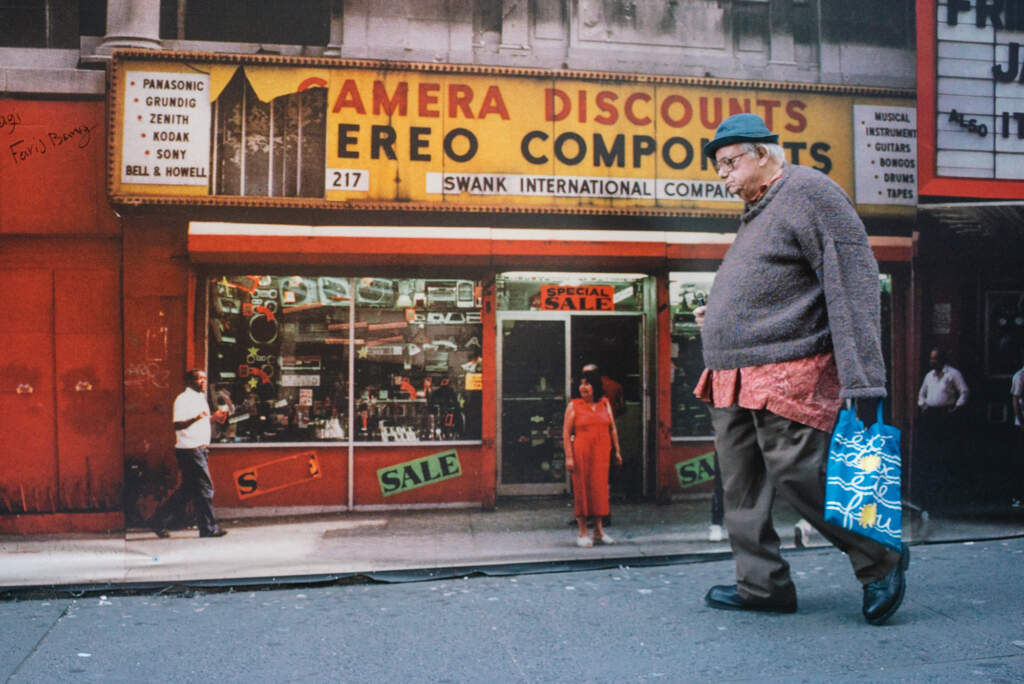
In spite of the series’ name I have to ask, “how many of these photos are posed?”
“None of them,” he responds with a confident smile. “I love that. I get asked [this question], of course, all the time. At first, a few years ago, it made me feel insecure and terrible but I love it now. I work so hard on them—sometimes I wait up to four months for one of these shots. The fact that they look perfect enough to be posed or staged gives me a sense of accomplishment.” He pauses, considering a world made up of posed coincidences. “I don’t think it would work well for the series. I don’t think it would have the same dimension and story to it if it was a mix of posed and candid shots.”
As you might imagine, waiting for coincidences to present themselves is a long process. Fate isn’t known for keeping a tight schedule. It’s only now, five years after he started this project, that Jonathan feels he has enough content for a Coincidences book (currently slated for fall 2019).

The remarkable thing about this work isn’t just the optical illusions, it’s also the color. New York City is notoriously a film noir set come to life. We’re not exactly Venice Beach, but you wouldn’t know that viewing Jonathan’s work. “I want bold colors,” he asserts. “And, admittedly, it is super hard to find in this city. But when you do it’s a treasure… It’s just as much a real facet of the city as that drabness is.”
In short, just like anything else worth finding in New York, you have to dig for it. If you really want it, eventually you’ll get it.
California Dreaming
Jonathan imported his colorful sensibilities from California where he started his career at the now-defunct Instinct Magazine. He was hired as an editorial assistant and quickly rose the ranks and became a travel writer. Thereafter, he was a writer and photographer.
“[The magazine] was print back when print was starting to die, so the budget was shoestring,” Jonathan explains. “We weren’t able to send a writer and photographer on trips anymore so I had to be flexible.” And that’s how Jonathan Higbee found himself with a dream job traveling the world, writing, and learning how to shoot photography. His favorite international shooting location? Bangkok, Thailand.
“The color and the people and the light are the best in the world that I’ve come across,” he says, glancing wistfully at a pile of parkas stacked next to him on the couch. “I absolutely love Bangkok, but we also explored the border with Myanmar. And that was just a whole different world to shoot.”

A self-professed Leica fanboy, Jonathan’s go-to camera of choice is the Leica Q. He also favors the Leica M10 with the 28 mm f/5.6 Summaron, and Fujifilm X100F. “I have a bit of a gear problem,” he chuckles amiably. “Well, I don’t know if it’s a problem. Let’s…. Let’s call it a hobby. I have a gear hobby.”
With so many incredible cameras and lenses on the market, Jonathan contends that choosing one should be about how it feels in your hand. “It’s important, especially when you’re doing street photography. In my opinion, you want the camera to kind of disappear, you know?… You really need to be in the moment. If you have a cumbersome camera or one that you’re not even happy with, then it adds such a delay to everything. It takes you out of it.”
This disappearing act is far more literal in his next project.
Forbidden Cities
Forbidden City was born from Jonathan’s love of street photography and frustration over stringent travel restrictions in places like Russia, Egypt, Tunisia, Ghana, and the United Arab Emirates. Using Google Maps, Jonathan Higbee clicks through the streets as he would stroll through them in real life, snapping photos when he finds an interesting scene or person. The only difference, of course, is that he’s taking these photos from his home in the Upper West Side, not on an abandoned road in Dubai.

“A lot of folks think that you can’t call it photography and that it’s all stolen work. I love the conversation that starts and the philosophical exploration you can do with that.” He has a glint in his eye that I recognize. It’s the look of someone who wants to drop everything they’re doing and start something they believe could be truly great.
“Some people call it curation rather than photography—which I think is a good word for it—but I stick by it. I still call it photography. You’re in a 3D world looking and hunting for these moments that aren’t easy to find. But you have all the time in the world to get the perfect shot because it’s frozen. I’ll be debating this for years and I love it.”
The semantics of formal photography aside, Jonathan continues to see success from his work. After ten long years of practicing his craft, he’s happy with what he’s created as well as his current direction. “It’s rewarding because I never studied [photography] in school and I took a chance by quitting a good job to do it. But it all worked out. It’s really rare to be able to make a living off of street photography so I realize every day how fortunate I am.” He grins at me sheepishly. “I always want to say hashtag blessed, but I just can’t bring myself to it. But that’s the subtext.”