Home Blog Page 18

SanDisk CFexpress Memory Cards Give Nikon Z Photographers More Flexibility

Until now, Nikon Z 6 and Z 7 users have had severely limited options when it comes to storage. Nikon’s first Z-mount mirrorless cameras, originally released in the fall of 2018, were only compatible with Sony’s XQD format for the first year-plus of their release. And in February of this year, when Nikon finally updated its firmware to allow use with CFexpress Type B cards, the brands compatible with the Z series were still limited.

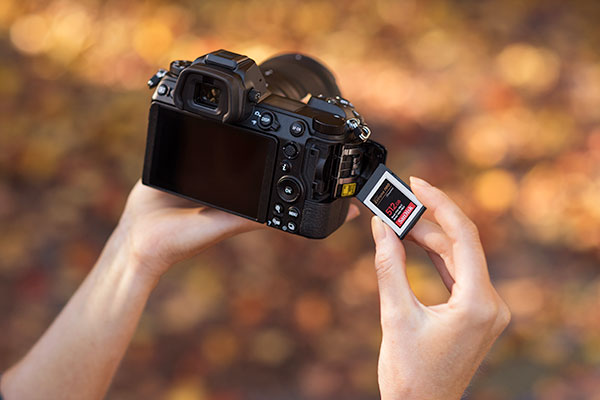
The newest update, however, gives users a little more choice by opening the door to SanDisk’s lineup of CFexpress cards, particularly the popular Extreme PRO cards. Here’s what you need to know about using SanDisk CFexpress memory cards with the Nikon Z 6 and Z 7 cameras.

What’s New With The Firmware Upgrade

Although Nikon updated its software to allow the use of CFexpress cards back in February, the software did not fully support SanDisk, and photographers reported having issues. The update supported stills, but not the high-frame rate video possible with SanDisk Extreme PRO cards. The new firmware update takes the compatibility of these popular cards from around 95% to 100%.

So what is the big deal about SanDisk CFexpress memory card compatibility, you ask? Well, besides the fact that it gives Nikon Z users more choice, and choice is always good, SanDisk is also a trusted name in the industry. Their cards are vertically integrated, meaning they own their whole supply chain: They handle their own components and software. The beauty is that SanDisk cards are sure to be consistent from one batch to the next in terms of product support and supply. We can’t recommend the SanDisk Extreme PRO CFexpress Type B Card strongly enough.

Benefits Of A CFexpress Card

CFexpress (CFE) cards provide photographers with a sturdy, reliable and, most importantly, super fast option for storing photos and videos. The read and write speeds one can achieve with a CFE card dwarf those possible with the standard SD card compatible with most entry-level DSLR and mirrorless cameras. They are also 10 times faster than their predecessor, the CompactFlash (CF) card. And they will give XQD cards a run for their money: The 512GB version of the SanDisk Extreme Pro Type B card can get write speeds of up to 1400MB/s, 3.5 times faster than any XQD is capable of.

The extreme speed of CFE cards enables faster downloads and faster potential for burst still photography, which can be a real boon with the Nikon Z series.

Another benefit of CFE is smoother 4K capabilities. This form factor helps videographers shoot RAW 4K video with low-latency performance, meaning fewer frustrating delays. CFE is even capable of seamless 6K and 8K video capture. The original CF card did not support more than 1080p video.
YouTube player

Finally, the CFE form factor is an open standard. Unlike XQD, which is exclusive to Sony (Nikon uses Sony imaging sensors), CFE has more support from other ecosystems such as the Canon Cinema EOS series. Z series users who want to transition to CFE will not find it difficult, as the CFE standard is backwards compatible with XQD. They will have to have a separate card reader though, as XQD and CFE cards have different chipsets; an XQD card reader won’t recognize the CFE card despite its similarities to XQDs.

Are there downsides to CFE? Sure. Compared to SD, they’re bulkier and take much more electricity as well as space. Cameras that use CFE will require larger batteries to compensate. Also, as sturdy as they are, CFE cards are not waterproof, so they will require some tender love and care. But overall, this new format looks to be a contender with staying power.

Public Service Announcement: Back Up Your SanDisk CFexpress Memory Cards

CFE cards are some of the toughest in the game, but no memory card is immune to damage, corruption, failure, or getting lost. We never want to waste an opportunity to remind you not to rely only on your portable file storage. Always back up your important data to the cloud or to an external hard drive. Experts recommend keeping two copies of your files in-house and at least one off premises. Try the ArmorATD from G-Technology with 4 TB or 1 TB capacity, or their G-DRIVE with Thunderbolt 3 (multiple capacity options). For on-the-go storage and sharing, get a USB drive such as the SanDisk 256 GB Ultra.

Steps To Updating The Nikon Firmware
SanDisk CFexpress memory cards with Nikon Z6 camera lifestyle 600x400

Updating the firmware of the Nikon Z 6 or Z 7 can be a little tricky, so we’ve broken it down for you step by step:

  1. Before downloading anything, check your camera’s current firmware by going to “Firmware version” in the camera’s “SETUP MENU”. If it already says 3.00, congratulations! You already have the latest firmware and are good to go. If not, keep going.
  2. To upgrade the Nikon Z 6 or Z 7 “C” firmware from 2.20* to 3.00, download the appropriate program file: a .exe file for Windows or a .dmg file for Mac. These can be found at the Nikon Download Center.
    *If the firmware is version 2.10 or earlier, go to the Nikon Download Center for more detailed instructions.
  3. Instructions for Mac and PC:
    Mac: Double-click the .dmg file. This will create a folder called “Z7Update” (or “Z6Update”), containing a file with the extension “.bin”. That’s the firmware.
    PC: Create a folder on your hard disk drive, and download the .exe file to the folder. Double-click on the .exe file to extract the firmware file (the .bin file) to a folder titled “Z7Update” (or “Z6Update”).
  4. You will need to have a card reader handy for the next part. Using your card reader, copy the .bin firmware file to a memory card that has been formatted for the camera.
    Important: Copy the firmware to the root (top-most) directory, not a subdirectory, of the memory card. The Z series camera will only recognize the firmware update if it is nested in the root directory.
  5. Insert your CFexpress card into the camera and turn the camera on.
  6. Select “Firmware version” in the “SETUP MENU” of the camera. Follow the instructions to complete the firmware update.
  7. Hold on, you’re not done yet. After the update is complete, turn the camera off and remove the CFE card.
  8. Now, double-check that the camera shows the newest version of the firmware: 3.00.

If you get stuck at any point, try following Nikon’s more detailed instructions here. Or contact them to have a service representative perform the update for you. Otherwise, that’s it! You are now ready to use a SanDisk CFexpress memory card with the Nikon Z 6 or Z 7 camera.

And that’s a wrap! If you have any questions or additional tips please leave them in the comments below.

This post was sponsored by Western Digital.

Exclusive: Sigma Releases a New 100-400mm F5-6.3 Telephoto Lens, Plus a Host of Other Goodies

100-400mm f5-6.3 featured

In its product drop today (watch the replay of the livestream at the bottom of the page), Sigma announced several new lenses. The highlight? Its first ultra-telephoto lens for full-frame mirrorless cameras. Part of its “C” (Contemporary) series, it’s a 100-400mm DG DN series lens with an aperture range of f/5 to f/6.3.

This Sigma 100-400mm F5-6.3 lens, available July 10, combines super-high image quality with a compact frame, and it sports some other neat features such as an AFL button, a focus limiter switch, and a zoom lock switch. Read on for more:

What We Know About the Sigma 100-400mm F5-6.3 DG DN OS

YouTube player

This new ultra-telephoto lens is lightweight and compact (40 ounces and under 8” long) and features an impressive image quality comparable to Sigma’s standard zoom lenses, such as the 24-70mm F2.8 DG DN | Art. The smooth bokeh and compression effect made possible by an ultra-telephoto lens should be a boon for field photographers. It’s part of the DG DN series, designed for cameras with short flange back distances.

Here are the full specifications:

  • Focal length: 100-400mm
  • Aperture range: f/5-6.3
  • Minimum aperture f/22-29
  • Format: For full-frame mirrorless cameras
  • Optical Image Stabilization: Yes
  • Lens construction: 16 groups, 22 elements (1 FLD and 4 SLDs)
  • Angle of view: 24.4° – 6.2°
  • Number of diaphragm blades: 9 (rounded diaphragm)
  • Minimum focusing distance: 44.1” (W)-63.0” (T) 
  • Maximum magnification ratio: 1:4.1 (at 400mm)
  • Filter size: φ67mm
  • Maximum dimensions x length: φ3.4 × 7.8”
  • Weight: 40oz
sigma 100-400mm turtles
How turtles look through the new 100-400mm f/5-6.3 ultra-telephoto zoom from Sigma.

Some other features include a stepping motor system optimized for both phase detection AF and contrast AF, edge-to-edge high resolution, and powerful image stabilization capabilities. It’s compatible with high-speed autofocus and lens-based optical correction. It features a dust- and splash-proof bayonet, a 9-blade rounded diaphragm, and a zoom lock switch. The lens comes in two AF mounts: Leica’s L-mount and Sony’s E-mount. It comes supplied with the LH770-05 lens hood and the PT-31 protective cover.

What Else Is New?

Sigma also announced three other lenses and multiple accessories, including a teleconverter, two tripod sockets, and two USB docks (compatible mounts vary).

TC-1411/TC-2011 Teleconverters

Using the teleconverter with the 100-400mm F5-6.3 lens actually upgrades it to a “super telephoto” angle of view and a focal length of up to 800mm. It also doesn’t interfere with AF performance, so those willing to shell out a few hundred bucks on it will get nothing but benefit.

UD-11 USB Docks

Connecting the lens (L-mount only; sorry, Sony users!) to the new UD-11 USB dock allows adjustment of focus movement when operating the focus ring on Sigma’s Optimization Pro software. Specifically, this feature is useful for MF mode.

Full List of New Releases

YouTube player

Here’s the full list of Sigma’s announced products, including the Sigma 100-400mm F5-6.3 lens (see them all here):

  • 100-400mm F5-6.3 DG DN OS Contemporary Lens (Leica L/Sony E)
    • Focal Length: 100-400mm
    • Aperture Range: f/5-6.3
    • Price: $949.00
    • Mounts: Leica L, Sony E
  • TC-1411 Teleconverter
    • Price: $399.00
    • Mount: Leica L
  • TC-2011 Teleconverter
    • Price: $429.00
    • Mount: Leica L
  • Lens Hood for #750
    • Price: $35.00 (supplied with 100-400mm F5-6.3 lens)
    • Mounts: Leica L, Sony E
  • Protective Cover for #750
    • Price: $17.00 (supplied with 100-400mm F5-6.3 lens)
    • Mounts: Leica L, Sony E
  • Tripod Socket TS-111 Kit for #750
    • Price: $130.00
    • Mounts: Leica L, Sony E
  • 16mm F1.4 DC DN Contemporary Lens
    • Focal Length: 16mm
    • Aperture Range: F1.4-16
    • Price: $449.00
    • Mounts: Leica L
  • 30mm F1.4 DC DN Contemporary Lens
    • Focal Length: 30mm
    • Aperture Range: F1.4-16
    • Price: $339.00
    • Mounts: Leica L
  • 56mm F1.4 DC DN Contemporary Lens
    • Focal Length: 56mm
    • Aperture Range: F1.4-16
    • Price: $479.00
    • Mounts: Leica L
  • 56mm F1.4 DC DN Contemporary Lens
    • Focal Length: 56mm
    • Aperture Range: F1.4-16
    • Price: $479.00
    • Mounts: Leica L
  • UD-11 USB Dock (Leica L/Canon EF-M)
    • Price: $59.00
    • Mounts: Leica L, Canon EF-M

Which LaCie Hard Drive Should You Buy?

lacie d2 professional

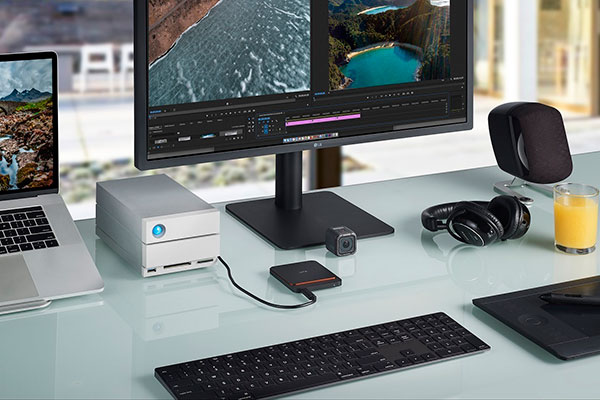
Buying an external hard drive can be more complicated than it seems. Ten or fifteen years ago, the selling points of most hard drives were mainly size and affordability. Nowadays, hard drives are purpose-built for different applications. Whether using it as a tool for a passion project or to support one’s job, people are using external hard drives in customized ways. The abundance of choice is great, but having more options means having to do more research. And picking the best LaCie hard drive or solid state drive can be subjective.

To save our readers some of that leg work, we thought it would be useful to go over some common uses for various hard drives from the catalog of one of our favorite brands, LaCie. Photographers, graphic designers, musicians, students, and office workers of all stripes: Heed this guide well to ensure you get the optimal drive for your needs.

portable ssd

Best LaCie Hard Drives for Graphic Designers

Graphic designers and amateur or hobbyist photographers usually don’t need a large amount of bandwidth compared to serious or professional photographers, which expands their options. People who just need a place to store their photos and image editing projects will be fine with a basic portable hard drive. One benefit of these is that they’re bus-powered, not plugged into the wall. This makes them much easier to wield and transport.

LaCie Rugged Mini Hard Drive

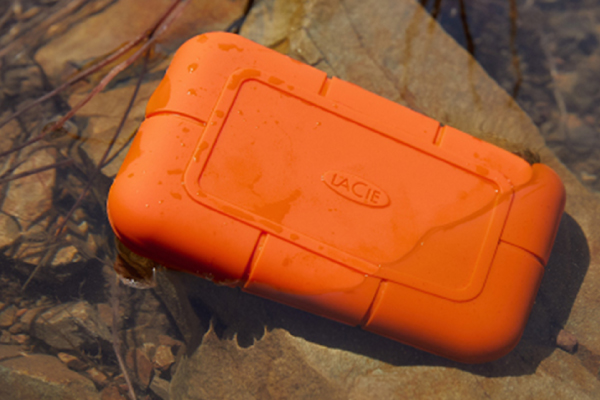
LaCie’s version of the basic portable drive is called the Rugged Mini series and is noted for its iconic orange, water-resistant rubber bumper. The Rugged Mini hard drives feature transfer rates of about 130 mb/s, slower than some others on the market today. Video editors working with anything higher than 720p (enough for YouTube videos or blogging) should look for something faster. But what it lacks in speed and capability it makes up in convenience. It is an ideal drive for moving files around and backing them up. It’s also easy to carry on the go.

The travel-friendly Mini has been LaCie’s best-selling drive for a decade, a sign that plenty of people find that it gets the job done. A 2TB drive goes for a very reasonable price of less than $100.

Best Hard Drives for Photographers

Advanced and professional photographers and videographers will need more under the hood than hobbyists or casual users. They will need more capability than even the largest or best LaCie hard drive in the Rugged Mini series can provide. A photographer who regularly needs to do heavy organizing and editing in an app such as Adobe Lightroom simply needs more space than that.

d2 Professional Hard Drive

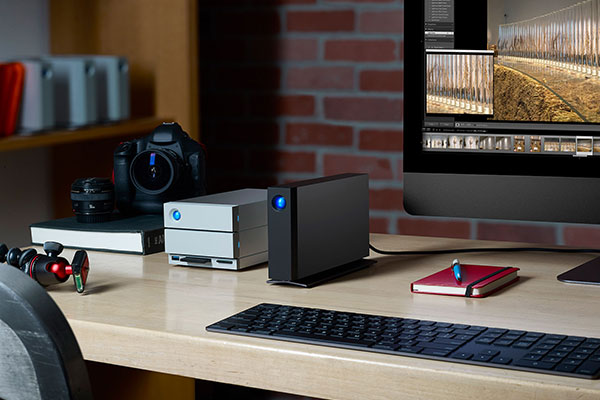
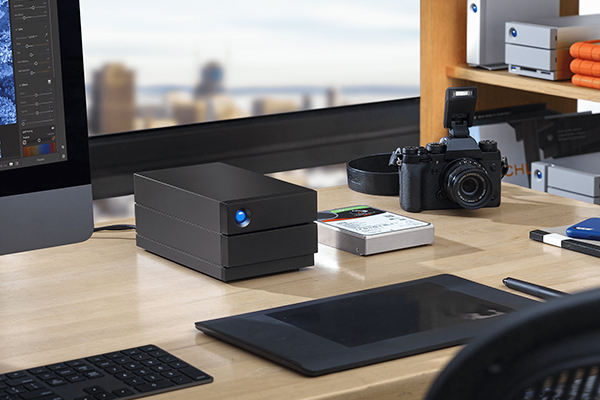
One offering from LaCie that is a better fit for a seasoned photographer is the d2 Professional External Hard Drive. The d2 Pro is a stand-up drive that is twice as fast as LaCie’s portable drives and comes in sizes from 4TB to the new 14TB model. The d2 Pro opens up more possibilities by offering considerably more space and allowing editing directly from the hard drive. This prevents the tedious process of first moving files to a computer, then editing them, and then transferring them back onto the drive. One downside to consider is that the d2 Pro is bulkier than a portable drive and must stay plugged into wall power.

big Series Hard Drives with RAID

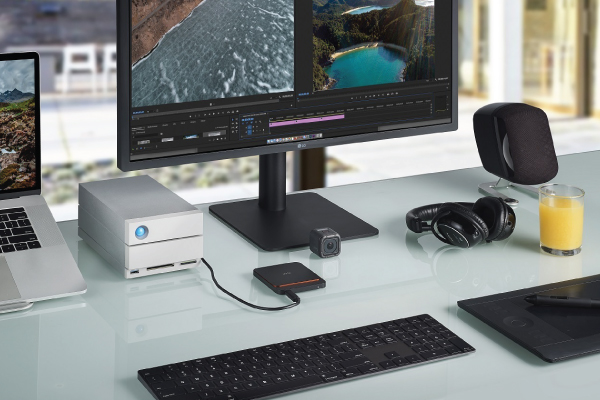
For more resolution, it is worth considering taking another step up to a LaCie 2big or 6big Hard Drive with RAID (more about that later). A drive such as the 20TB 2big Dock allows compatibility with much higher resolution files, including 4K footage. The 2big also doubles the speed of the d2 Pro, transferring files at up to 440 mb/s. It’s also much bigger than the d2 Pro and eliminates any level of portability.

Rugged SSD & SSD Pro

Some might prefer the happy medium of the LaCie Rugged SSD and Rugged SSD Pro. The Rugged SSD (solid state drive) shares the orange bumper look of the Rugged Mini and is also barely larger than a business card, but it offers incredible file transfer speeds of up to 900 mb/s. Rugged SSD Pros can handle 4K and 6K video and, when used with a Thunderbolt 3 connection, can transfer at the mind-numbing rate of up to 2,500 mb/s. The Rugged SSD Pro provides a whopping ten times the performance of the d2 Pro.

The Rugged SSD and SSD Pro allow for up to 120 fps and 6K editing available on the fly, something that used to require a gargantuan piece of equipment hooked up to a PC and a nearby wall, plus time spent transferring to the internal hard drive. But there is a tradeoff for videographers. Where using the 6big or 12big to edit high-res video gives them a huge amount of space to work with, these portable drives only come in 1TB or 2TB options. SSDs are faster, smaller, and lighter than hard drives, but they’re also more expensive and don’t allow as much space. Still, they’re popular for the unbelievable pound-for-pound abilities they provide.

The Best Hard Drives for Musicians

Musicians and producers will want different drives depending on their needs. If they’re using the drive mostly for listening to their tracks, they won’t need the most advanced hardware on offer. But if they’re mixing multiple tracks together or doing other high-level work, they should consider a desktop drive that offers more speed such as the d2 Pro or a 2big.

Portable SSD

lacie portable ssd

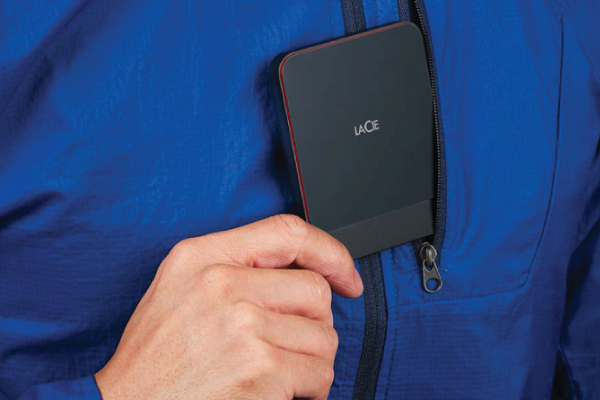
Another more travel-friendly option is the LaCie Portable SSD. Distinguished by its black exterior with a red lining, the Portable SSD is faster than the fastest 2big at 500 mb/s. But, like the Rugged SSD, it comes only in 1TB and 2TB options. This drive is a great choice for editing videos at higher resolution including 1080p. Also, its high speed means that it shines with audio mixing.

The Best Hard Drives for Office Use

Obviously, office work is a very broad category that encompasses a whole spectrum of non-artist professions, so we can’t generalize too much about which hard drive is best for office use. But the (shall we say) average professional’s needs might be somewhere in the middle of what we’ve discussed so far.

For office needs, many will prefer something more than the low-bandwidth, low-capacity portable hard drives but also want some portability. One smart arrangement could be to use two. For in-office work, hooking up the PC to a 6big or other big series drives provides extra safety thanks to RAID technology that “mirrors” files. Since the 6big is stationary, though, a Rugged SSD Pro makes it possible to move some of those files around while retaining the firepower provided by the 6big.

In fact, we can’t recommend this approach enough, because it also creates a backup of those files. Having important files in multiple places is the only way to keep them safe. We’ll get into that next.

Archiving vs. Backing Up Files

The death knell of many consumers is that they think they have backed up their files when they haven’t. Don’t confuse archiving files for truly backing them up. Some creatives will work on a project, offload the files to the trusty external drive they bought, and delete them on the original device to save space. This is a great way to create an archive of your work, but it is never a good idea to keep important work in only one location!

All hard drives and solid state drives are prone to failure. Files can be corrupted or damaged, and the entire drive can be damaged or lost. In the case of SSDs, though some people think they are indestructible, they can be destroyed by heat. And unlike hard drives, storing them for the long-term without using them can cause them to fail. The moral of the story: Unless you are keeping your files in at least two places simultaneously, you are taking the risk of putting hours and hours of work to waste.

What About RAID?

We promised to talk more about RAID, so here we are. RAID is a truly fantastic technology that allows for bigger workflows, higher bandwidth, larger space, better performance, and redundancy (the ability to withstand a hard drive failure). RAID drives, such as those of the LaCie big series, feature two drives in one device. You can choose whether to double your speed and space (“RAID 0”) or to mirror one drive to the other (“RAID 1”). In RAID 0, the computer will see the device as a single larger hard drive. In RAID 1, it sees two identical hard drives. The benefit of using RAID 1 to mirror the drives is that if one drive fails, the other one will still work, and you can keep producing. This is a life-saver, especially if you’re in a crunch. That’s redundancy.

But even RAID is prone to deletion, corruption, viruses, hackers, and accidental destruction or loss. Redundancy is not a substitute for backing up files, as safe as it is.

LaCie Data Rescue

Data recovery is no substitute either, though it is of help. Even the best LaCie hard drive fails sometimes. Recognizing this, LaCie offers a Data Rescue service, in which they attempt recovery of files one time in a span of two to five years from purchase. As useful and potentially life-saving as this is, Data Rescue has about a 90% success rate, depending on the drive.

All of this is to say that no matter how good your hard drive is, what recovery services are available to you, or how careful you think you are, you should keep files in more than one place at all times.

Conclusion

We hope this guide helps you make a more informed decision when buying an external drive for your important projects. No matter what your profession or hobby, there is a drive and price point out there for you. We hope it will be a valuable tool on your creative or professional journey.

Which drive do you think is the best LaCie hard drive? If there’s anything we missed or another drive you think deserves mention, please give us a shout in the comments below.

A Day In The Life Of A Mom Photographer With Meg Loeks

Meg Loeks

Meg Loeks lives in a remote part of Michigan’s Upper Peninsula with her husband, four young children and several animals. Her photography journey started when she was young, shooting with film and developing her own prints. Drawn to low light and color, she is a portrait and lifestyle photographer. Meg is also a mentor and instructor at Clickin Moms, a Sigma Ambassador and a Profoto Legend of Light. She is also a volunteer photographer for The Gold Hope Project, a nonprofit organization which gifts families battling pediatric cancer a free photo session.

Scroll to get the inside scoop on how Sigma ambassador, Meg Loeks creates the beautiful portraits of her family. See some of Meg’s beautiful images of her children and home life. You’ll learn technical secrets to creating these magical moments using your equipment, natural light, and your children.

Best Video Chat Apps for Talking to Mom on Mother’s Day

best video chat apps

Happy Mother’s Day, everyone! Getting some face time with the person who raised you is especially important when you’re legally not allowed to give them a hug. To help you out, we put together a list of the best video chat apps to make connecting with mom a little easier.

Don’t see your favorite on the list? Post it in the comments below!

Skype

  • Price: Free ($2.99/month for premium) 
  • For use on: mobile and desktop

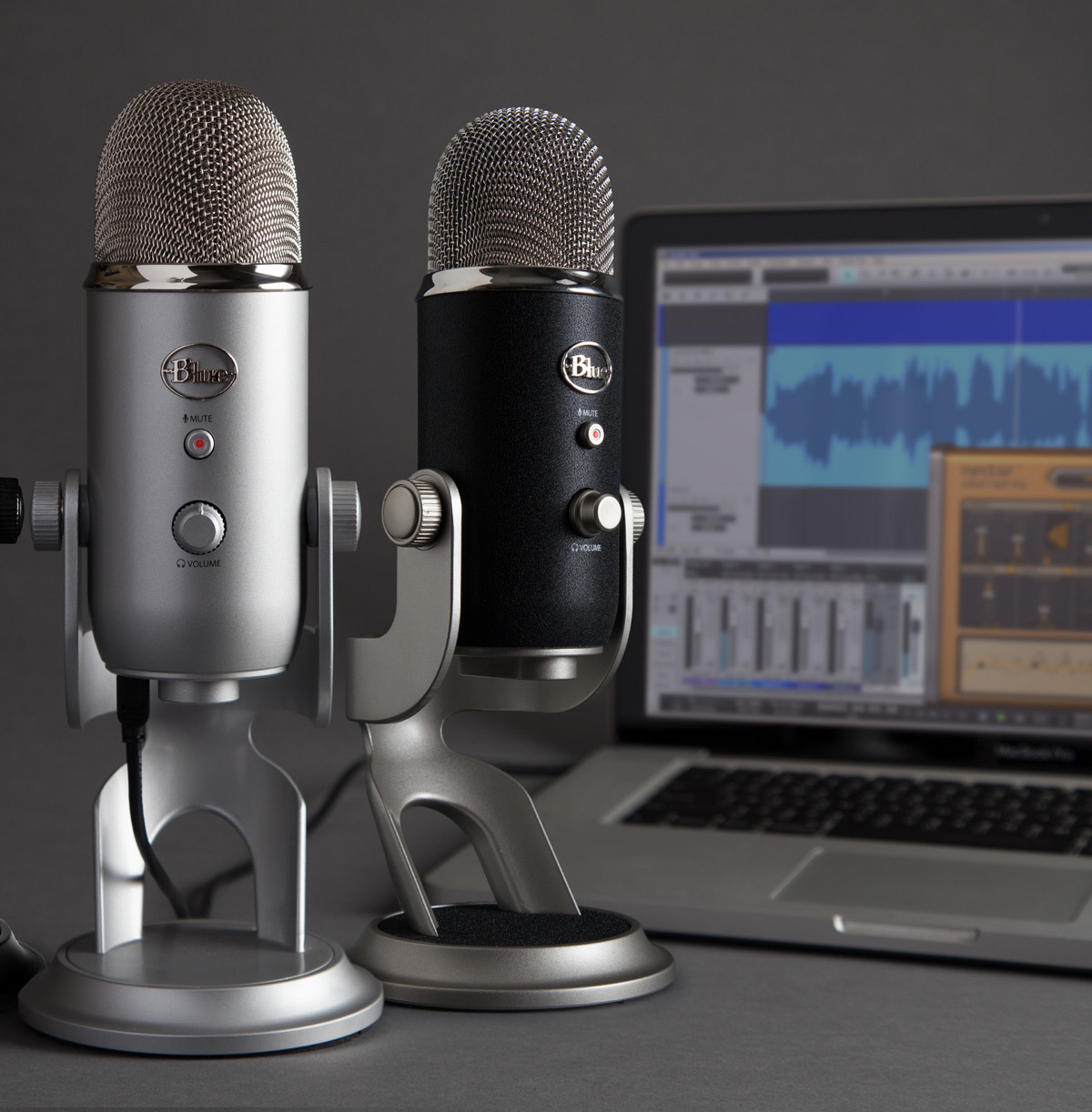
Skype, the mother of all video chatting apps, has been dominating the industry since 2003 when it first appeared on the market. It’s free, easy to use, and chances are, mom has already heard of it. It’s also compatible with whatever she’s most accustomed to using and available on desktop, mobile, tablets, Xbox, or Amazon Echo. If you really want to make it feel like you and mom are in the same room, invest in two little Blue Snowball mics for upgraded audio.

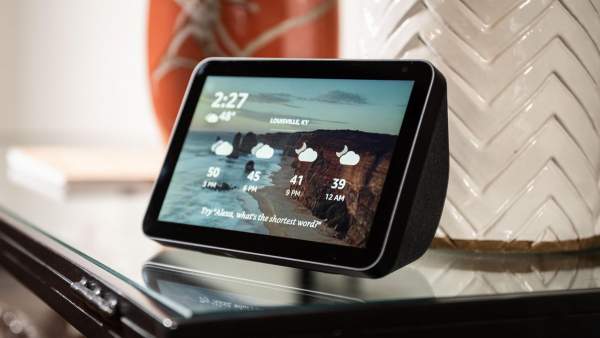
Amazon Echo 8
Amazon Echo 8 | Courtesy of CNET

WhatsApp

  • Price: Free
  • For use on: mobile and desktop

WhatsApp is an easy, free option for moms and kids in different countries. It’s made to facilitate international chatting and supports end-to-end encryption so you and the fam can talk privately. It’s free on mobile, but, for some reason, talking hands-free with a laptop always feels more personal. Plus, it’s a lot easier to see your entire family when they’re not jammed onto a smartphone screen. 

Zoom

  • Price: free (tiered pricing options available)
  • For use on: mobile and desktop

Zoom is one of the lucky companies that are not only surviving the pandemic but thriving. This is arguably the best option if you’re bringing together a massive mother’s day celebration with siblings, family, and other loved ones. It’s also the easiest to use—mom doesn’t have to download or install anything on her desktop or phone. Send her a link to the meeting and she’ll be able to access it from any device. If things get a little rowdy with your housemates (or on the chat), throw on a pair of noise-canceling headphones so you can concentrate.

FaceTime

  • Price: Free (with the price of an Apple device, of course)
  • For use on: mobile and desktop

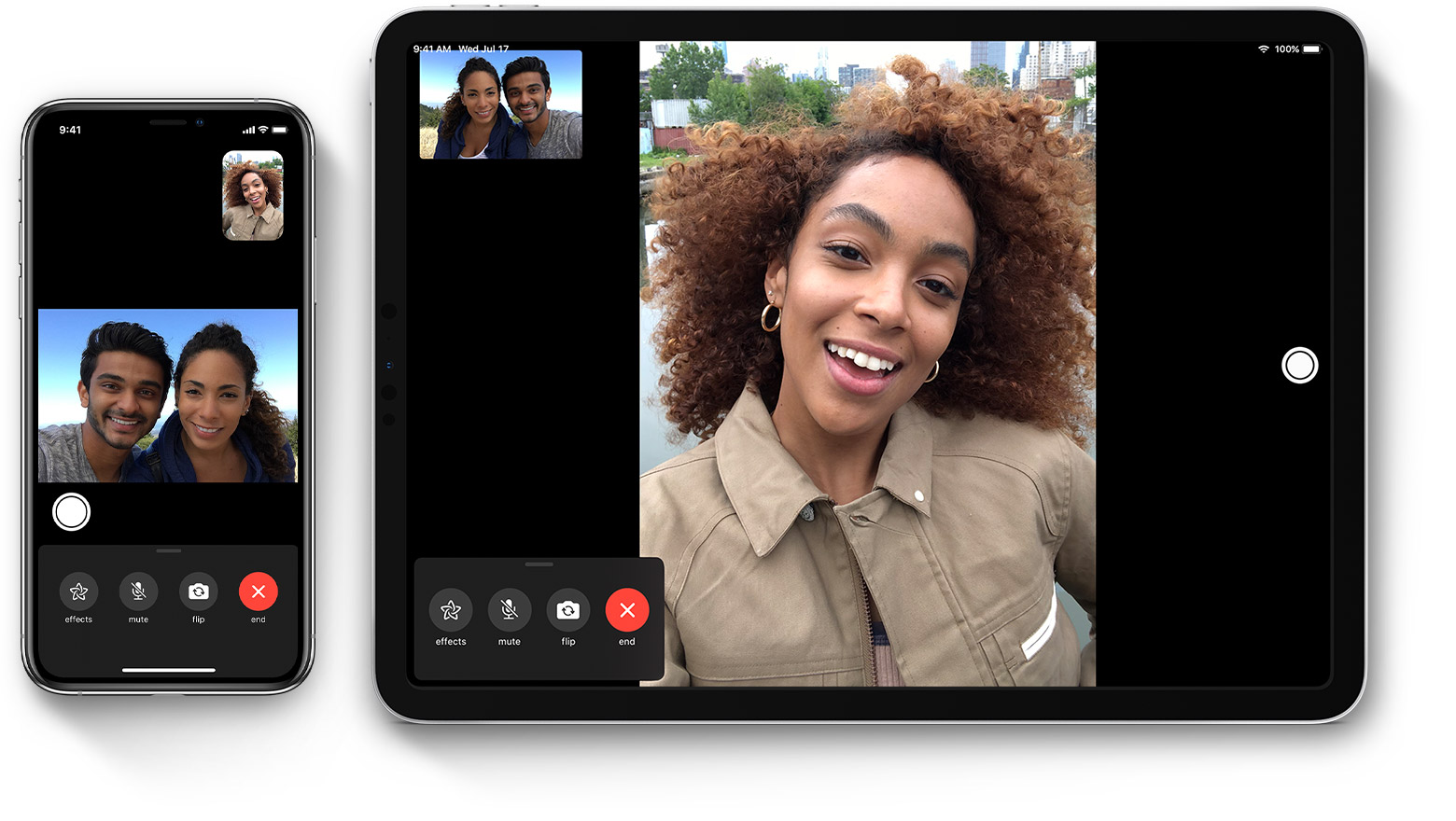
Apple, the usability gurus, created FaceTime to be a seamless video chatting solution that can be accessed from any of their devices. Honestly, they did a great job. If you’re an Apple user, FaceTime integrates with your contacts making it the second-easiest video chat to access (after Zoom). The only snag, of course, is that you need an Apple device to use it. Never fear—you can get mom a laptop or iPad if she already has (and loves) an Andriod or Google phone.

best video chat apps FaceTime
FaceTime | Courtesy of Apple

Google Duo

  • Price: Free
  • For use on: mobile and desktop

Google Duo is basically Android-compatible FaceTime with one big exception: it works with both Andriod and iOS devices. Shoutout to Google for always making our lives just a little bit easier. Like WhatsApp, Duo features end-to-end encryption to ensure that your private chats stay private. It can also connect up to 12 people so you can chat freely with the whole fam at the same time. 

Facebook Messenger

  • Price: Free
  • For use on: mobile and desktop

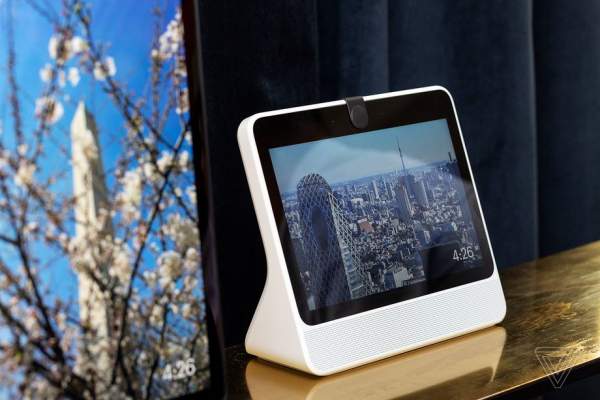
Next on our list of the best video chat apps is Facebook Messenger. Love them or hate them, Facebook has one of the largest user-bases on the planet. They’re masters of facilitating communication and, with that, comes video chatting. Available through Facebook Messenger, you can video chat with up to 50 people (in one room) for 240 minutes. You can also use the Facebook Portal if you’re feeling especially futuristic. 

best video chat apps Facebook Portal
Facebook Portal | Courtesy of The Verge

Marco Polo

  • Price: Free ($9.99/month for premium)
  • For use on: mobile and desktop

Are you and mom in very different time zones? Do you have a hard time finding a free moment to speak? Do you simply struggle with keeping in contact with one another? Well, friend, let us tell you the good news about Marco Polo. This mobile app essentially lets you send video text messages to loved ones whenever is most convenient for you. It could be a “hello I love you,” a brief life update, or a 2-minute rant about your bad day. It’s all kept in the same feed so you can swipe through to see and react to past videos. If you’re rocking a smartphone with a below-average camera, consider upgrading to something more powerful (like the Xperia 1) to get the most out of this app.

Houseparty

  • Price: free
  • For use on: mobile and desktop

Last but not least, we have Houseparty. It’s a face-to-face social network with a twist—it has in-app games you can play with up to 8 people. This is a great option for anyone who wants an easy way to video chat or upgrade remote family game night. Unlike more traditional apps like Facetime, you don’t necessarily need to call someone to start a chat/game. When you open the app, it sends a push notification to your friends telling them you’re online and ready to play.

That wraps up our list of the best video chat apps for talking to mom on Mother’s Day. If you have another app you love, or another idea for making this remote Mother’s Day special, leave it in the comments below.


Stuck Inside? Escape Through the Lens of a Nature Photographer

Happy 50th Earth Day, everyone! There’s something very poetic about the fact that this major milestone is taking place during the COVID-19 quarantine. Those of us who are practicing social distancing and/or living in major cities (hello, fellow New Yorkers) are stuck inside, unable to hug trees. So, we put together a list of nature photographer Insta inspo that will help fill that rainforest-sized void in our hearts.

Granted, nothing can truly replace the positive effects of being outside. It provides stress relief and a wide array of physical, mental, and emotional benefits. In fact, a team of researchers at the European Centre for Environment & Human Health at the University of Exeter found that people who spent two hours a week in green spaces (parks or other natural environments) were substantially more likely to report good health and psychological well-being than those who don’t. 

However, you can still get some of the same effects by viewing nature from a window. And what is the Internet if not a window into the outside world? So, city dwellers, open your windows, put on a soundscape of crashing waves, and scroll through these beautiful photos of the great outdoors.

@camilleseaman


View this post on Instagram


A post shared by Camille Seaman Photography (@camilleseaman) on

Camille Seaman is the 2020 equivalent of the great explorers of the 1890s. Her work takes you through sweeping frozen landscapes and over the Scotia Sea. Camille is a Hurtigruten Expedition photographer, Stanford Knight Fellow, Cinereach FIR Fellow, and a National Geographic contributing photographer. 

@luisgodinhophoto


View this post on Instagram


A post shared by Luís Godinho (@luisgodinhophoto) on


Luís Godinho’s work takes him all over the world, but he currently resides in Portugal on the Azores Islands. While he primarily works as a documentary and street photographer, his Instagram is littered with an array of vistas that capture everything from serene waterscapes to volcanoes on the brink of eruption.

@amivitale


View this post on Instagram


A post shared by Ami Vitale (@amivitale) on

Ami Vitale is a National Geographic photographer and Nikon ambassador. She has visited more than 100 countries where her dedication to “living the story” has secured numerous accolades and invaluable documentation of our world. Her work captures singularly beautiful vistas, conservation efforts, and everyday life in all of its varied forms.

@chrisburkard


View this post on Instagram


A post shared by ChrisBurkard (@chrisburkard) on

Chris Burkard is yet another talented multi-hyphenate. This California-based nature photographer, artist, author, and creative director has a penchant for landscape, surf, and outdoor subjects. Chris’s knack for capturing soothing, idyllic stills makes him a prime candidate for an Earth-Day follow.

@Mitty


View this post on Instagram


A post shared by Cristina Mittermeier (@mitty) on

Photographer Christina Mittermeier has one heck of a resume. She’s a biologist, UN ambassador, Nat Geo photographer, and co-founder of an organization called SeaLegacy that fights for ocean conservation. Her knack for visual storytelling puts her in a unique position to celebrate the sea in photos and use those images to promote vital conservation efforts across the globe.

@winmagphotography


View this post on Instagram


A post shared by Win Magsino (@winmagphotography) on

Win Magsino travels the world capturing scenes that look like something you’d see in a dream. His landscape and commercial work have brought him to China, Indonesia, Italy, Spain—you name it, he’s been there and photographed it. This self-taught talent favors Fujifilm and shoots with a GFX 50S medium format mirrorless.

@olegrest


View this post on Instagram


A post shared by OLEG REST (@olegrest) on

Oleg Rest is a lover of travel and landscape photography. His talents have taken him across the globe from Patagonia and Norway to Iceland and the Czech Republic. While he currently shoots with a Canon 5D Mark IV, he started out with an old Zenit that he borrowed for a family vacation. Oleg’s philosophy is short but effective: keep it simple. Capture shots that require minimal edits, beautiful colors, and interesting composition and you can’t go wrong.

Do you have a favorite nature photographer or a great way to celebrate Earth Day? Let us know in the comments below!

6 Quarantine-Approved Headphones For Every Budget

quarantine approved headphones 1

Quarantining is the extreme sport we never asked for. Who would have guessed that the ultimate test of our physical, mental, and emotional health would be sitting in our homes doing absolutely nothing? Not us. That said, there are tools that make self-distancing slightly more tolerable. No, we’re not talking about your weighted blanket or Animal Crossing; we’re referring to really, really nice headphones.

With all due respect to AirPodsy, those handy little earbuds do not have the same protective power as cushy, over-the-ear, high-fidelity headphones. The models below drown out awkward Skype dates, tweens recording TikTok videos, and even the voices in your own head. We also included a range of prices so everyone can finally get the peace the so dearly deserve!

You should also check out our roundup of 2020’s best mics if you’re tired of sounding like an exhausted robot on video calls.

Noise Canceling Headphones

Finding privacy in your own home is incredibly difficult. This is especially challenging if you’re working remotely or just need a moment away from the madness. Noise canceling headphones are the best way to make any space suitable for some you-time.

Sony WH-CH700N

Price: $128.00

View this post on Instagram

A post shared by Sony (@sony) on

The Sony WH-CH700N is one of the most popular noise canceling headphones on the market. It’s cost-effective, features hands-free calling, and boasts up to 50 hours of noise cancelation when used with a wired connection. It also houses a Digital Sound Enhancement Engine (DSEE) that boosts the high-frequency elements of sound to add extra dimension to your favorite music.

Bose 700

Price: $379.00

View this post on Instagram

A post shared by Flossy Carter (@flossy_carter) on

Bose audio equipment has long been the gold-standard for speakers and headphones alike—the Bose 700 noise canceling Bluetooth headphones are no exception. In addition to having exceptional sound quality, the 700s feature a built-in, four-microphone system that adeptly isolates the sound of your voice. You can also personalize your listening experience with 11 different levels of noise cancelation based on how annoyed you are with your surroundings on any given day.

If you’re riding the IoT wave, it’s also worth mentioning that these are optimized for use with both the Google Assistant and Amazon Alexa.

Sony WH-1000XM3 + 20,000mAh Battery Pack

Price: $348.00

View this post on Instagram

A post shared by Fashion & Fitness | Jari (@jarivandenheuvel) on

The Sony WH-100XM3 headphones are definitely an investment. However, that price tag includes adaptive sound control, HD noise canceling, atmospheric pressure optimization, and (of course) high-res audio. All of these features come together to deliver a fully customizable listening experience that even the most serious audio experts can appreciate. This bundle also comes with a 20,000mAh battery pack and, at the risk of sounding like a prepper, it’s not a bad time to have a little extra power ready just in case.

Gaming & Noise Isolation Headphones

Our remaining three quarantine-approved headphones are for people who care about sound quality but don’t necessarily need to pay top dollar for noise cancelation; they’re great for gaming and casual, every-day use.

Audio Technica ATH-M50XBT

Price: $179.00

View this post on Instagram

A post shared by Audio-Technica USA (@audiotechnicausa) on

The ATH-M50XBT is the textbook definition of affordable, high-quality headphones. They have 45mm large-aperture drivers that deliver sonic performance and solid sound isolation. Like the Bose 700s, they also have convenient access to voice-assist through a built-in microphone. 

All that said, one of our favorite practical features of these headphones is that they can run for up to 40 hours on a single charge. They’re comfortable, durable, and don’t have the complex bells and whistles that can deter potential buyers from pricer models.

Beyerdynamic DT 990 PRO Studio Headphones (Ninja Black, Limited Edition)

Price: $169.00

View this post on Instagram

A post shared by beyerdynamic (@beyerdynamic) on

Sound nerds and gamers have one big thing in common: they take their headphones very seriously. That’s why they both flock to Beyerdynamic for all of their sound needs. Favored by the internet-famous gamer Ninja, the DT 990 PR headphones are a great example of that crossover appreciation.

These standard studio headphones are extremely comfortable. You can wear them for hours without issue thanks to their memory-foam ear padding. The DT 990s also have excellent sound reproduction which is great for hearing subtle noises in game-play or when you’re in the mixing studio. 

Sennheiser HD 650

Price: $379.00

View this post on Instagram

A post shared by Gijs Driesenaar (@pyralid) on

Last but not least, we have the Sennheiser HD 650. These dynamic hi-fi stereo headphones are an audiophile’s dream. They’re made with specialized acoustic silk for precise, even sound, feature lightweight aluminum voice coils that ensure a high-quality transient response, and boast a Neodymium Ferrous Magnet system that optimizes sensitivity. 

If that means nothing to you, just know that they’re comfortable and they sound as great as they look.

This concludes our roundup of quarantine-approved headphones! Do you have a favorite pair/brand that you don’t see listed? Have you found the secret to maintaining your sanity during quarantine? Leave your thoughts in the comments section below!

Best Microphones for Podcasting (or Skyping with Mom) | 2020 Roundup

Best Microphones for Podcasting featured 2

Having access to great recording equipment has always been important. However, we’ve reached a point in history where it’s…let’s say vital. Whether you’re looking for the best microphones for podcasting—or just want to sound better on video chats with friends—here are the best, most popular mics on the market.

You’ll notice that this list is split into two categories: USB mics and XLR mics. So, what’s the difference?

Ease of use/portability: USB mics are absurdly easy to use—you don’t need any additional audio equipment to begin recording. All you need is a computer with a USB port, some basic DAW software, and your USB mic of choice to get started. Alternatively, XLRs are more labor-intensive to set up/use. They require additional equipment, including an audio interface like the Focusrite Scarlett, to connect with your computer.

Sound quality/latency: This is a hot-button topic for audio enthusiasts. New USB mics’ quality and internal elements closely mirror that of professional studio XLRs. However, you can lose some quality and pick up a slight lag when recording with a USB microphone. 

These aren’t necessarily differences that an audio newbie would notice. But if you’re recording an album, mixing a professional recording, or you want to make a serious investment in your future as a podcaster, an XLR is likely the right choice for you.

To put it simply, XLRs require a powerful audio interface dedicated to converting sound from audio waves into the digital information that shows up on your computer screen. On the other hand, USB mics have the same technology built into a body 1/10th the size of the average audio interface—you trade some power for that convenience.

We hope this clears things up for you. If not, feel free to leave questions in the comments below. Now, onto the mics! 

USB Microphones

Blue Yeti

Courtesy of Blue

If you’ve done even a little research on USB mics or the best microphones for podcasting, you’ve undoubtedly come across the Blue Yeti. This is the world’s #1 selling USB microphone and for good reason. It produces crystal-clear, studio-quality recordings and looks pretty darn good on your desk. 

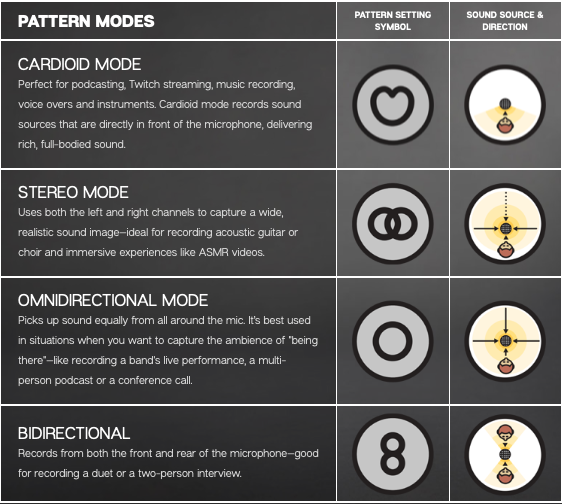
Blue pioneered convenient, easy-to-use USB mics. The Yeti boasts a zero-latency headphone output, is “plug ‘n play” Mac and PC compatible, and has multiple recording patterns (cardioid, bidirectional, omnidirectional and stereo).

Looking for something a bit smaller? Perhaps the Yeti Nano is right for you.

best microphones for podcasting directions
Courtesy of Blue

Audio-Technica AT2020USB+

It’s not exactly a secret that we’re huge Audio-Technica fans (we wrote a whole post about it). However, our love for their headphones also extends to their mics. The Audio-Technica AT2020USB+ has the award-winning sound of the AT2020 (an XLR) with enhanced capabilities that capture the pristine sound singers, podcasters, voice-over artists, and field recorders crave.

The AT2020USB+ has a 4.1/48 kHz sampling rate for superior audio. Its popular features include built-in mix controls, a high-output internal headphone amplifier, and the smooth, extended frequency response favored by home recording studio artists. If you’re looking for a simplified version, we recommend checking out the ATR2100X for all your podcasting needs.

Blue Snowball iCE

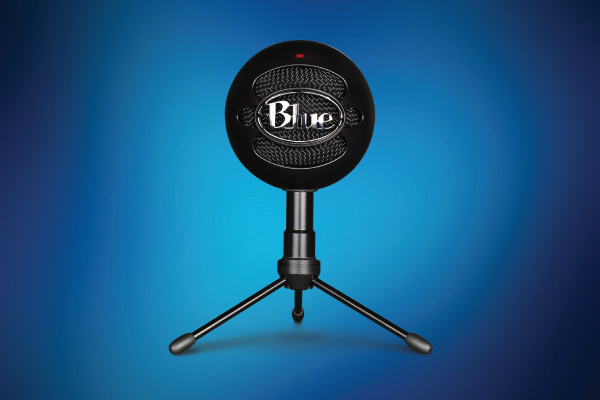
The Blue Snowball iCE is a little powerhouse. It’s Skype and Discord certified which guarantees quality performance whether you’re using it for Twitch streaming, recording voice notes, or video chatting with concerned family members.

The iCE has a frequency response rate of 40-18 kHz powered by a custom cardioid condenser capsule. Plus, it’s designed to work with Mac and PC operating systems; like the Yeti, you can start recording and streaming moments after unboxing.

XLR Mics

Shure SM58

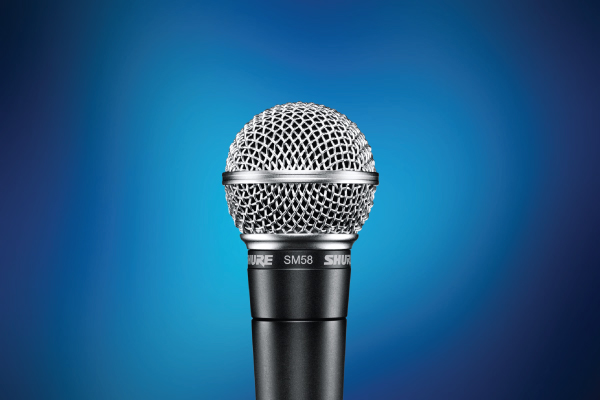
The Shure SM58 is arguably one of the most popular mics in the world. It’s designed for professional vocal use with a built-in, spherical filter that minimizes the “pop” noise you hear as a result of wind or breath. Because of that feature, this is a favorite standard microphone for live musical performances, studio recordings, spoken word recitations, and…really anything else you can imagine using a mic for.

It boasts a frequency response of 50 to 15,000 Hz, has a pneumatic shock-mount to reduce handling noise, and it’s incredibly rugged which makes it a live performance favorite. If you ever happen to find yourself with an excessive amount of free time, watch a few recorded concerts from your favorite rock or pop stars. We can guarantee the SM58 will make a guest appearance.

Audio Technica AT2035

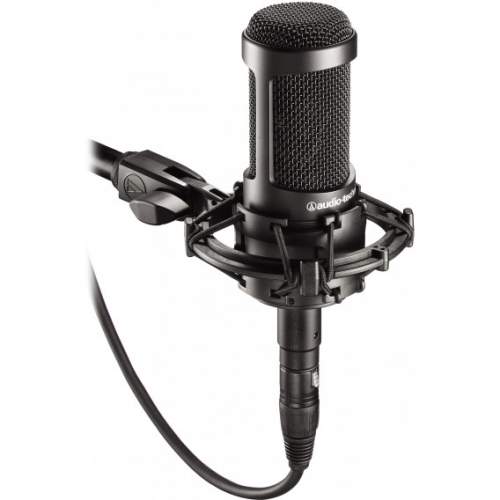
Next on our list of the best microphones for podcasting is the Audio-Technica AT2035. You can use this XLR mic for home and professional in-studio recordings. Like the SM58, you can also see it used in live performances. 

The AT2035’s large diaphragm provides a smooth sound and low noise. Similarly, its cardioid polar pattern reduces any miscellaneous sounds from beside and behind you. The end result is consistent, crystal-clear, isolated sound. If you want a versatile mic with excellent handling and wide dynamic range, this one is for you.

AKG C214

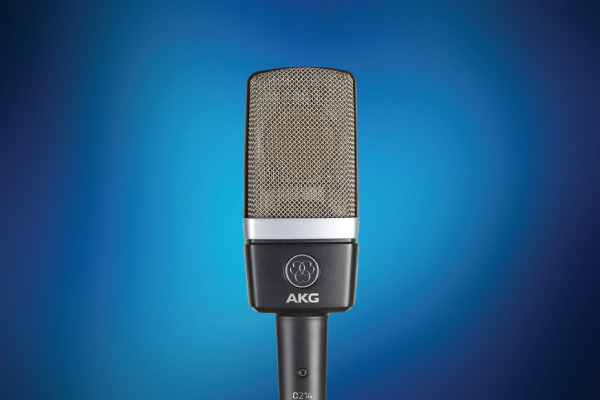
If sound and style are tied as your #1 priority, we recommend the AKG C214. This model is a step above the other XLR microphones on our list—it even looks premium. 

This is the more affordable version of the pricy C414XLII recording mic. Like its more expensive counterpart, the AKG C214 is ideal for capturing detailed lead vocals as well as solo instruments thanks to its incredible dynamic range (up to 156 dB SPL) and integrated suspension system that reduces mechanical noise.

That wraps up our list of the best microphones for podcasting, recording music, hopping on work video calls, or just catching up with your mom. Do you have any favorites that didn’t make the list? Leave them in the comments below.

7 Common Data Storage Myths Debunked | World Backup Day Tips

Data Storage World Backup Day 2

Have you heard the good news about World Backup Day? There’s now an entire holiday devoted to data storage.

Every year on March 31st, a group of heroes encourages the global community to back up all of their digital files and asks nothing in return. As outlined in their FAQ, this is not only a day for backing up your personal data but also a time to talk about the enormous task of preserving our ever-increasing digital heritage and cultural works for future generations.

That is one heck of an undertaking.

In an effort to do our part, we reached out to our friends at LaCie (the backup drive experts) and asked to speak to someone who could offer us some much-needed guidance.

Jonathan Bauder is that data guru. He is a 15-year tech industry veteran who’s spent the last 11 years working for LaCie and its parent company, Seagate. There, he wages a valiant war against one of the most pervasive threats to modern technology: data loss.

“My goal in life now is to help people avoid data loss,” he said, laughing during our call.

Bauder was kind enough to chat with us about the essential rules for protecting yourself against data loss, avoiding corrupted hard drives, and cleared up a few data-storage-related myths.

Before We Begin

We discuss two types of hard drives in this post: hard disk drives and solid-state drives.

Hard Disk Drive (HDD): also known as a “spinning drive,” this device records and reads data using magnetized particles on rapidly rotating platters. 

Solid-state Drive (SSD): an SSD has no moving parts (hence the name solid state). It uses semiconductor chips, not magnetic media, to store data. 

Myth #1: A good hard drive can last a lifetime if you take care of it.

Fact: The life span of the average consumer hard drive is 3-5 years.

A single hard drive is not a permanent solution for long-term data storage. In fact, the average HHD lasts only 3 to 5 years. Similarly, while SSDs are still new to the market, it looks like they have roughly the same life trajectory.

That said, Bauder recommends using HHDs for archiving.

“There’s a whole other Pandora’s box on SSDs,” said Bauder. “SSDs are not good for long-term, unpowered storage…solid states are great for scratch disks. So, editing directly off the drive, running your phone or tablet, that kind of stuff.”

He went on to say that SSDs are great if you’re editing 4-8k videos on the fly. However, because of the way solid-state drives hold data, the internal charge they rely on dissipates over time making it tricky for people interested in carefree, multi-year storage.

Data Storage World Backup Day LaCie SSD

Myth #2: Once my data is on my hard drive, I can put it in a drawer and forget about it until I need it.

Fact: You must periodically plug in your hard drive to ensure it will continue working.

Well, this is half true. If you use a spinning hard drive, it doesn’t make a huge difference if you power it up every three months or two years from now. Your data is safe either way.

SSDs are a different story.

“Your data could literally evaporate off the drive if you don’t power it up every once in a while,” Bauder warned.

“The SSD thing gets kind of complicated…there’s a lot of variables. But every quarter, at minimum twice a year, connect it to your computer. Have it plugged in, powered up, and available. You don’t even have to do anything [to the drive].”

“There’s a ton of self-maintenance that SSDs have to do internally to keep the data, refresh all the bits, trash collection, error correction—there’s a lot of processing. And if you don’t let them be connected for a couple of hours every 6 months, they can’t do any of that. It’s very important for your data integrity.”

Myth #3: SSDs are indestructible and significantly tougher than HDD devices.

Fact: While SSDs absorb impact better than spinning drives, SSDs are also extremely sensitive to temperature.

Creatives love SSDs and with good reason. They’re smaller, lighter, and quieter than the average spinning drive. As mentioned above, they also provide the kind of dynamic power that allows users to edit large files directly from the device. Plus, they’re significantly sturdier—in Bauder’s words, if an SSD falls down an escalator, it’s less likely to be affected by the impact than it’s HDD counterpart.

However, SSDs are much more susceptible to heat damage.

“The average SSD can hold data unpowered on a shelf for two years at 20 ℃,” Bauder explained. “If you raise that 5 ℃, it’s only 1 year. If you go to 30 ℃ you only get 6 months on the shelf. So, you don’t want to store SSDs in hot places or direct sunlight like the dash of your car. They’re much more sensitive to temperature.”

This is a very easy problem to solve once you’re aware of it—simply store your SSDs somewhere cool.

On the other end of the spectrum, spinning drives are significantly less vulnerable to changes in temperature but can’t withstand impact if they’re writing data.

“If [spinning drives] are on and running, they’re really prone to shock damage. The tolerances are amazingly small. The heads are spinning over the platter at 7200 RPMs with less than a human’s hair tolerance between the head and platter. If something goes wrong, that could be catastrophic.

“When they’re unplugged, the ‘Ruggeds’ can take up to a 6-foot drop, even the spinning drives. So unplugged they’re more durable. But being plugged in and running and writing data, you want to be more careful.”

Data Storage LaCie Rugged Drive

Myth #4: If I have one reliable backup I should be fine.

Fact: You should always back up your backups.

Discussing worst-case health scenarios with a seasoned doctor is a unique, enlightening, and often frightening experience. They’ve seen a number of absurd, implausible scenarios that you and I can’t even imagine.

Speaking with a veteran data-storage expert has a similar vibe.

“I’ve been with LaCie and Seagate for over 11 years and I started out in tech support. I’ve talked to literally thousands of people who’ve lost their data,” Bauder paused thoughtfully. “So, I’ve become kind of conservative about other people’s data. I’m a little bit of an alarmist…but this is still good advice. What you need to have is a 1-2-3 strategy.” 

First, you have a working copy that lives inside your computer or on a backup drive. Second, you create a backup copy on another drive. Third, he recommends having a “disaster copy.”

“Typically that’s offsite,” Bauder elaborated. “Have it in a safe, a safety deposit box, the cloud, whatever as long as you have [one].”

The 1-2-3 is a good basic rule for most people. However, the more critical or valuable your data is, the more copies you should have.

“I’ve talked to people whose entire businesses were on one hard drive. And if that hard drive died, they would have to shut the doors to their business. Something like that, you should have more than three copies.”

Over the past few years, ransomware has also become a serious issue for individuals and businesses alike. 

“I’ve talked to some of the IT departments involved in [ransomeware attacks]…any device that’s connected to a computer will be encrypted and [the hacker] will try to extort you for the key. Having a good, separate backup can protect you from that.”

LaCie 2big RAID Desktop
Courtesy of Videomaker.com

Myth #5: Multiple RAID drives are the perfect, complete solution for photographers and cinematographers.

Fact: Relying exclusively on RAIDs and data mirroring can be risky.

RAID stands for “Redundant Array of Independent Disks.” This setup combines multiple separate hard drives together to create a larger, faster, more versatile storage solution. For example, the 2big RAID contains two stacked, interchangeable drives that have multiple formatting options:

  • RAID 0: the two drives function as one. This offers the fastest speeds and largest possible capacity.
  • RAID 1: the two drives mirror each other. When you copy data onto one of the drives, it is immediately, automatically copied to the second one.
  • JABOD (just a bunch of drives): the two drives function independently inside one enclosure.

“One thing with photographers that I’ve seen a lot over the years is that they think RAID is a backup. A lot of photographers buy two-bay RAID devices and put it in “RAID 1” which is mirroring…Now, either drive can fail and they don’t have to stop working, the copy is there. But it doesn’t protect you from accidental deletion, it doesn’t protect you from virus attack, it doesn’t protect you from corruption.

“RAID instantly mirrors what’s on that first drive. So, if you delete half your files, it deletes them off the mirror before you can even blink. If you get a virus, it replicates that virus to the other half. If the volume corrupts it mirrors that corruption.”

But fear not, dear reader, not all hope is lost for your beloved RAID. You can still feel free to use them as long as you use the 1-2-3 method.

  1. Use the RAID
  2. Have a backup of the RAID
  3. Have an emergency backup of everything offsite or in the cloud

But what about that ever-growing price tag?

“RAIDs are typically more expensive because it’s more complicated hardware,” Bauder explained. “So I tell people if you want to use RAID for your main storage, that’s great. But the backup doesn’t have to be another RAID. You can either get a bigger single drive and back everything up to something less expensive or split it up between a couple, smaller drives. You don’t have to break the bank to have multiple backups.

This holds true when comparing the cost of additional devices with data recovery rates; it costs $3,000-$5,000 to recover a single drive. There are a few cheaper options (around $800) but none of them guarantee you’ll get your data back.

According to Bauder, only about 85% of data can be recovered and the remaining 10%-15% is not recoverable for any dollar amount.

“An ounce of prevention is worth a pound of cure. Whatever the cost seems like upfront, it’s still going to be cheaper than if you have to go through the pain and anguish of data recovery. And if you’re in that 10%-15% who is unrecoverable, it’s gone forever. And that can be really traumatic.”

Data Storage World Backup Day

Myth #6: Paid backup software is superior to built-in computer programs.

Fact: It doesn’t really matter as long as you’re using one of them.

We asked Bauder if there’s specific back-up software that recommends or if built-in programs like Mac’s Time Machine will do the trick.

“Built-in backup software is OK. I always tell people I don’t care how you do it—if it’s a drag and drop or software install—as long as you’re doing it.

“Usually, having software installed means you can set up a [backup] schedule which helps, even if you have to get the drive out yourself and connect it…It tends to help people back up more consistently than if they’re leaving it to themselves to remember to do it.”

Myth #7: If you use a Mac and a PC, you should use separate drives for each operating system.

Fact: You can use the same drive for both without any major problems.

Will the ongoing war between Macs and PCs affect the integrity of your hard drive? No, probably not.

“There are some basic formatting issues where a Windows formatted drive is read-only on a Mac and a Mac-formatted drive won’t even show up on Windows. But if you have a Paragon Driver installed so your computer can translate to the drive, there’s not a lot of issues there.”

Key Takeaways

Backup early and often to at least three locations (working copy, backup, emergency cloud storage). It’s your best defense against everything from user error to ransomware attacks. 

Bauder’s parting advice is to make it your job to see that backups happen on a regular basis—prevention is better than data recovery in the event of an emergency.

How do you avoid corrupted hard drives and which LaCie products will you use to celebrate World Backup Day? On the other end of the spectrum, do you have any backup horror stories you want to share? Leave it all in the comments below!

6 Of The Most Inspiring Women In Photography | Women’s History Month 2020

Featured Women In Photography 1

Happy Women’s History Month, everyone! We’re using this auspicious occasion as an excuse to talk about some of the most inspirational women in photography.

Spoiler alert: it’s an exceptionally talented and fascinating group of people. 

We could have happily continued writing this post forever. However, that seemed impractical. Instead, we created a list of 6 of our favorite contemporary female photographers and encourage you, the reader, to add some of your favorites in the comments below.

1. Daniella Zalcman


View this post on Instagram


A post shared by Daniella Zalcman (@dzalcman) on

IG: @dzalcman

Meet Daniella Zalcman, a Vietnamese-American documentary photographer. According to her website, Zalcman is a multiple grantee of the Pulitzer Center on Crisis Reporting, a fellow with the International Women’s Media Foundation, and a National Geographic Society grantee.

She is, in a phrase, not messing around.

For a decade, Zalcman listened to countless photo editors tell her that they can’t hire more women in photography. The same editors claimed that those professionals simply do not exist. In response, Zalcman created Women Photograph, a database of 950+ independent women documentary photographers based in 100+ countries. The organization provides in-person networking opportunities, skill-building classes, and career-building advice.

As for the photographer herself, Zalcman’s long-term projects often focus on the legacies of western colonization. One such project, Signs of Your Identity, is an in-depth expose about the Canadian government’s network of residential boarding schools designed to “assimilate young indigenous students into western Canadian culture.” The resulting book explores the ongoing challenges of survivors who experienced the schools’ practices of forced assimilation, physical assault, and “intergenerational trauma as a tool of cultural genocide.”

The book is sold out but you can find more information about it here.

2. Elsa Garrison


View this post on Instagram


A post shared by Elsa Garrison (@elsagarrison) on

IG: @elsagarrison

Elsa Garrison has spent the last 20+ years as a sports photographer for Getty Images. In this capacity, she’s covered some of the most important sporting events in the world including the Super Bowl, World Cup, Stanley Cup Finals, NBA Finals, the World Series, U.S Open Tennis and both the Summer and Winter Olympic games.

She didn’t establish her career by being “one of the boys.” Instead, she dominates the industry as the toughest photographer in the room, stadium, and/or arena. Garrison was also the first female photographer to shoot for Allsport in 1996, a title she owns but didn’t necessarily seek out.

“I was like, ‘OK. Thanks, I guess?’ I didn’t know what to say to that,” Garrison said after she was informed of her achievement. “I wasn’t thinking about that. I just wanted to shoot sports.” 

Men are still the predominant presence in sports photography (and photography at large). Intentional or not, Garrison is an inspiration to would-be photographers who love this art form and don’t fit the typical mold.

3. Laylah Amatullah Barrayn


View this post on Instagram


A post shared by Laylah Amatullah Barrayn (@laylahb) on

IG: @laylahb

Historically, gatekeepers of the arts in the United States have done a terrible job highlighting and recording the day-to-day lives of black Americans. We would be missing an even larger chunk of our country’s history if not for photographers like James Van Der Zee, Carrie Mae Weems, and P.H. Polk.

Photographer Laylah Amatullah Barrayn is on a mission to remedy this negligence on a global scale. She’s photographed women in post-conflict Casamance, Senegal, Ghana’s Cape Coast, the black Muslim women of Abu Dhabi, and the diaspora currently taking place in her hometown of Brooklyn, New York. According to a 2018 Vice interview, Barrayn is particularly taken with the vibrance of Senegal where she has traveled repeatedly over the past 20 years.

Her documentation continued with two publications: her book Black: A Celebration of a Culture and MFON: Women Photographers of the African Diaspora.

Barrayn co-founded MFON with fellow artist Adama Delphine Fawundua. Together, they formed this “commemorative publication committed to establishing and representing a collective voice of women photographers of African descent.” The first issue features over 100 contemporary artists, writers, and educators.

We would need an entire post to go through the full list of Barrayn’s accolades. Suffice to say, her work has garnered over 25 grants, fellowships, and honors. Most recently, she won the Brooklyn Arts Fund Grant and the 100 Heroines in Photography Medal. She was also a finalist for the Dorothea Lange–Paul Taylor Prize.

4. Lynsey Addario


View this post on Instagram


A post shared by Lynsey Addario (@lynseyaddario) on

IG: @lynseyaddario

Lynsey Addario got her start as an untrained photographer for the Buenos Aires Herald in 1996. She later freelanced for the New York Times and Associated Press before going to work full time in South Asia for the Christian Science Monitor, Boston Globe, and Houston Chronicle. Then, in 2000, she began her work in Afghanistan focusing heavily on the social restrictions of the Taliban.

Addario built her career documenting human frailty and brutality in the throws of war and diaspora. She put (and continues to put) her life on the line documenting women in Afghanistan who live under Taliban law, Syrian refugees, and countless others in Iraq, Darfur, Libya, Lebanon, South Sudan, Somalia, and Congo.

Her in-depth, skillful work is internationally recognized.

In addition to securing the MacArthur Fellowship, she’s earned numerous awards for her work including a Pulitzer Prize for International Reporting, an Emmy nomination for her work on “The Displaced”, and an Excellence in International Reporting Award from the International Center for Journalists.

Most importantly, Addario shaped the way the world perceives war and its victims in immeasurable ways. Learn more about her work in her book It’s What I Do.

5. Lola Akinmade Åkerström


View this post on Instagram


A post shared by Lọlá Ákínmádé Åkerström (@lolaakinmade) on

IG: @lolaakinmade

“Travel photographer” is an often-cited dream job for kids and adults alike. People love the jet-setting lifestyle, the vibrant people and landscapes, and (of course) the food.

Lola Akinmade Åkerström is living the dream.

She started her career as a Geographic Information Systems specialist. However, her love for the earth’s intricacies combined with a passion for the visual arts drew her to travel photography.

While traveling, Åkerström finds that being a woman makes it easier to gain access to specific, personal moments. However, that doesn’t always hold true. As she said in a 2018 interview with Adventure.com, “…being granted access into male-only domains and not being taken as seriously within patriarchal structures as a male photographer can be challenging—but not impossible.”

Her skill and the joy she takes in her work is evident in every shot. The critics agree; Åkerström’s work is published in National Geographic Traveler, BBC, CNN, The Guardian, Travel + Leisure, Slate, Travel Channel, Lonely Planet, and many more.

Åkerström also has two book credits under her belt. The first, DUE NORTH, won the 2018 Lowell Thomas Award for best travel book. Second, we have the bestselling LAGOM: Swedish Secret of Living Well. You can find them both here.

6. Barbara Davidson


View this post on Instagram


A post shared by barbara davidson (@photospice) on

IG: @photospice

Next on our list of women in photography is Barbara Davidson, a three-time Pulitzer Prize and Emmy award-winning photojournalist. 

Davidson spent her early career documenting war and humanitarian crises in 52 countries over the course of 20 years. During that time, she covered the end of the Bosnian War, the Second Intifada in Israel, wars in Iraq, Afghanistan, and the Democratic Republic of Congo.

She is the personification of the word “fearless.”

Davidson’s work reflects a commitment to documenting subjects affected by conflict and the resilience of the human spirit. The same dedication fuels her coverage of gun-shot survivors in the United States.

In 2011, her work documenting innocent victims caught in the crossfire of Los Angeles gang violence garnered her both the Pulitzer Prize for feature photography and an Emmy. Similarly, her photographs were part of a staff entry that won the Los Angeles Times the 2016 Spot News Pulitzer for coverage of the San Bernardino mass shooting.

Currently, Davidson is a Guggenheim Fellow exploring the United States in her car. She is accompanied by her two dogs, making 8×10 portraits of gun-shot survivors using an 8×10 film camera.

Who are your favorite inspirational women in photography? Let us know in the comments below.